
Console#
Introduction#
The VEXcode V5 Console is displayed in the Monitor window within VEXcode. Console methods can display text, numbers, and variable values while a project is running. They can also clear the Console, read user input, and set the color of text printed after the color is changed.
When using VS Code, text-based Console output appears in the terminal instead of the VEXcode Console.
Note: When using the VEXcode Console, you must connect to the Console Serial Port before any output can be printed to the Console.
Below is a list of all methods:
Actions — Output text or clear the Console.
print— Displays text, numbers, or variable values in the Console or terminal.clear_console— Clears all rows in the Console.
Getter — Read user input.
input— Displays an optional prompt string, waits for user input, and returns the response as text.
Mutator — Format printed text.
set_console_text_color— Sets the color used for text printed in the Console.
Actions#
print#
print displays text, numbers, or variable values in the Console. In VS Code, print displays output in the terminal.
Use custom string formatting when you want a printed message to include values from your project, like a score, timer, or sensor reading. See the String Formatting page for more information.
By default, each print() statement ends with \n, which stands for a new line. This moves the cursor to the next line after the value is printed. The optional end parameter changes what is added after the printed value.
Usage:
print(value, end=“\n”)
Parameter |
Description |
|---|---|
|
The text, number, or variable value to display in the Console or terminal. |
|
Optional. The text added after |
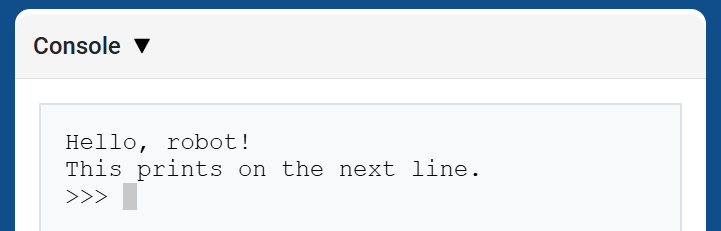
# Display two messages on separate lines
print("Hello, robot!")
print("This prints on the next line.")
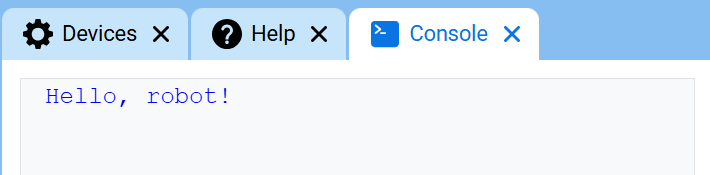
# Display two messages on the same line
print("Hello,", end=" ")
print("robot!")
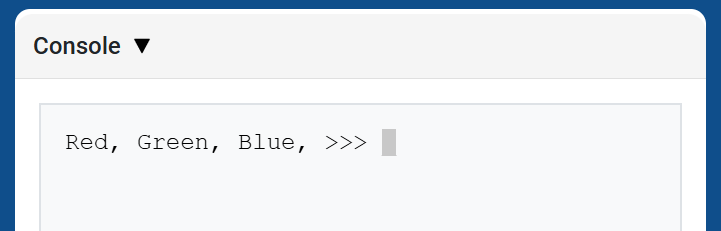
# Print three colors on one line, separated by commas
colors = ["Red", "Green", "Blue"]

for color in colors:
    print(color, end=", ")
Escape Sequences#
Escape sequences are short codes that can be printed with print to change how text appears in the Console.
Most projects should use set_console_text_color to change text color and clear_console to clear the Console. Escape sequences are useful when you want to do those things directly inside a print statement.
To change the text color, print \033 followed by a color code.
Color |
Escape sequence |
|---|---|
Red |
|
Green |
|
Blue |
|
Black |
|
White |
|
Yellow |
|
Orange |
|
Purple |
|
Cyan |
|
Transparent |
|
# Print VEXcode in red
print("\033[31mVEXcode")
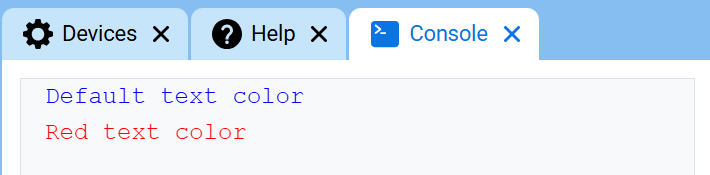
# Print text in different colors
print("Default text color")
print("\033[31m")
print("Red text color")
To clear the entire Console with an escape sequence, print \033[2J. This also moves the cursor back to row 1.
# Clear the Console after two seconds
print("VEXcode")
wait(2, SECONDS)
print("\033[2J")
clear_console#
clear_console clears all rows from the Console.
Usage:
clear_console()
Parameters |
Description |
|---|---|
This method has no parameters. |
# Display text, then clear it after two seconds
print("This will disappear...")
wait(2, SECONDS)
clear_console()
Getter#
input#
input displays an optional prompt string, waits for the user to enter a response, then returns that response as text.
The project pauses at input() until a response is entered in the Console. In VS Code, the response is entered in the terminal.
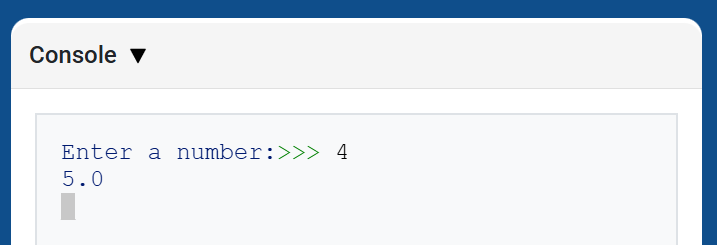
The value returned by input() is always text. To use the response as a number, convert it first with int() or float().
Usage:
input(prompt)
Parameter |
Description |
|---|---|
|
Optional. A string to display in the Console or terminal before waiting for a response. If no prompt is included, no message is displayed before waiting. |
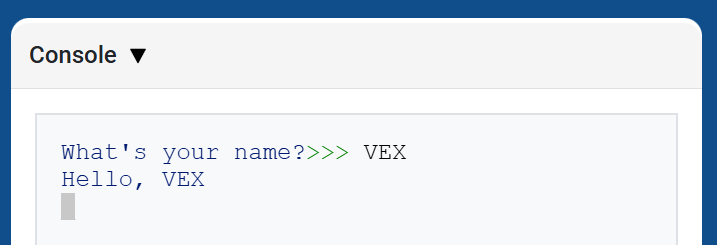
# Ask for a name, then print a greeting
answer = input("What's your name?")
print("Hello, " + answer)
# Ask for a number, then use it in math
answer = input("Enter a number:")
number = float(answer)
print(number + 1)
Mutator#
set_console_text_color#
set_console_text_color sets the color used for text printed in the Console after this method is used. At the start of a project, the Console text color is set to BLUE.
This method changes text color in the VEXcode Console. In VS Code, terminal color support can vary by terminal.
Usage:
set_console_text_color(color)
Parameter |
Description |
|---|---|
|
The color to use for text printed in the Console:
|
# Print text in different colors
print("Default text color")
set_console_text_color(Color.RED)
print("Red text color")