
Consola#
Introducción#
La consola de VEXcode V5 se muestra en la ventana del monitor dentro de VEXcode. Los métodos de la consola pueden mostrar texto, números y valores de variables mientras se ejecuta un proyecto. También pueden borrar la consola, leer la entrada del usuario y establecer el color del texto impreso después de que se haya cambiado el color.
Al usar VS Code, la salida de la consola basada en texto aparece en la terminal en lugar de en la consola de VEXcode.
Nota: Al usar la consola VEXcode, debe conectarse al puerto serie de la consola antes de que se pueda imprimir cualquier salida en la consola.
A continuación se muestra una lista de todos los métodos:
Acciones: Mostrar texto o borrar la consola.
print— Displays text, numbers, or variable values in the Console or terminal.clear_console— Clears all rows in the Console.
Obtenido: lee la entrada del usuario.
input— Displays an optional prompt string, waits for user input, and returns the response as text.
Motador: formatea el texto impreso.
set_console_text_color— Sets the color used for text printed in the Console.
Comportamiento#
print#
print displays text, numbers, or variable values in the Console. In VS Code, print displays output in the terminal.
Utilice el formato de cadena personalizado cuando desee que un mensaje impreso incluya valores de su proyecto, como una puntuación, un temporizador o una lectura de sensor. Consulte la página Formato de cadena para obtener más información.
By default, each print() statement ends with \n, which stands for a new line. This moves the cursor to the next line after the value is printed. The optional end parameter changes what is added after the printed value.
Usage:
print(value, end=“\n”)
Parámetro |
Descripción |
|---|---|
|
El texto, número o valor de variable que se mostrará en la consola o terminal. |
|
Optional. The text added after |
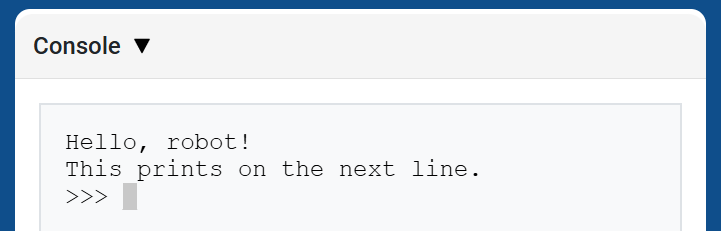
# Display two messages on separate lines
print("Hello, robot!")
print("This prints on the next line.")
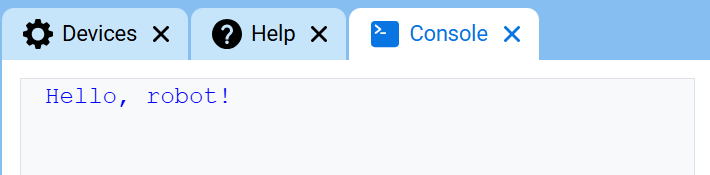
# Display two messages on the same line
print("Hello,", end=" ")
print("robot!")
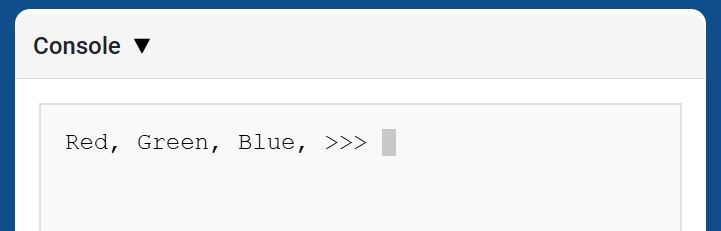
# Print three colors on one line, separated by commas
colors = ["Red", "Green", "Blue"]

for color in colors:
    print(color, end=", ")
Secuencias de escape#
Escape sequences are short codes that can be printed with print to change how text appears in the Console.
Most projects should use set_console_text_color to change text color and clear_console to clear the Console. Escape sequences are useful when you want to do those things directly inside a print statement.
To change the text color, print \033 followed by a color code.
Color |
Secuencia de escape |
|---|---|
Rojo |
|
Verde |
|
Azul |
|
Negro |
|
Blanco |
|
Amarillo |
|
Naranja |
|
Púrpura |
|
Cian |
|
Transparente |
|
# Print VEXcode in red
print("\033[31mVEXcode")
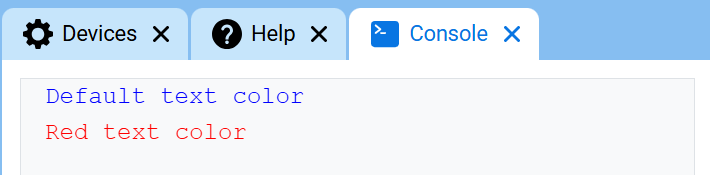
# Print text in different colors
print("Default text color")
print("\033[31m")
print("Red text color")
To clear the entire Console with an escape sequence, print \033[2J. This also moves the cursor back to row 1.
# Clear the Console after two seconds
print("VEXcode")
wait(2, SECONDS)
print("\033[2J")
clear_console#
clear_console clears all rows from the Console.
Usage:
clear_console()
Parámetros |
Descripción |
|---|---|
Este método no tiene parámetros. |
# Display text, then clear it after two seconds
print("This will disappear...")
wait(2, SECONDS)
clear_console()
Adquiridor#
input#
input displays an optional prompt string, waits for the user to enter a response, then returns that response as text.
The project pauses at input() until a response is entered in the Console. In VS Code, the response is entered in the terminal.
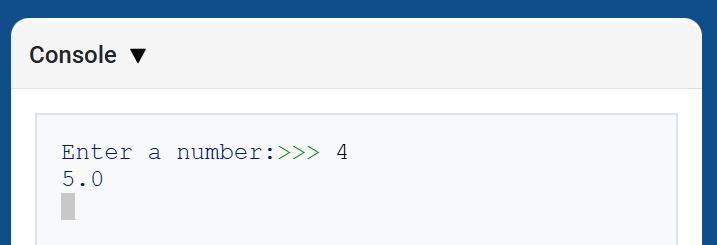
The value returned by input() is always text. To use the response as a number, convert it first with int() or float().
Usage:
input(prompt)
Parámetro |
Descripción |
|---|---|
|
Opcional. Una cadena de texto que se mostrará en la consola o terminal antes de esperar una respuesta. Si no se incluye ningún mensaje, no se mostrará nada antes de esperar. |
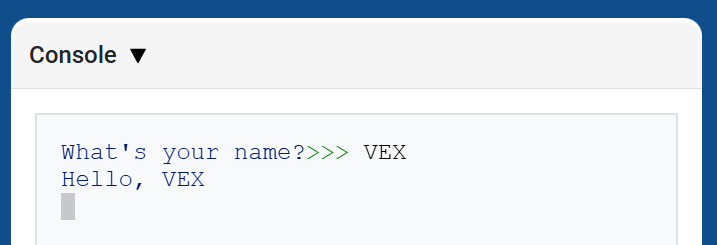
# Ask for a name, then print a greeting
answer = input("What's your name?")
print("Hello, " + answer)
# Ask for a number, then use it in math
answer = input("Enter a number:")
number = float(answer)
print(number + 1)
Mutador#
set_console_text_color#
set_console_text_color sets the color used for text printed in the Console after this method is used. At the start of a project, the Console text color is set to BLUE.
Este método cambia el color del texto en la consola de VEXcode. En VS Code, la compatibilidad con colores en la terminal puede variar según el terminal.
Usage:
set_console_text_color(color)
Parámetro |
Descripción |
|---|---|
|
The color to use for text printed in the Console:
|
# Print text in different colors
print("Default text color")
set_console_text_color(Color.RED)
print("Red text color")