
Motor 393 (Motor Controller 29)#
Introduction#
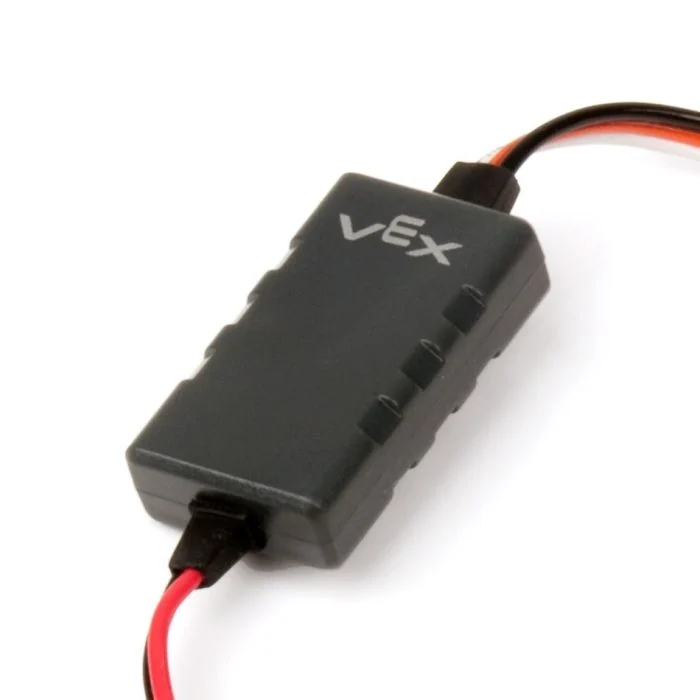
The motor29 class is used to control a Motor Controller 29 connected to a 3-Wire Port. The Motor Controller 29 sends a PWM signal from the EXP Brain to operate a VEX Motor 393.
Class Constructors#
1 — Creates a
motor29object on the specified 3-Wire Port.motor29( triport::port &port );
2 — Creates a
motor29object on the specified 3-Wire Port and changes the positive turning direction.motor29( triport::port &port, bool reverse );
Class Destructor#
Destroys the motor29 object and releases associated resources.
~motor29();
Parameters#
Parameter |
Type |
Description |
|---|---|---|
|
|
The 3-Wire Port that the Motor Controller 29 is connected to, written as |
|
|
Sets whether the motor’s spin direction is reversed:
|
Example#
// Create a Motor Controller 29 instance in 3-Wire Port A
motor29 Motor393_A = motor29(
    Brain.ThreeWirePort.A );
Member Functions#
The motor29 class includes the following member functions:
spin — Spins the motor in a specified direction.
stop — Stops the motor.
setVelocity — Tells the Motor 393 how fast to spin.
setReversed — Sets whether the motor’s rotation direction is reversed.
Before calling any motor29 member functions, an instance must be created, as shown below:
/* This constructor is required when using VS Code.
Motor 393 configuration is generated automatically
in VEXcode using the Device Menu. Replace the values
as needed. */

// Create a Motor Controller 29 instance in 3-Wire Port A
motor29 Motor393_A = motor29(
    Brain.ThreeWirePort.A );
spin#
Spins the Motor 393 in the specified direction forever.
Available Functions
1 — Spins using the currently configured velocity.
void spin(
 directionType dir );
2 — Spins at the specified velocity.
void spin(
 directionType dir,
 double        velocity,
 velocityUnits units );
Parameters
Parameter |
Type |
Description |
|---|---|---|
|
|
The direction in which the motor spins: |
|
|
The velocity to spin with from 0% to 100% when using |
|
|
The velocity unit:
|
Return Values
This function does not return a value.
Notes
This function is non-waiting and the project will continue executing immediately after the call.
The Motor 393 will continue spinning until
stopis called or anotherspinis used.
stop#
Stops the motor.
Available Functions
void stop();
Parameters
This function does not take any parameters.
Return Values
This function does not return a value.
setVelocity#
Tells a Motor 393 how fast to spin. A higher percentage makes the Motor 393 spin faster and a lower percentage makes the Motor 393 spin slower.
Every project begins with each Motor 393 spinning at 50% velocity by default.
Available Functions
void setVelocity(
    double velocity,
    percentUnits units );
Parameters
Parameter |
Type |
Description |
|---|---|---|
|
|
The velocity to spin with from 0% to 100% when using |
|
|
The velocity unit: |
Return Values
This function does not return a value.
setReversed#
Sets whether the motor’s rotation direction is reversed.
Available Functions
void setReversed(
    bool value );
Parameters
Parameter |
Type |
Description |
|---|---|---|
|
|
Whether the Motor 393’s direction is reversed:
|
Return Values
This function does not return a value.
Notes
Calling
setReversedis the same as changing thereverseparameter in the constructor.