
Screen#
Introduction#
The Screen category controls the V5 Brain’s touchscreen, allowing your robot to show text, numbers, and graphics, and respond to touch input.
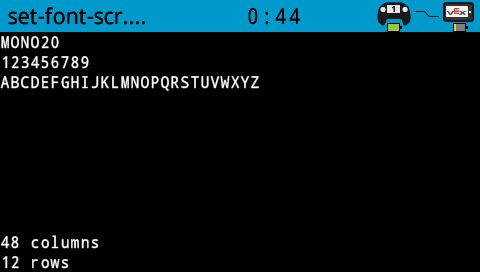
By default, the font for printing to the Brain is monospaced small which has 12 rows and 48 columns.
For drawing, the Brain’s resolution is 479 x 239 pixels.
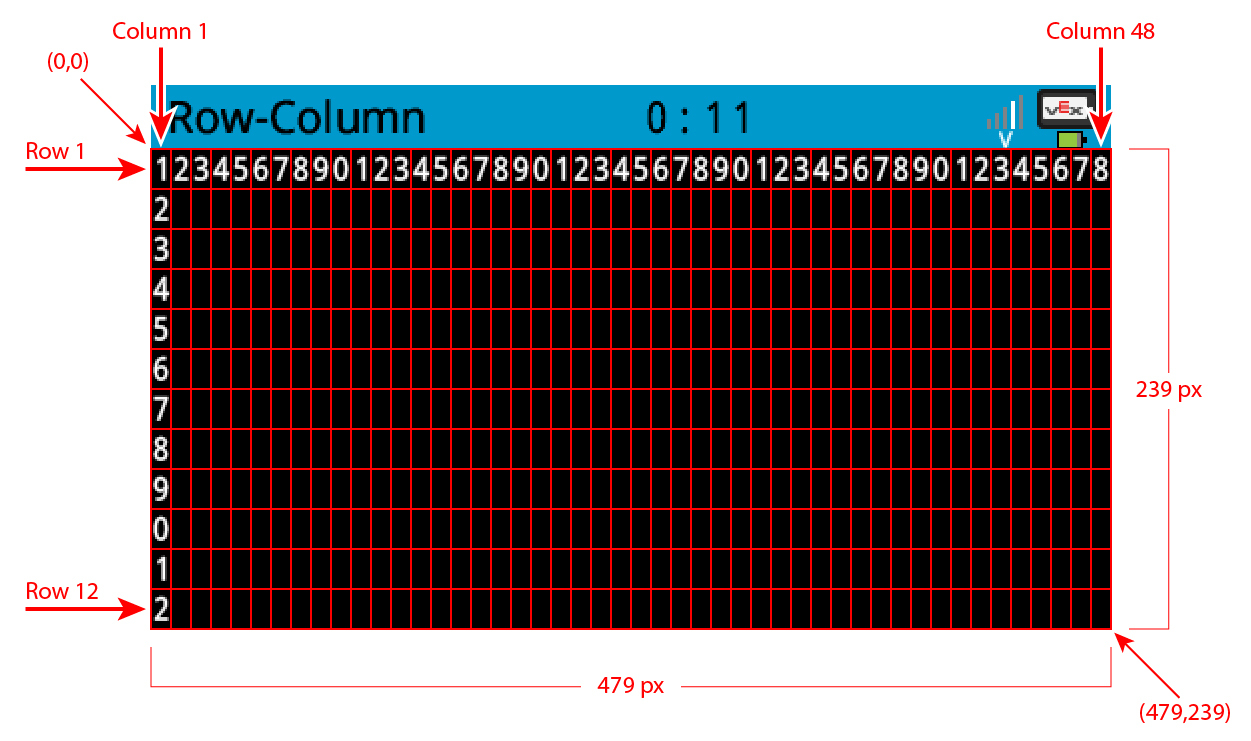
Below is a list of all methods:
Cursor Print — Place and print text.
print— Prints text at the current cursor position.setCursor— Sets the cursor to a specific row and column.newLine— Moves the cursor to column 1 of the next row.clearLine— Clears a row of text.row— Returns the current cursor row.column— Returns the current cursor column.printAt— Prints text at specific x- and y-coordinates.getStringWidth— Returns the width of a string in pixels.getStringHeight— Returns the height of a string in pixels.
Mutators — Change screen settings, colors, and drawing behavior.
clearScreen— Clears the screen of all drawings and text.setFont— Sets the font for printed text.setPenWidth— Sets the thickness for drawn shapes and lines.setPenColor— Sets the color for outlines and text.setFillColor— Sets the fill color for shapes and backgrounds.setOrigin— Sets a new origin for printing and drawing.
Draw — Add graphics to the screen.
drawPixel— Draws a pixel at a specific x and y-position.drawLine— Draws a line between two points.drawRectangle— Draws a rectangle.drawCircle— Draws a circle.render— Updates the Brain’s screen with text and drawings only when called.setClipRegion— Restricts where drawings and text can appear.
Touch — Get touch input from the screen.
pressing— Returns whether the screen is being pressed.xPosition— Returns the x-coordinate of the last screen event.yPosition— Returns the y-coordinate of the last screen event.
Callbacks — Respond to touch events on the screen.
pressed— Registers a function to be called when the screen is pressed.released— Registers a function to be called when the screen is released.
For information on constructing a Brain to gain access to the screen methods, see Brain.
Cursor Print#
print#
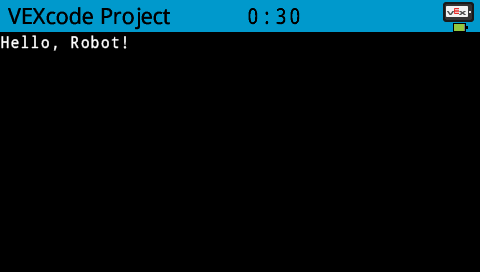
print displays text on the Brain’s screen at the current cursor position and font.
Usage:
Brain.Screen.print(value);
Parameters |
Description |
|---|---|
|
The text to display on the screen. Use C++ string formatting to print variables. |
int main() {
  // Initializing Robot Configuration. DO NOT REMOVE!
  vexcodeInit();

  // Display a message at the starting cursor
  Brain.Screen.print("Hello, Robot!");
}
setCursor#
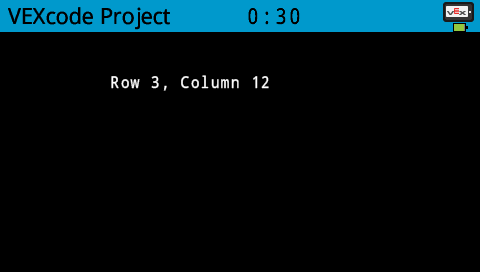
setCursor sets the cursor at a specific row and column on the Brain’s screen. How many rows and columns can comfortably fit depends on the selected font.
Monospaced fonts have characters that are all the same width, making text placement consistent. In contrast, proportional fonts vary in character width, so some letters take up more space than others. However, regardless of which type is used, setCursor positions the cursor based on row and column size, not font style. The font size can be adjusted using setFont.
Usage:
Brain.Screen.setCursor(row, col);
Parameters |
Description |
|---|---|
|
The row of the cursor. |
|
The column of the cursor. |
int main() {
  // Initializing Robot Configuration. DO NOT REMOVE!
  vexcodeInit();

  // Display text starting at Row 3 Column 12
  Brain.Screen.setCursor(3, 12);
  Brain.Screen.print("Row 3, Column 12");
}
newLine#
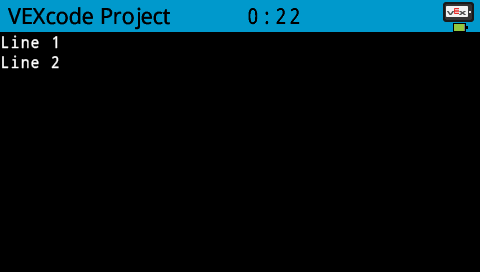
newLine moves the cursor to column 1 on the next row on the Brain’s screen.
Usage:
Brain.Screen.newLine();
Parameters |
Description |
|---|---|
This method has no parameters. |
int main() {
  // Initializing Robot Configuration. DO NOT REMOVE!
  vexcodeInit();

  // Display two lines of text
  Brain.Screen.print("Line 1");
  Brain.Screen.newLine();
  Brain.Screen.print("Line 2");
}
clearLine#
clearLine clears a row of drawings and text on the Brain’s screen. By default, this will clear the row that the cursor is currently on.
Default Usage:
Brain.Screen.clearLine();
Overload Usages:
Brain.Screen.clearLine(row);
Brain.Screen.clearLine(row, color);
Parameters |
Description |
|---|---|
|
The row to clear. |
|
Sets the background color of the cleared row. Options include:
|
int main() {
  // Initializing Robot Configuration. DO NOT REMOVE!
  vexcodeInit();

  // Display text on two rows
  Brain.Screen.print("This text stays");
  Brain.Screen.newLine();
  Brain.Screen.print("This disappears");

  // Wait 3 seconds before clearing row 2
  wait(3, seconds);
  Brain.Screen.clearLine(2);
}
row#
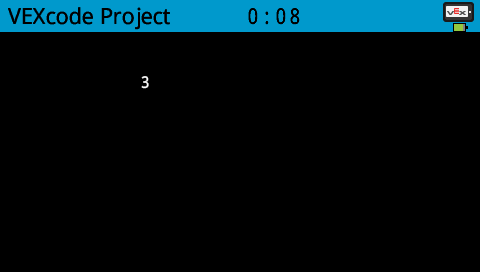
row returns the current row where text will be printed as an integer.
Usage:
Brain.Screen.row()
Parameters |
Description |
|---|---|
This method has no parameters. |
int main() {
  // Initializing Robot Configuration. DO NOT REMOVE!
  vexcodeInit();

  // Display the cursor's current row
  Brain.Screen.setCursor(3, 12);
  Brain.Screen.print(Brain.Screen.row());
}
column#
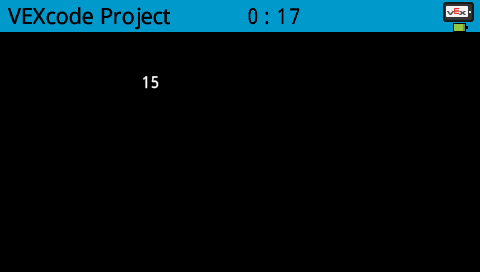
column returns the current column where text will be printed as an integer.
Usage:
Brain.Screen.column()
Parameters |
Description |
|---|---|
This method has no parameters. |
int main() {
  // Initializing Robot Configuration. DO NOT REMOVE!
  vexcodeInit();

  // Display the cursor's current column
  Brain.Screen.setCursor(5, 15);
  Brain.Screen.print(Brain.Screen.column());
}
printAt#
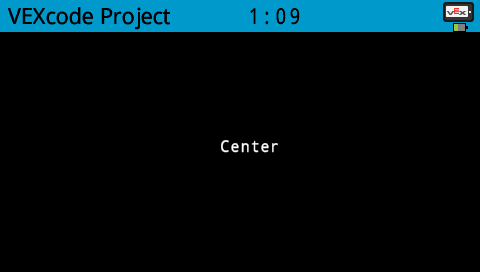
printAt displays text on the Brain’s screen at specified x- and y-coordinates (in pixels) with the current font and origin.
Usage:
Brain.Screen.printAt(x, y, value);
Parameters |
Description |
|---|---|
|
The x-position to print at as a keyword argument, ie: |
|
The y-position to print at as a keyword argument, ie: |
|
The text to print on the screen. Use the C++ string formatting to print variables. |
int main() {
  // Initializing Robot Configuration. DO NOT REMOVE!
  vexcodeInit();

  // Print the number 1 at pixel (100, 40)
  Brain.Screen.printAt(220, 120, "Center");
}
getStringWidth#
getStringWidth returns the width of a string as an integer in pixels as if it was on the Brain’s screen. The width of a string changes based on the length of the string and the size of the font.
Usage:
Brain.Screen.getStringWidth(string);
Parameters |
Description |
|---|---|
|
The string to measure. |
getStringHeight#
get_string_height returns the height of a string as an integer in pixels as if it was on the Brain’s screen. The height of a string changes based on the length of the string and the size of the font.
Usage:
Brain.Screen.getStringHeight(string);
Parameters |
Description |
|---|---|
|
The string to measure. |
Mutators#
clearScreen#
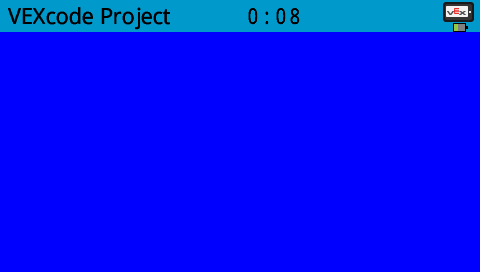
clearScreen clears all drawings and text from the Brain’s screen.
Default Usage:
Brain.Screen.clearScreen();
Overload Usages:
Brain.Screen.clearScreen(color);
Parameters |
Description |
|---|---|
|
Sets the background color. Options include:
|
int main() {
  // Initializing Robot Configuration. DO NOT REMOVE!
  vexcodeInit();

  // Clear screen after 2 seconds
  Brain.Screen.print("VEXcode");
  wait(2, seconds);
  Brain.Screen.clearScreen();
}
int main() {
  // Initializing Robot Configuration. DO NOT REMOVE!
  vexcodeInit();

  // Clear screen to blue after 2 seconds
  Brain.Screen.print("VEXcode");
  wait(2, seconds);
  Brain.Screen.clearScreen(blue);
}
setFont#
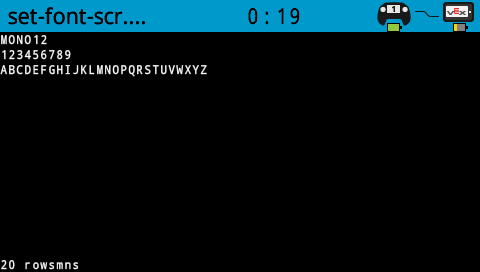
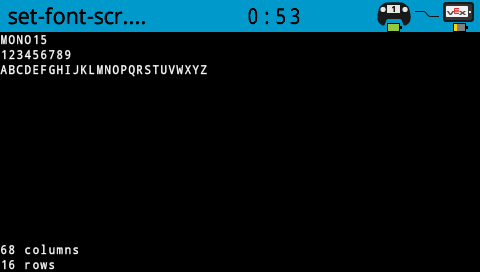
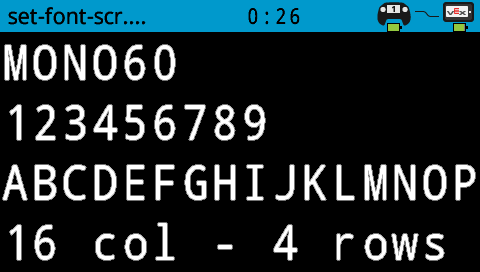
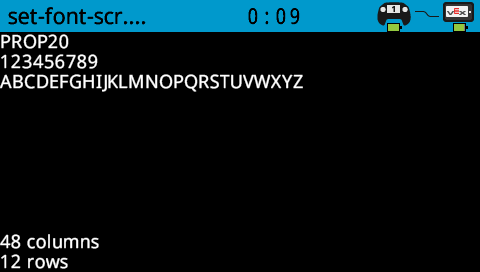
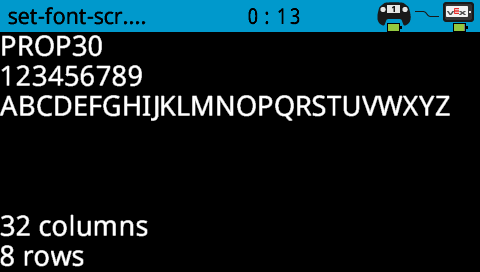
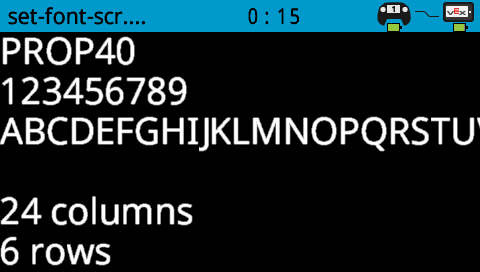
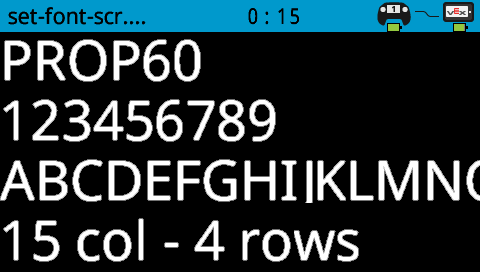
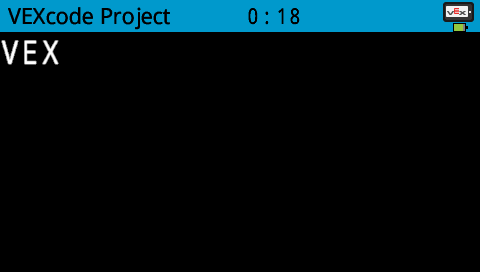
setFont sets the font used for displaying text on the Brain’s screen. This font will apply to all text printed with print or printAt. The default font at the start of a project is mono20.
Usage:
Brain.Screen.setFont(font);
Parameter |
Description |
|---|---|
|
Sets the font to one of the following:
|
|
|
|
|---|---|---|
|
|
|
|
|
|
|


int main() {
  // Initializing Robot Configuration. DO NOT REMOVE!
  vexcodeInit();

  // Set the font type to mono40
  Brain.Screen.setFont(mono40);
  Brain.Screen.print("VEX");
}
setPenWidth#
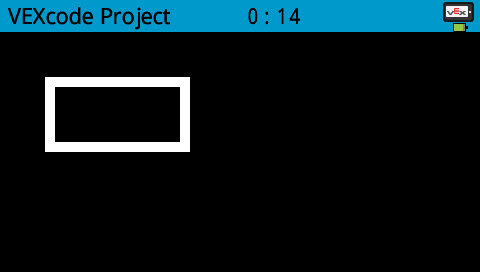
setPenWidth sets the pen width used for drawing lines and shapes.
Usage:
Brain.Screen.setPenWidth(width);
Parameter |
Description |
|---|---|
|
The pen width, given as an integer in pixels in a range from 0 to 32. |
int main() {
  // Initializing Robot Configuration. DO NOT REMOVE!
  vexcodeInit();

  // Draw a rectangle with a pen width of 10
  Brain.Screen.setPenWidth(10);
  Brain.Screen.drawRectangle(50, 50, 130, 60);
}
setPenColor#
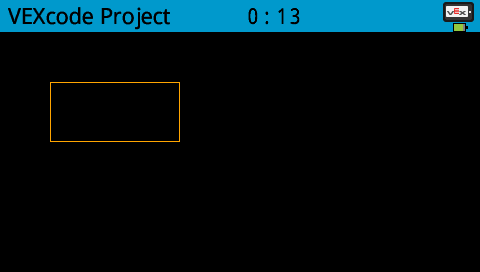
setPenColor sets the pen color used for drawing lines, shapes, and text.
Usage:
Brain.Screen.setPenColor(color);
Parameter |
Description |
|---|---|
|
Optional. Sets the pen color. Options include:
|
int main() {
  // Initializing Robot Configuration. DO NOT REMOVE!
  vexcodeInit();

  // Draw a rectangle with orange borders
  Brain.Screen.setPenColor(orange);
  Brain.Screen.drawRectangle(50, 50, 130, 60);
}
setFillColor#
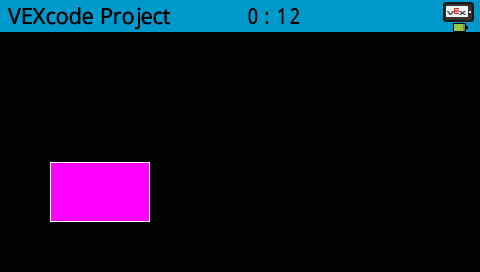
setFillColor method sets the fill color used when shapes are drawn.
Usage:
Brain.Screen.setFillColor(color);
Parameter |
Description |
|---|---|
|
Optional. Sets the fill color. Options include:
|
int main() {
  // Initializing Robot Configuration. DO NOT REMOVE!
  vexcodeInit();

  // Draw a purple rectangle
  Brain.Screen.setFillColor(purple);
  Brain.Screen.drawRectangle(50, 50, 130, 60);
}
setOrigin#
setOrigin sets the origin used for drawing graphics on the Brain’s screen. Drawing functions consider the top left corner of the Brain’s screen as the origin. This function can move the origin to an alternate position such as the center of the Brain’s screen.
Usage:
Brain.Screen.setOrigin(x, y);
Parameter |
Description |
|---|---|
|
The origin’s x-position relative to top left corner as an integer from 0 to 480. |
|
The origin’s y-position relative to top left corner as an integer from 0 to 240. |
Draw#
drawPixel#
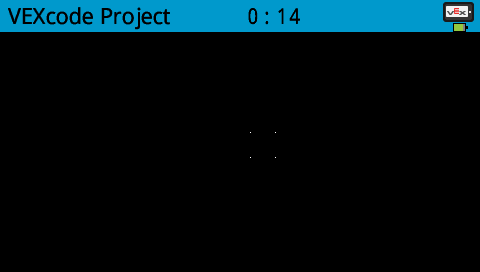
drawPixel draws a pixel at the specified x- and y-coordinates with the current pen color.
Usage:
Brain.Screen.drawPixel(x, y);
Parameter |
Description |
|---|---|
|
The x-coordinate where the pixel will be drawn, given as an integer from 0 to 480. |
|
The y-coordinate where the pixel will be drawn, given as an integer from 0 to 240. |
int main() {
  // Initializing Robot Configuration. DO NOT REMOVE!
  vexcodeInit();

  // Draw the pixels marking the corners of a square
  Brain.Screen.drawPixel(250, 100);
  Brain.Screen.drawPixel(275, 100);
  Brain.Screen.drawPixel(250, 125);
  Brain.Screen.drawPixel(275, 125);
}
drawLine#
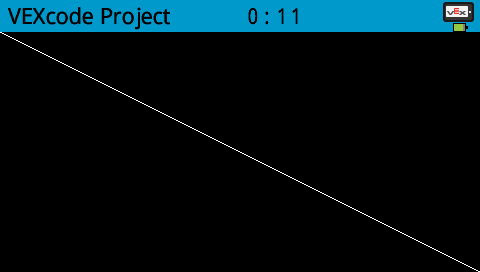
drawLine draws a line from the first specified screen coordinates (x1, y1) to the second specified screen coordinates (x2, y2). It uses the current pen width and pen color.
The x- and y-coordinates use the default origin of (0, 0) unless a different origin has been set using setOrigin.
Usage:
Brain.Screen.drawLine(x1, y1, x2, y2);
Parameter |
Description |
|---|---|
|
The starting x-coordinate of the line, given as an integer from 0 to 480. |
|
The starting y-coordinate of the line, given as an integer from 0 to 240. |
|
The ending x-coordinate of the line, given as an integer from 0 to 480. |
|
The ending y-coordinate of the line, given as an integer from 0 to 240. |
int main() {
  // Initializing Robot Configuration. DO NOT REMOVE!
  vexcodeInit();

  // Draw a line from the top left to bottom right of the screen
  Brain.Screen.drawLine(0, 0, 479, 239);
}
drawRectangle#
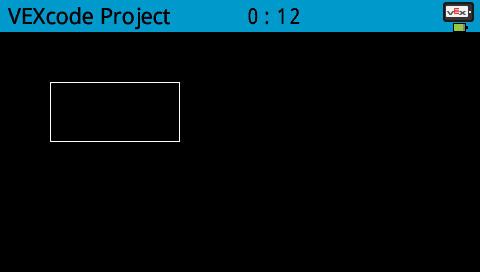
drawRectangle draws a rectangle with its top-left corner at the specified x- and y-coordinates and a size determined by the given width and height, all measured in pixels. The rectangle’s outline is drawn using the current pen width and pen color. The interior is filled with the current fill color.
The x- and y-coordinates use the default origin of (0,0) unless a different origin has been set using setOrigin.
Default Usage:
Brain.Screen.drawRectangle(x, y, width, height);
Overload Usages:
Brain.Screen.drawRectangle(x, y, width, height, color);
Parameter |
Description |
|---|---|
|
The x-coordinate of the top-left corner of the rectangle, given as an integer from 0 to 480. |
|
The y-coordinate of the top-left corner of the rectangle, given as an integer from 0 to 240. |
|
The width of the rectangle, given as an integer from 0 to 480. |
|
The height of the rectangle, given as an integer from 0 to 240. |
|
Sets the fill color. Options include:
|
int main() {
  // Initializing Robot Configuration. DO NOT REMOVE!
  vexcodeInit();

  // Draw a rectangle on the screen
  Brain.Screen.drawRectangle(50, 50, 130, 60);
}
drawCircle#
drawCircle draws a circle with its center at the specified x- and y-coordinates and a size determined by the given radius, all measured in pixels. The circle’s outline is drawn using the current pen width and pen color. The interior is filled with the current fill color.
The x- and y-coordinates use the default origin of (0, 0) unless a different origin has been set using setOrigin.
Usage:
Brain.Screen.drawCircle(x, y, radius);
Overload Usages:
Brain.Screen.drawCircle(x, y, radius, color);
Parameter |
Description |
|---|---|
|
The x-coordinate of the center of the circle, given as an integer from 0 to 480. |
|
The y-coordinate of the center of the circle, given as an integer from 0 to 240. |
|
The radius of the circle, given as an integer from 0 to 240 pixels. |
|
Sets the fill color. Options include:
|
int main() {
  // Initializing Robot Configuration. DO NOT REMOVE!
  vexcodeInit();

  // Draw a circle on the screen
  Brain.Screen.drawCircle(240, 120, 40);
}

render#
render enables double buffering for the Brain’s screen. Once called, any drawing commands (like text, shapes, or images) will no longer appear immediately for the rest of the project. Instead, updates will only be shown when render is used again. This allows for smoother and more controlled screen updates, but means nothing will be visible until render is used.
Usage:
Brain.Screen.render();
Parameters |
Description |
|---|---|
This method has no parameters. |
int main() {
  // Initializing Robot Configuration. DO NOT REMOVE!
  vexcodeInit();

  // Render text after moving
  Brain.Screen.render();
  Brain.Screen.print("Render later...");
  Drivetrain.driveFor(forward, 100, mm);
  Drivetrain.turnFor(right, 90, degrees);
  Brain.Screen.render();
}
setClipRegion#
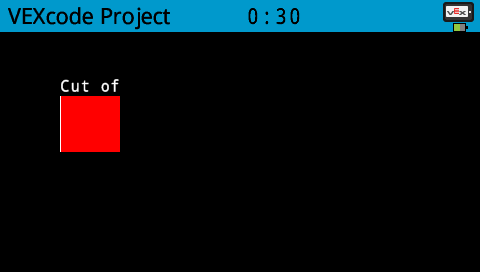
setClipRegion defines a rectangular area on the screen where all drawings and text will be confined. Any content outside this region will not be displayed.
Usage:
Brain.Screen.setClipRegion(x, y, width, height);
Parameter |
Description |
|---|---|
|
The x-coordinate of the top-left corner of the clip region, given as an integer or float from 0 to 480. |
|
The y-coordinate of the top-left corner of the clip region, given as an integer or float from 0 to 240. |
|
The width of the clip region in pixels, given as an integer or float from 0 to 480. |
|
The height of the clip region in pixels, given as an integer or float from 0 to 240. |
int main() {
  // Initializing Robot Configuration. DO NOT REMOVE!
  vexcodeInit();

  // Restrict text and drawings to a specific region
  Brain.Screen.setClipRegion(0, 0, 120, 120);
  Brain.Screen.drawRectangle(60, 60, 100, 100, red);
  Brain.Screen.printAt(60, 60, "Cut off!");
}
Touch#
pressing#
pressing returns whether the screen is currently being pressed (touched).
true— The screen is being pressed.false— The screen is not being pressed.
Usage:
Brain.Screen.pressing()
Parameters |
Description |
|---|---|
This method has no parameters. |
int main() {
  // Change the screen's color after it's pressed
  while (Brain.Screen.pressing() == false) {
    wait(5, msec);
  }

  Brain.Screen.setFillColor(green);
  Brain.Screen.drawRectangle(0, 0, 479, 239);
}
int main() {
  // Display different messages after the screen is pressed
  while (!Brain.Screen.pressing()) {
    wait(5, msec);
  }
  Brain.Screen.print("First message!");
  Brain.Screen.newLine();

  // Lift finger to press the screen again
  while (Brain.Screen.pressing()) {
    wait(5, msec);
  }
  while (Brain.Screen.pressing() == false) {
    wait(5, msec);
  }
  Brain.Screen.print("Second message!");
  Brain.Screen.newLine();
}
xPosition#
xPosition returns the x-coordinate of the last screen event (press or release) as an integer between 0 and 480.
Usage:
Brain.Screen.xPosition()
Parameters |
Description |
|---|---|
This method has no parameters. |
int main() {
  // Display a circle where the screen is pressed
  while (Brain.Screen.pressing() == false) {
    wait(5, msec);
  }

  Brain.Screen.drawCircle(Brain.Screen.xPosition(), Brain.Screen.yPosition(), 20, white);
}
yPosition#
yPosition returns the y-coordinate of the last screen event (press or release) as an integer between 0 and 240.
Usage:
Brain.Screen.yPosition()
Parameters |
Description |
|---|---|
This method has no parameters. |
int main() {
  // Display a circle where the screen is pressed
  while (Brain.Screen.pressing() == false) {
    wait(5, msec);
  }

  Brain.Screen.drawCircle(Brain.Screen.xPosition(), Brain.Screen.yPosition(), 20, white);
}
Callbacks#
pressed#
pressed registers a function to be called when the Brain’s Screen is pressed.
Default Usage:
Brain.Screen.pressed(callback)
Overload Usages:
Brain.Screen.pressed(callback, arg)
Parameters |
Description |
|---|---|
|
A previously defined callback function that is called automatically when the axis value changes. The function must match the required callback signature. See Callback Functions for more information. |
|
Optional. A user-defined value passed to the callback function when it is called. This allows the callback to access data defined outside the function. |
void screenPressed() {
  Brain.Screen.print("screen pressed");
}

int main() {
  // Initializing Robot Configuration. DO NOT REMOVE!
  vexcodeInit();

  // Call screenPressed whenever the Brain screen is pressed
  Brain.Screen.pressed(screenPressed);
}
// arg keeps track of how many times the screen is pressed
void onScreenPressed(void* arg) {
  // Convert arg back to an int pointer
  int* count = (int*)arg;
  (*count)++;

  Brain.Screen.clearScreen();
  Brain.Screen.setCursor(1, 1);
  Brain.Screen.print("Pressed %d times", *count);
}

int main() {
  // Initializing Robot Configuration. DO NOT REMOVE!
  vexcodeInit();

  // Variable to track screen presses
  int pressCount = 0;

  // Register the callback and pass the address of pressCount
  // so the callback can update it each time the screen is pressed
  Brain.Screen.pressed(onScreenPressed, &pressCount);

  // Keep the project running so the callback can be triggered
  while (true) {
    wait(20, msec);
  }
}
released#
released registers a function to be called when the screen is released (touch removed).
Default Usage:
Brain.Screen.released(callback)
Overload Usages:
Brain.Screen.released(callback, arg)
Parameters |
Description |
|---|---|
|
A previously defined callback function that is called automatically when the axis value changes. The function must match the required callback signature. See Callback Functions for more information. |
|
Optional. A user-defined value passed to the callback function when it is called. This allows the callback to access data defined outside the function. |
void screenReleased() {
  Brain.Screen.print("screen released");
}

int main() {
  // Initializing Robot Configuration. DO NOT REMOVE!
  vexcodeInit();

  // Call screenReleased whenever the Brain screen is released
  Brain.Screen.released(screenReleased);
}
// arg keeps track of how many times the screen is released
void onScreenReleased(void* arg) {
  // Convert arg back to an int pointer
  int* count = (int*)arg;
  (*count)++;  // Increase the release count

  Brain.Screen.clearScreen();
  Brain.Screen.setCursor(1, 1);
  Brain.Screen.print("Released %d times", *count);
}

int main() {
  // Initializing Robot Configuration. DO NOT REMOVE!
  vexcodeInit();

  // Variable to track screen releases
  int releaseCount = 0;

  // Register the callback and pass the address of releaseCount
  // so the callback can update it each time the screen is released
  Brain.Screen.released(onScreenReleased, &releaseCount);
}