
Rotation Sensor#
Introduction#
The Rotation Sensor measures the rotation of a shaft. It can be used anywhere on a robot where a shaft is rotating, even if that shaft is not connected directly to a motor.
A motor has a built-in encoder that can track its own rotation. The Rotation Sensor works like an external encoder that can track the rotation of a separate shaft.
The Rotation Sensor can return the shaft’s angle, position, and velocity. Angle is the shaft’s absolute position from 0 to 359.99 degrees. It does not reset when a project starts or when the robot is powered off. Position tracks how many degrees or turns the shaft has rotated forward or reverse during a project, and it can be reset as needed.
The Rotation Sensor is compatible with 1/8 inch and 1/4 inch standard VEX shafts.
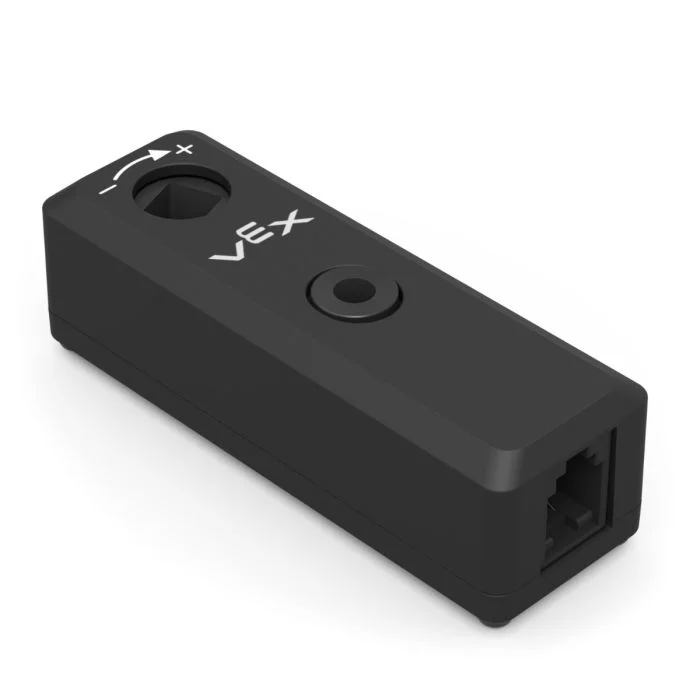
This page uses rotation_sensor as the example Rotation Sensor name. Replace it with your own configured name as needed.
Below is a list of available methods:
set_position— Sets the Rotation Sensor’s current position to a specific value.angle— Returns the shaft’s current angle from 0 to 359.99 degrees.position— Returns how far the shaft has rotated in degrees or turns.velocity— Returns how fast the shaft is rotating.reset_position— Resets the Rotation Sensor’s current position to 0.set_reversed— Sets whether the Rotation Sensor’s output is reversed.changed— Registers a function to run whenever the Rotation Sensor’s value changes.
Constructor — Manually initialize a Rotation Sensor.
Rotation— Creates a Rotation Sensor.
set_position#
set_position sets the Rotation Sensor’s current position to a value.
Position is how far the shaft has rotated during a project. Setting the position changes the current position value without moving the shaft.
Usage:
rotation_sensor.set_position(position, units)
Parameters |
Description |
|---|---|
|
The position value to assign to the Rotation Sensor. This can be an integer or a decimal. |
|
Optional. The position unit: |
# Set the Rotation Sensor to 2.5 Turns
rotation_sensor.set_position(2.5, TURNS)
angle#
angle returns the shaft’s current angle as a float.
Angle reports the shaft’s absolute position within one rotation, from 0 to 359.99 degrees. It does not reset when a project starts or when the robot is powered off.
Usage:
rotation_sensor.angle(units)
Parameters |
Description |
|---|---|
|
Optional. The angle unit: |
position#
position returns how far the shaft has rotated.
Unlike angle, position can increase past 359.99 degrees or decrease below 0 degrees. Position tracks how far the shaft rotates forward or reverse during a project and can be reset as needed.
Usage:
rotation_sensor.position(units)
Parameters |
Description |
|---|---|
|
Optional. The position unit: |
velocity#
velocity returns how fast the shaft is rotating.
Usage:
rotation_sensor.velocity(units)
Parameters |
Description |
|---|---|
|
The velocity unit: |
reset_position#
reset_position resets the Rotation Sensor’s current position to 0.
Usage:
rotation_sensor.reset_position()
Parameters |
Description |
|---|---|
This method has no parameters. |
set_reversed#
set_reversed sets whether the Rotation Sensor’s output is reversed.
When reversed, positive values become negative and negative values become positive. This method works the same as setting the reverse parameter to True when using the Rotation constructor.
Usage:
rotation_sensor.set_reversed(value)
Parameters |
Description |
|---|---|
|
Whether to reverse the Rotation Sensor output: |
changed#
changed registers a function to be called whenever the Rotation Sensor’s value changes.
Usage:
rotation_sensor.changed(callback, arg)
Parameters |
Description |
|---|---|
|
A previously defined function that runs when the Rotation Sensor’s value changes. |
|
Optional. A tuple containing arguments to pass to the callback function. See Using Functions with Parameters for more information. |
def my_function():
  brain.screen.print("Rotated!")

# Call my_function whenever rotation_sensor's value changes
rotation_sensor.changed(my_function)
Constructor#
Constructors are used to manually create Rotation objects, such as when configuring a Rotation Sensor outside of VEXcode.
Rotation#
Rotation creates a Rotation Sensor object.
Usage:
Rotation(smartport)
Parameter |
Description |
|---|---|
|
The Smart Port that the Rotation Sensor is connected to, written as |
|
Optional. Whether to reverse the Rotation Sensor output: |
# Create an inverted Rotation Sensor in Port 10
rotation_sensor = Rotation(Ports.PORT10, True)