
GPS Sensor#
Introduction#
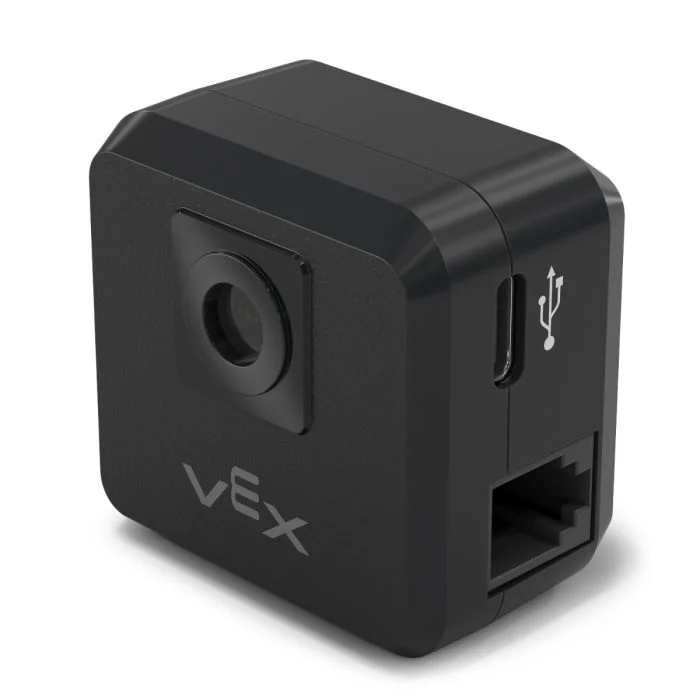
The V5 GPS (Game Positioning System™) Sensor provides accurate position and orientation tracking for a robot on the VEX Field. It uses the GPS Field Code around the Field’s perimeter to calculate the robot’s X and Y coordinates and heading in real time.
The GPS Sensor returns the robot’s position using a reference point automatically calculated from the offsets entered when configuring the GPS Sensor in the Devices window.
For more information about the GPS Sensor, read Using the GPS Sensor with VEX V5 in the VEX Library.
The reference point acts as the GPS Sensor’s own (0, 0) position where all coordinates, headings, and movements returned by GPS methods are relative to this configured point.
This page uses gps_sensor as the example GPS Sensor name. Replace it with your own configured name as needed.
Below is a list of available methods:
calibrate– Calibrates the GPS Sensor to set its heading as the current drivetrain heading.set_origin– Sets the position of the reference point on the robot.set_location– Sets both the reference point’s position and heading on the Field.x_position– Returns the reference point’s x coordinate on the Field.y_position– Returns the reference point’s y coordinate on the Field.heading– Returns the reference point’s heading based on the Field orientation.acceleration– Returns the robot’s acceleration on a selected axis.gyro_rate– Returns the robot’s rotational speed on a selected axis.orientation– Returns the robot’s roll, pitch, or yaw orientation in degrees.quality– Returns the signal strength of the GPS Sensor.changed– Registers a function to be called whenever the GPS Sensor detects a change in heading.
Constructor – Manually initialize a GPS Sensor.
Gps– Creates a GPS Sensor.
calibrate#
calibrate calibrates the reference point, setting its configured heading as the current drivetrain heading. During this time, the robot must remain completely still as movement during calibration will produce inaccurate results.
Usage:
gps_sensor.calibrate()
Parameters |
Description |
|---|---|
This method has no parameters. |
set_origin#
set_origin sets the position of the reference point on the robot manually. This can be done so to manually set a GPS Sensor’s location on a robot instead of doing so in the configuration settings.
Usage:
gps_sensor.set_origin(x, y, distance_units)
Parameters |
Description |
|---|---|
x |
The x coordinate of the reference point on the robot. |
y |
The y coordinate of the reference point on the robot. |
distance_units |
The unit of measurement for the x and y coordinates:
|
# GPS Sensor is mounted 25mm forward
# from the reference point on a robot

gps.set_origin(0, 25, MM)
set_location#
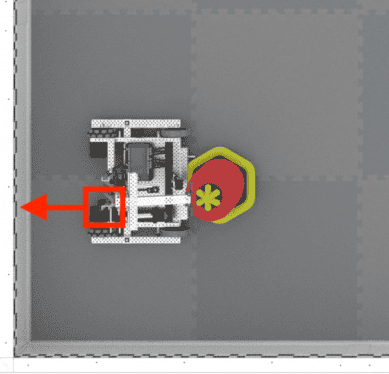
set_location sets the position and heading of the reference point on the Field manually. This can be done to help reduce inaccuracies if the GPS Sensor is too close to the Field’s walls on startup to get a sufficient amount of the GPS Field Code in its view.
Usage:
gps_sensor.set_location(x, y, distance_units, heading, heading_units)
Parameters |
Description |
|---|---|
x |
The x coordinate of the reference point on the Field. |
y |
The y coordinate of the reference point on the Field. |
distance_units |
The unit of measurement for the x and y coordinates:
|
heading |
The heading the reference point is facing relative to the absolute Field heading from 0 to 359.9 degrees. |
heading_units |
The unit of measurement for the heading: |
x_position#
x_position returns the reference point’s x coordinate on the Field.
Usage:
gps_sensor.x_position(units)
Parameters |
Description |
|---|---|
unit |
The unit of measurement:
|
y_position#
y_position returns the reference point’s y coordinate on the Field.
Usage:
gps_sensor.y_position(units)
Parameters |
Description |
|---|---|
unit |
The unit of measurement:
|
heading#
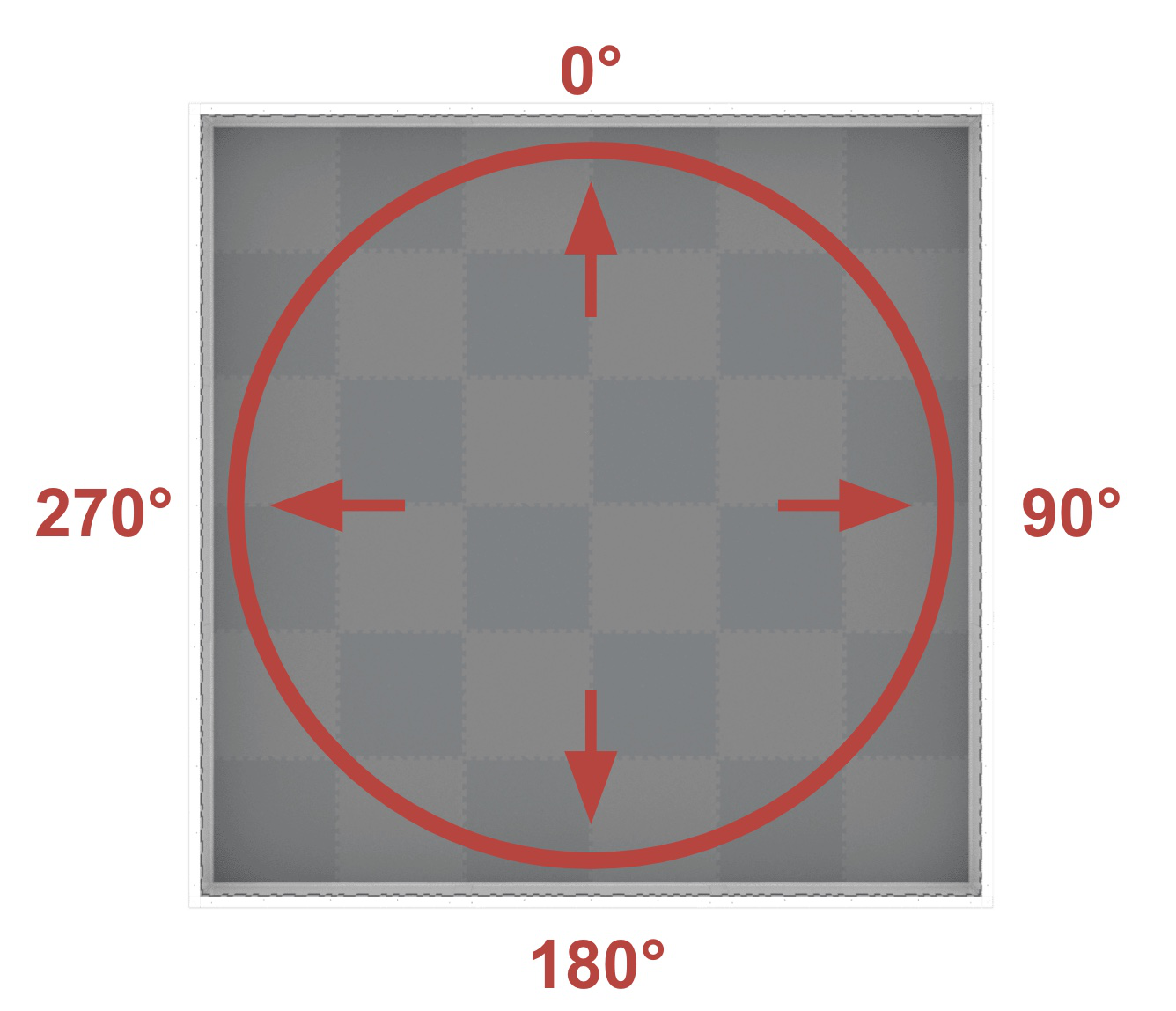
heading returns the reference point’s heading based on the Field’s orientation from 0 to 359.9 degrees.
The heading corresponds to the absolute Field heading, which is a range of 0º to 359.9º in the clockwise direction. The 0º is in the 12 o’clock position.
Usage:
gps_sensor.heading()
Parameters |
Description |
|---|---|
This method has no parameters. |
acceleration#
acceleration returns the robot’s acceleration on a specified axis from -4.0 to 4.0 Gs.
Usage:
gps_sensor.acceleration(axis)
Parameters |
Description |
|---|---|
axis |
Which axis to use:
|
gyro_rate#
gyro_rate returns the robot’s rotational speed on a selected axis.
Usage:
gps_sensor.gyro_rate(axis, units)
Parameters |
Description |
|---|---|
axis |
Which axis to use:
|
units |
The unit of measurement:
|
orientation#
orientation returns the robot’s roll, pitch, or yaw orientation in degrees.
Usage:
gps_sensor.orientation(axis, units)
Parameters |
Description |
|---|---|
axis |
Which orientation to use:
|
units |
The unit of measurement: |
quality#
quality returns the signal strength of the GPS Sensor as a percent.
Possible Values |
Description |
|---|---|
100 |
All reported positional and heading data from the GPS Sensor is valid. |
~90 |
Any positional data is no longer being calculated by capturing information from the GPS Field Code, but rather through alternative means. |
0 - 80 |
Only GPS Sensor heading values are valid, but as more time goes by where a GPS Sensor is not scanning enough of the GPS Field Code to accurately determine position and heading information, the reported signal quality will continue to drop until 0, where any GPS Sensor data is effectively frozen and no longer valid. |
Usage:
gps_sensor.quality()
Parameters |
Description |
|---|---|
This method has no parameters. |
changed#
changed registers a function to be called whenever the GPS Sensor detects a change in heading.
Usage:
gps_sensor.changed(callback, arg)
Parameters |
Description |
|---|---|
|
A previously defined function that executes when the GPS Sensor’s heading changes. |
|
Optional. A tuple containing arguments to pass to the callback function. See Using Functions with Parameters for more information. |
def my_function():
  brain.screen.print("GPS heading changed")

# Call my_function whenever gps_sensor's heading changes
gps_sensor.changed(my_function)
Constructor#
Constructors are used to manually create Gps objects, which are necessary for configuring a GPS Sensor outside of VEXcode.
Gps#
Gps creates a GPS Sensor.
Usage:
Gps(smartport)
Parameter |
Description |
|---|---|
|
The Smart Port that the GPS Sensor is connected to, written as |
# Create a GPS Sensor in Port 10
gps_sensor = Gps(Ports.PORT10)