• VEXcode Robotics Logo VEX Robotics Logo
  • VEX API Home Button VEX API Home Button
  • VEX 123 logo in purple VEX 123 logo in white
  • VEX GO logo in lime green VEX GO logo in white
  • VEXcode AIM logo in blue VEXcode AIM logo in white
  • VEX IQ logo in blue VEX IQ logo in white
  • VEX EXP logo in red VEX EXP logo in white
  • VEX V5 logo in red VEX V5 logo in white
  • VEX CTE logo in green VEX CTE logo in white
  • VEX AIR logo in orange VEX AIR logo in white
  • VEXcode VR logo in gold VEXcode VR logo in white
Skip to main content
Ctrl+K

< Back to Platform Select

  • VEX AIM
  • VEXcode教程
简体中文
  • English
  • Spanish
  • VEXcode Robotics Logo

Section Navigation

  • 指令库
  • Python
  • VEXcode教程
    • 通过无线连接(Web)
    • 通过无线连接(应用程序)
    • 创建、打开和保存项目
    • 下载、运行和停止项目
    • 给机器人命名
    • 通过有线连接(应用程序)
    • 有线连接(Mac)
    • 有线连接(Windows)
    • 连接两个机器人
    • 配置颜色签名
    • 配置颜色代码
  • WebSocket

Platform Navigation

  • VEX 123 logo in purple VEX 123 logo in white
  • VEX GO logo in lime green VEX GO logo in white
  • VEXcode AIM logo in blue VEXcode AIM logo in white
  • VEX IQ logo in blue VEX IQ logo in white
  • VEX EXP logo in red VEX EXP logo in white
  • VEX V5 logo in red VEX V5 logo in white
  • VEX CTE logo in green VEX CTE logo in white
  • VEX AIR logo in orange VEX AIR logo in white
  • VEXcode VR logo in gold VEXcode VR logo in white

VEXcode教程#

A laptop connected wirelessly to a VEX AIM Coding Robot with a Bluetooth icon.

Connecting with a Wireless Connection (Web)

A laptop connected wirelessly to a VEX AIM Coding Robot with a Bluetooth icon.

Connecting with a Wireless Connection (App)

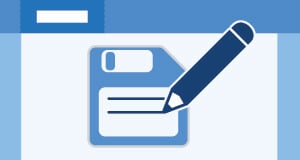
A VEXcode project window with a pencil over a project file.

Creating, Opening, and Saving a Project

A download icon and a play button on a blue VEXcode-style background.

Downloading, Running, and Stopping a Project

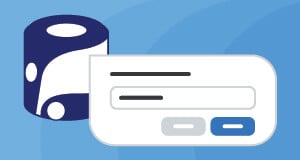
A VEX AIM Coding Robot beside a naming dialog.

Naming the Robot

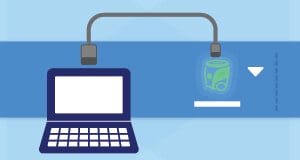
A laptop connected to a VEX AIM Coding Robot with a cable.

Connecting with a Wired Connection (App)

A laptop connected to a VEX AIM Coding Robot with a cable.

Connecting with a Wired Connection (Mac)

A laptop connected to a VEX AIM Coding Robot with a cable.

Connecting with a Wired Connection (Windows)

Two VEX AIM Coding Robots linking wirelessly.

Linking Two Robots

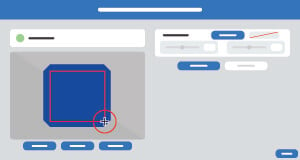
The AI Vision Utility with a color signature selection highlighted.

Configuring Color Signatures

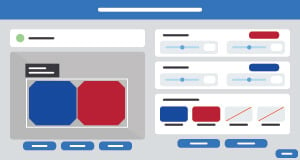
The AI Vision Utility showing blue and red color codes.

Configuring Color Codes

上一页

MicroPython 库

下一页

通过无线连接(Web)

Innovation First, International

VEX and VEX Robotics are trademarks or service marks of Innovation First, Inc. Copyright ©2026. All Rights Reserved. VEX Robotics, Inc. is a subsidiary of Innovation First International, Inc. All other product names / marks of others are the property of their respective owners. Patents and / or Patents Pending - innovationfirst.com/patents
Site Privacy Policy / Site Terms of Use / Cookie Policy / Software Privacy Policy

Visit the VEX Robotics Facebook Page Visit the VEX Robotics Twitter Page Visit the VEX Robotics Instagram Page Visit the VEX Robotics YouTube Page
VEX API Feedback Form

We value your feedback! Use this form to share suggestions, compliments, or report errors with the VEX API. Your input helps us enhance the VEX API documentation.

If you are experiencing technical issues or require customer support, please visit support.vex.com.

  • Send Happy Feedback
  • Send Sad Feedback

Note: the current URL will be shared with your message

By including your email address, you agree that VEX may send you email emails if we have questions about your feedback.
Privacy Policy >
Please provide your feedback. Feedback submitted successfully!
Choose Which VEX IQ Generation to View

VEX IQ (1st gen)

VEX IQ (2nd gen)