Coding API api.vex.com home
Get Started STEM Labs PD+ Forum Online Help
Skip to main content
Ctrl+K

< Back to Platform Select

  • VEX 123
  • VEX 123 API Reference
  • VEXcode Tutorials
English
  • العربية
  • বাংলা
  • Česky
  • Deutsch
  • Ελληνικά
  • Español
  • Español Latinoamericano
  • Suomi
  • Français
  • Gaeilge
  • हिंदी
  • Magyar
  • Bahasa Indonesia
  • 日本語
  • 한국어
  • Lietuvių
  • Latviešu
  • മലയാളം
  • Nederlands
  • Polski
  • Português
  • Русский
  • Svenska
  • ไทย
  • Türkçe
  • Українська
  • Tiếng Việt
  • 简体中文
  • 繁體中文
  • VEXcode Robotics Logo

Section Navigation

  • Blocks
  • Python
  • Coder Cards
  • VEXcode Tutorials
    • Navigating VEXcode
    • Moving Your Robot
    • Turning Your Robot
    • Naming and Saving Your Project
    • Opening a Project

VEXcode Tutorials#

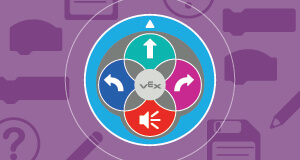
A VEXcode 123 interface with the 123 Robot controls highlighted.

Navigating VEXcode

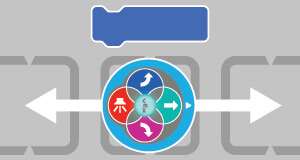
A VEXcode 123 Drivetrain block with forward arrows.

Moving Your Robot

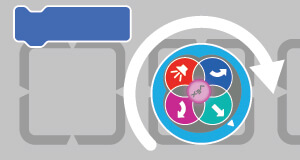
A VEXcode 123 Drivetrain block showing a turn path.

Turning Your Robot

A VEXcode file panel with a pencil over a project name.

Naming and Saving Your Project

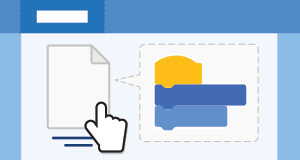
A project file being loaded into a VEXcode workspace.

Opening a Project

previous

Time

next

Navigating VEXcode

Innovation First, International

VEX and VEX Robotics are trademarks or service marks of Innovation First, Inc. Copyright ©2026. All Rights Reserved. VEX Robotics, Inc. is a subsidiary of Innovation First International, Inc. All other product names / marks of others are the property of their respective owners. Patents and / or Patents Pending - innovationfirst.com/patents
Site Privacy Policy / Site Terms of Use / Cookie Policy / Software Privacy Policy

Visit the VEX Robotics Facebook Page Visit the VEX Robotics Twitter Page Visit the VEX Robotics Instagram Page Visit the VEX Robotics YouTube Page
VEX API Feedback Form

We value your feedback! Use this form to share suggestions, compliments, or report errors with the VEX API. Your input helps us enhance the VEX API documentation.

If you are experiencing technical issues or require customer support, please visit support.vex.com.

  • Send Happy Feedback
  • Send Sad Feedback

Note: the current URL will be shared with your message

By including your email address, you agree that VEX may send you email emails if we have questions about your feedback.
Privacy Policy >
Please provide your feedback. Feedback submitted successfully!
Choose Which VEX IQ Generation to View

VEX IQ (1st gen)

VEX IQ (2nd gen)