
Robot Specific Blocks#
Looks#
Robot Looks#
Glow#
The Glow block is used to set the glow color of the indicator light in the center of the 123 Robot.
This is a non-waiting block and allows any subsequent blocks to execute without delay.
resplandor [verde v]
Select which color to glow or to turn off the glow.
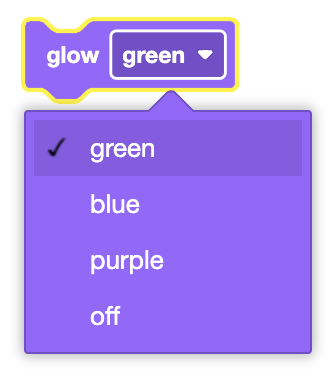
In this example, the 123 Robot will glow green for 3 seconds before the glow turns off.
cuando empezó
[Start to glow green.]
resplandor [verde v]
[Wait 3 seconds.]
esperar (3) segundos
[Stop glowing green.]
resplandor [apagado v]
Monitor Looks#
The virtual 123 Robot also has access to all standard VR Looks blocks. Go here to access documentation for the VEXcode VR Looks blocks.
Sound#
Play sound#
The Play sound block is used to play the sound effect that is selected.
This is a non-waiting block and allows any subsequent blocks to execute without delay.
reproducir sonido [bocinazo v]
Select which sound effect to play.
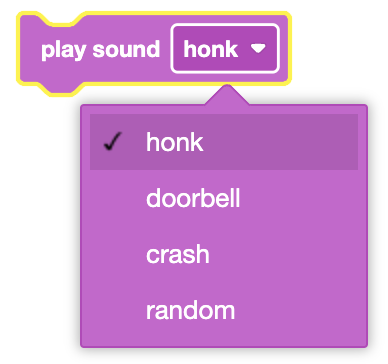
In this example, the 123 Robot will play a doorbell sound.
cuando empezó
reproducir sonido [timbre de la puerta v]
Actions#
Act#
The Act block is used to act sad, happy, or crazy by having the 123 Robot perform a sequence of drive, turn, and sound behaviors.
This is a non-waiting block and allows any subsequent blocks to execute without delay.
acto [triste v]
Select which emotion to perform.
Sad: The 123 Robot will drive in reverse, turn left, then right, play an ‘uh oh’ sound, and then will drive forward to mimic a sad behavior.
Happy: The 123 Robot will turn right 360 degrees and play a laughing sound to mimic a happy behavior.
Crazy: The 123 Robot will turn left in a circle, and then turn right in a circle, all while playing a ‘loopy’ sound to mimic a crazy behavior.
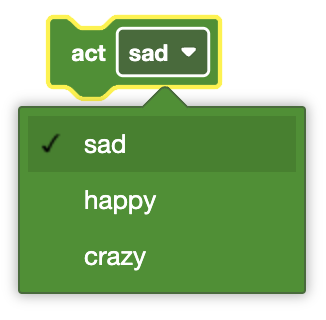
In this example, the 123 Robot will act crazy.
cuando empezó
acto [crazy v]
Sensing#
The virtual 123 Robot has access to the standard Brain and Drivetrain Sensing blocks.
Eye Sensing#
Found object#
The Found object block is used to report if the Front Eye Sensor detects an object within approximately 40 millimeters (mm) or 1.5 inches.
<¿El ojo encontró un objeto?>
The Found object block reports True when the Front Eye Sensor detects an object within approximately 40 millimeters (mm) or 1.5 inches.
The Found object block reports False when an object is not within approximately 40 millimeters (mm) or 1.5 inches.
The Found object block is used in blocks with hexagonal (six-sided) spaces.
In this example, the robot will check if its Front Eye Sensor has detected an object and print if it has or hasn’t detected anything.
cuando empezó
si <¿El ojo encontró un objeto?> entonces
imprimir [Eye detects an object!] ▶
fin
imprimir [Eye doesn't detect an object!] ▶
Detects color#
The Detects color block is used to report if the Front Eye Sensor detects the specified color of an object.
<¿El ojo detecta [rojo v]?>
Select which color to detect.
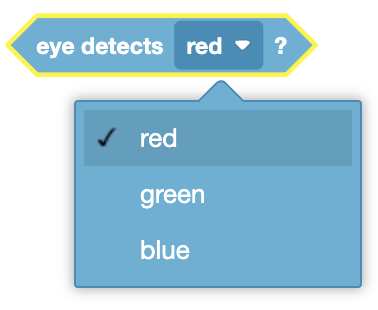
The Detects color block reports True when the Eye Sensor detects the specified color of an object.
The Detects color block reports False when the Eye Sensor does not detect the specified color of an object.
The Detects color block is used in blocks with hexagonal (six-sided) spaces.
In this example, the robot will check if its Front Eye Sensor has detected a Blue object and print if it has detected one.
cuando empezó
si <¿El ojo detecta [rojo v]?> entonces
imprimir [Eye detects red object!] ▶
fin
Hue of#
The Hue of block is used to report the hue value of the color detected by the Eye Sensor.
(tono de ojos en grados)
The Hue of block provides a hue value between 0 to 359 degrees. This provides a more precise measurement of color.
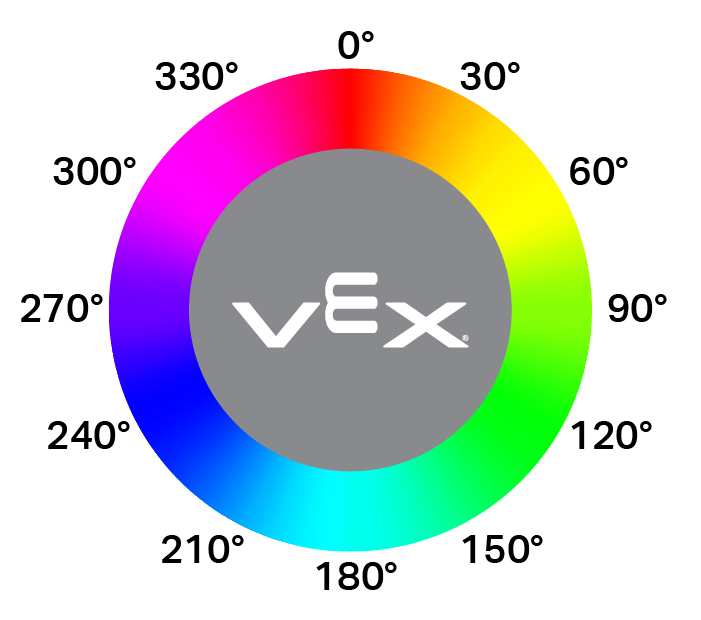
The Hue of block is used in blocks with circular spaces.
In this example, the robot will print the current hue of an object. Since there is no object in front of the sensor, it will print a 0.
cuando empezó
imprimir (tono de ojos en grados) ▶
Eye detects bright object#
The Eye detects bright object block is used to report if the Eye Sensor senses a bright or dark value.
<¿ojo objeto brillante?>
The Eye detects bright object block reports True when the Eye Sensor senses a brightness value greater than 70%.
The Eye detects bright object block reports False when the Eye Sensor senses a brightness less than or equal to 70%.
The Eye detects bright object block is used in blocks with hexagonal (six-sided) spaces.
In this example, the robot will only drive forward when there is a dark brightness value (below 70%) in front of it.
cuando empezó
[Drive forward indefinitely.]
unidad [adelante v]
[Wait until the Front Eye Sensor detects a brightness value less than 70%]
esperar hasta <no <¿ojo objeto brillante?>>
[Stop driving.]
deja de conducir
Brightness of#
The Brightness of block is used to report the brightness of the object detected by the Eye Sensor.
(brillo ocular en %)
The Brightness of block is used in blocks with circular spaces.
In this example, the robot will print the current brightness of an object. Since there is no object in front of the sensor, it will print a 0.
cuando empezó
imprimir (brillo ocular en %) ▶
Gyro Sensing#
Detected crash?#
The Detected crash? block is used to report if the robot has come in contact with a wall or other object.
<¿Se detectó un accidente?>
The Detected crash? block reports True if the robot comes in contact with a wall or other object.
The Detected crash? block reports False if the robot does NOT come in contact with a wall or other object.
The Detected crash? block is used in blocks with hexagonal (six-sided) spaces.
In this example, the robot will drive forward until it has crashed, then it will stop moving.
cuando empezó
[Drive forward indefinitely.]
unidad [adelante v]
[Wait until the robot has driven into something.]
esperar hasta <¿Se detectó un accidente?>
[Stop driving.]
deja de conducir