
Motor Controller 55#
Introduction#
The Motor Controller 55 (MC55) is used to control standard DC motors.
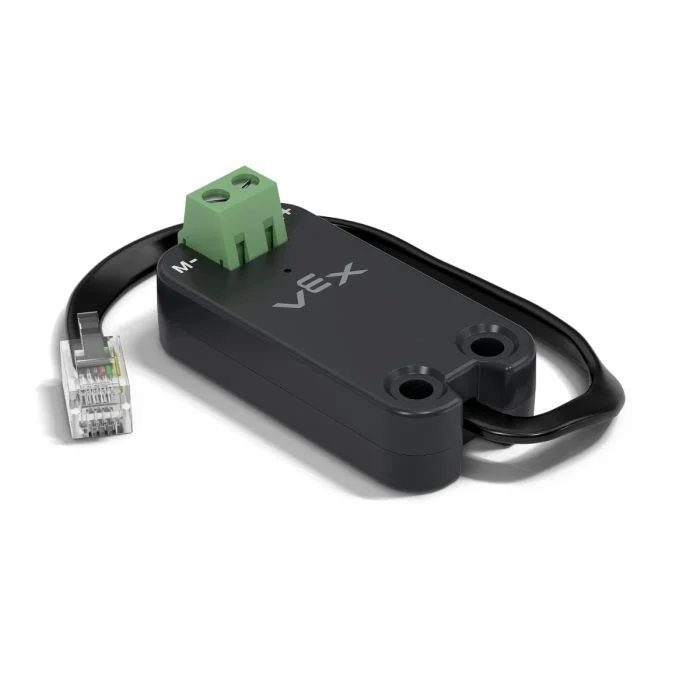
This page uses mc_55 as the example Motor Controller 55 name. Replace it with your own configured name as needed.
Below is a list of available methods:
spin– Spins a DC motor forward or reverse until stopped.stop– Stops the DC motor immediately.set_velocity– Tells the DC motor how fast to spin.set_stopping– Sets how the DC motor behaves when stopping.set_max_torque– Sets the most torque the DC motor is allowed to use.set_reversed– Sets the DC motor to have its direction be reversed.current– Returns how much electrical current the DC motor is using.temperature– Returns the temperature of the DC motor.
Constructor – Manually initialize a Motor Controller 55.
Motor55– Creates a Motor Controller 55.
spin#
spin rotates a connected DC motor in a specified direction using the current motor velocity.
Usage:
mc_55.spin(direction, velocity, units)
Parameters |
Description |
|---|---|
|
The direction in which to spin the motor:
|
|
Optional. The velocity to spin with from 0% to 100% when using |
|
Optional. The velocity unit:
|
# Spin the motor at -2 volts
mc_55.spin(FORWARD, -2)
stop#
stop stops the connected DC motor immediately, using the current stopping mode.
Usage:
mc_55.stop(mode)
Parameter |
Description |
|---|---|
mode |
Optional. The stopping behavior to use when the motor stops:
If the stopping mode is not specified or previously set, the default behavior is |
set_velocity#
set_velocity tells a DC motor how fast to spin. A higher percentage makes the DC motor spin faster and a lower percentage makes the DC motor spin slower.
Every project begins with each connected DC motor spinning at 50% velocity by default.
Usage:
mc_55.set_velocity(value, units)
Parameter |
Description |
|---|---|
|
The velocity to spin with from 0% to 100% when using |
|
Optional. The velocity unit: |
set_stopping#
set_stopping sets how a DC motor behaves when it stops.
Usage:
mc_55.set_stopping(mode)
Parameters |
Description |
|---|---|
|
How the motor will stop:
|
set_max_torque#
Torque shows how hard a DC motor can push or pull while it spins.
set_max_torque sets the most torque a DC motor is allowed to use.
Usage:
mc_55.set_max_torque(value, units)
Parameters |
Description |
|---|---|
|
The maximum torque the DC motor is allowed to use. This can be an |
|
Optional. The torque unit: |
set_reversed#
set_reversed sets the DC motor to be reversed so that the FORWARD direction will spin clockwise. This method works the same as setting the reverse parameter to True when constructing a Motor55.
Usage:
mc_55.set_reversed(value)
Parameters |
Description |
|---|---|
|
Whether the DC motor’s direction is reversed:
|
current#
current returns how much electrical current the DC motor is using, measured in amps from 0.0 to 1.2 A. Current is the amount of electricity flowing through the DC motor.
A higher current value means the DC motor is using more electrical current. This can happen when the DC motor is lifting something heavy, pushing against an object, or trying to move when it is stuck.
This can be used to check if the DC motor is struggling during a movement. If current stays high, the motor may get warmer or use power less efficiently.
Usage:
mc_55.current(units)
Parameters |
Description |
|---|---|
|
Optional. The current unit: |
temperature#
temperature returns the temperature of the DC motor.
Motor temperature shows how warm the DC motor is. A higher temperature means the DC motor is getting warmer while it works. The motor should stay below 55°C to keep working at full performance.
If the DC motor gets too hot, it will lower its maximum current to protect itself. At 70°C, the motor will stop running until it cools down.
This can be used to check if the DC motor is getting too hot during repeated movements, long runs, or when it is pushing against an object.
Usage:
mc_55.temperature(units)
Parameters |
Description |
|---|---|
|
Optional. The temperature unit:
|
Constructors#
Constructors are used to manually create Motor55 objects, which are necessary for configuring a Motor Controller 55 outside of VEXcode.
Motor55#
Motor55 creates a Motor Controller 55.
Usage:
Motor55(port, reverse)
Parameter |
Description |
|---|---|
|
The 3-Wire Port that the motor controller is connected to:
|
|
Optional. Sets whether the motor’s spin should be reversed.
|
# Create a Motor Controller 55 in Port A
mc_55 = Motor55(brain.three_wire_port.a)