
Controlador de motor 55#
Introducción#
El Controlador de Motor 55 (MC55) se utiliza para controlar motores de CC estándar.
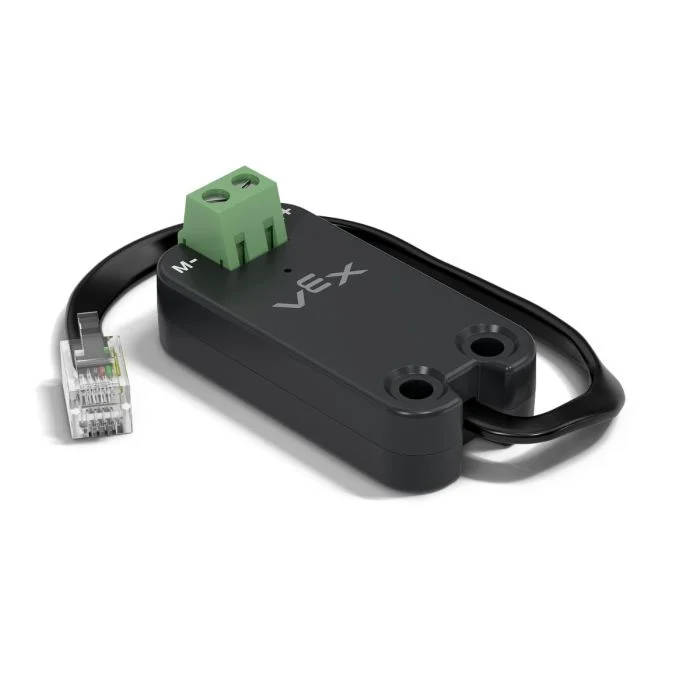
This page uses mc_55 as the example Motor Controller 55 name. Replace it with your own configured name as needed.
A continuación se muestra una lista de los métodos disponibles:
spin– Spins a DC motor forward or reverse until stopped.stop– Stops the DC motor immediately.set_velocity– Tells the DC motor how fast to spin.set_stopping– Sets how the DC motor behaves when stopping.set_max_torque– Sets the most torque the DC motor is allowed to use.set_reversed– Sets the DC motor to have its direction be reversed.current– Returns how much electrical current the DC motor is using.temperature– Returns the temperature of the DC motor.
Constructor – Inicialice manualmente un controlador de motor 55.
Motor55– Creates a Motor Controller 55.
girar#
spin rotates a connected DC motor in a specified direction using the current motor velocity.
Usage:
mc_55.spin(direction, velocity, units)
Parámetros |
Descripción |
|---|---|
|
The direction in which to spin the motor:
|
|
Optional. The velocity to spin with from 0% to 100% when using |
|
Optional. The velocity unit:
|
# Spin the motor at -2 volts
mc_55.spin(FORWARD, -2)
detener#
stop stops the connected DC motor immediately, using the current stopping mode.
Usage:
mc_55.stop(mode)
Parámetro |
Descripción |
|---|---|
modo |
Optional. The stopping behavior to use when the motor stops:
If the stopping mode is not specified or previously set, the default behavior is |
establecer_velocidad#
set_velocity tells a DC motor how fast to spin. A higher percentage makes the DC motor spin faster and a lower percentage makes the DC motor spin slower.
Cada proyecto comienza con cada motor de CC conectado girando al 50% de su velocidad por defecto.
Usage:
mc_55.set_velocity(value, units)
Parámetro |
Descripción |
|---|---|
|
The velocity to spin with from 0% to 100% when using |
|
Optional. The velocity unit: |
establecer_parada#
set_stopping sets how a DC motor behaves when it stops.
Usage:
mc_55.set_stopping(mode)
Parámetros |
Descripción |
|---|---|
|
How the motor will stop:
|
establecer_par_máximo#
El par motor indica la fuerza con la que un motor de corriente continua puede empujar o tirar mientras gira.
set_max_torque sets the most torque a DC motor is allowed to use.
Usage:
mc_55.set_max_torque(value, units)
Parámetros |
Descripción |
|---|---|
|
The maximum torque the DC motor is allowed to use. This can be an |
|
Optional. The torque unit: |
set_reversed#
set_reversed sets the DC motor to be reversed so that the FORWARD direction will spin clockwise. This method works the same as setting the reverse parameter to True when constructing a Motor55.
Usage:
mc_55.set_reversed(value)
Parámetros |
Descripción |
|---|---|
|
Whether the DC motor’s direction is reversed:
|
actual#
current returns how much electrical current the DC motor is using, measured in amps from 0.0 to 1.2 A. Current is the amount of electricity flowing through the DC motor.
Un valor de corriente más alto significa que el motor de CC está consumiendo más energía eléctrica. Esto puede ocurrir cuando el motor de CC está levantando algo pesado, empujando contra un objeto o intentando moverse cuando está atascado.
Esto puede utilizarse para comprobar si el motor de CC tiene dificultades durante el movimiento. Si la corriente se mantiene alta, el motor podría calentarse o consumir energía de forma menos eficiente.
Usage:
mc_55.current(units)
Parámetros |
Descripción |
|---|---|
|
Optional. The current unit: |
temperatura#
temperature returns the temperature of the DC motor.
La temperatura del motor indica su nivel de calentamiento. Una temperatura más alta significa que el motor se está calentando durante su funcionamiento. Para que el motor funcione a pleno rendimiento, debe mantenerse por debajo de los 55 °C.
Si el motor de CC se calienta demasiado, reducirá su corriente máxima para protegerse. A 70 °C, el motor dejará de funcionar hasta que se enfríe.
Esto puede utilizarse para comprobar si el motor de CC se calienta demasiado durante movimientos repetidos, funcionamientos prolongados o cuando ejerce presión contra un objeto.
Usage:
mc_55.temperature(units)
Parámetros |
Descripción |
|---|---|
|
Optional. The temperature unit:
|
Constructores#
Constructors are used to manually create Motor55 objects, which are necessary for configuring a Motor Controller 55 outside of VEXcode.
Motor55#
Motor55 creates a Motor Controller 55.
Usage:
Motor55(port, reverse)
Parámetro |
Descripción |
|---|---|
|
The 3-Wire Port that the motor controller is connected to:
|
|
Optional. Sets whether the motor’s spin should be reversed.
|
# Create a Motor Controller 55 in Port A
mc_55 = Motor55(brain.three_wire_port.a)