
Motor 393#
Introduction#
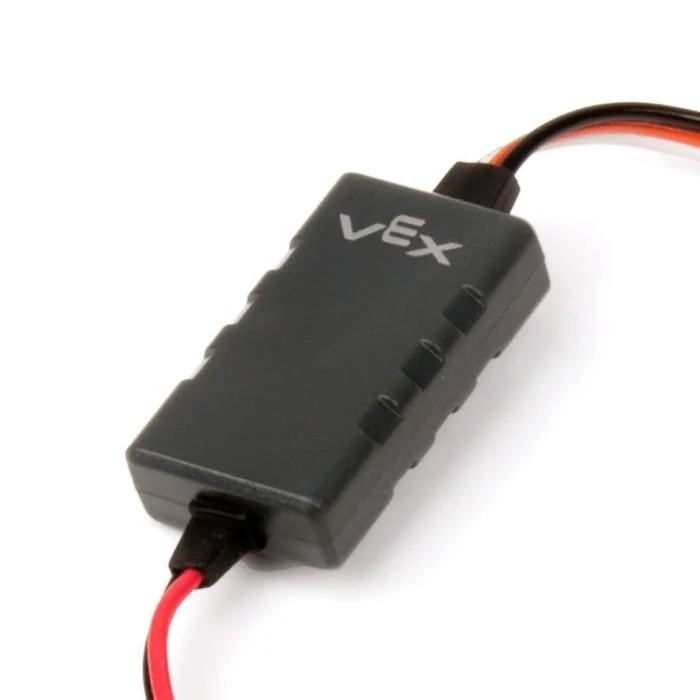
A Motor 393 is a DC motor controlled through a VEX Motor Controller 29 (MC29). The MC29 connects a Motor 393 to a 3-wire Brain port and controls how much power is sent to the motor.
A Motor 393 can spin forward or reverse and can be stopped. Unlike a Smart Motor, a Motor 393 does not report position, velocity, current, power, torque, efficiency, or temperature.
By default, forward spins a Motor 393 counterclockwise, and reverse spins it clockwise. Direction choices can change depending on how the motor is configured in the Devices window.
Below is a list of available Motor 393 blocks:
Actions — Stop and spin a Motor 393.
spin Motor 393 — Spins a Motor 393 forward or reverse forever.
stop Motor 393 — Stops a Motor 393 from spinning.
Settings — Adjust Motor 393 settings.
set Motor 393 velocity — Tells a Motor 393 how fast to spin.
spin Motor 393#
The spin Motor 393 stack block spins a Motor 393 forward or reverse forever. The Motor 393 will continue to spin until it is given another action, like spinning in a different direction or stopping.
spin [Motor393A v] [forward v]
Parameters |
Description |
|---|---|
device |
The Motor 393 to spin. Choose from the Motor 393 devices configured in the Devices window. |
direction |
The direction the Motor 393 spins. By default, the choices are forward and reverse. Direction choices can change depending on the motor’s configuration. |
Example
  when started
  [Spin the Motor 393 forward, then stop.]
  spin [Motor393A v] [forward v]
  wait (1) seconds
  stop [Motor393A v]
stop Motor 393#
The stop Motor 393 stack block stops the selected Motor 393 from spinning.
stop [Motor393A v]
Parameters |
Description |
|---|---|
device |
The Motor 393 to stop. Choose from the Motor 393 devices configured in the Devices window. |
Example
  when started
  [Spin the Motor 393 for 1 second, then stop.]
  spin [Motor393A v] [forward v]
  wait (1) seconds
  stop [Motor393A v]
set Motor 393 velocity#
The set Motor 393 velocity stack block tells a Motor 393 how fast to spin. A higher percentage makes the Motor 393 spin faster and a lower percentage makes the Motor 393 spin slower.
Every project begins with each Motor 393 spinning at 50% velocity by default.
Note: A higher velocity makes the Motor 393 spin faster, but it may be less precise. A lower velocity makes the Motor 393 spin slower, but it can be more precise.
set [Motor393A v] velocity to [50] [% v]
Parameters |
Description |
|---|---|
device |
The Motor 393 to set the velocity of. Choose from the Motor 393 devices configured in the Devices window. |
velocity |
The speed the Motor 393 will spin at. Percent uses whole numbers from 0% to 100%. |
unit |
The velocity unit: %. |
Example
  when started
  [Spin the Motor 393 at full speed.]
  set [Motor393A v] velocity to [100] [% v]
  spin [Motor393A v] [forward v]
  wait (1) seconds
  stop [Motor393A v]