
Sensor GPS#
Introducción#
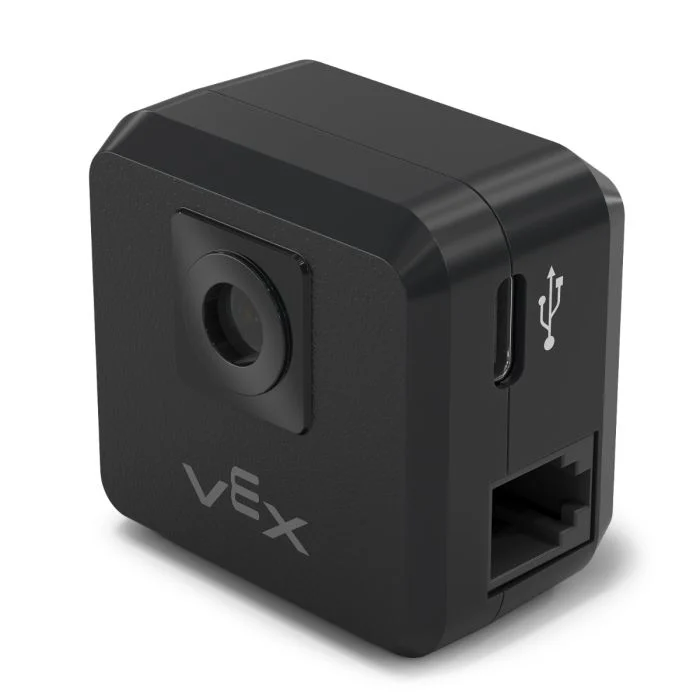
El sensor V5 GPS (Game Positioning System™) proporciona un seguimiento preciso de la posición y la orientación de un robot en el campo VEX. Utiliza el código de campo GPS alrededor del perímetro del campo para calcular las coordenadas X e Y del robot y su rumbo en tiempo real.
El sensor GPS devuelve la posición del robot utilizando un punto de referencia calculado automáticamente a partir de los desplazamientos ingresados al configurar el sensor GPS en la ventana Dispositivos.
Para obtener más información sobre el sensor GPS, lea Uso del sensor GPS con VEX V5 en la biblioteca VEX.
El punto de referencia actúa como la posición propia (0, 0) del sensor GPS, donde todas las coordenadas, rumbos y movimientos devueltos por los métodos GPS son relativos a este punto configurado.
Esta página utiliza gps_sensor como nombre de ejemplo para el sensor GPS. Reemplácelo con el nombre que haya configurado según sea necesario.
A continuación se muestra una lista de los métodos disponibles:
calibrate– Calibra el sensor GPS para establecer su rumbo como el rumbo actual del tren motriz.set_origin– Establece la posición del punto de referencia en el robot.set_location– Establece tanto la posición como la dirección del punto de referencia en el Campo.x_position– Devuelve la coordenada x del punto de referencia en el Campo.y_position– Devuelve la coordenada y del punto de referencia en el Campo.heading– Devuelve el encabezado del punto de referencia en función de la orientación del campo.acceleration– Devuelve la aceleración del robot en un eje seleccionado.gyro_rate– Devuelve la velocidad de rotación del robot en un eje seleccionado.orientation– Devuelve la orientación de balanceo, cabeceo o guiñada del robot en grados.quality– Devuelve la intensidad de la señal del sensor GPS.changed– Registra una función que se llamará cada vez que el sensor GPS detecte un cambio de rumbo.
Constructor – Inicializa manualmente un sensor GPS.
Gps– Crea un sensor GPS.
calibrar#
calibrate calibra el punto de referencia, estableciendo su rumbo configurado como el rumbo actual del sistema de transmisión. Durante este proceso, el robot debe permanecer completamente inmóvil, ya que cualquier movimiento durante la calibración producirá resultados inexactos.
Usage:
gps_sensor.calibrate()
Parámetros |
Descripción |
|---|---|
Este método no tiene parámetros. |
establecer_origen#
El comando set_origin establece manualmente la posición del punto de referencia en el robot. Esto permite configurar manualmente la ubicación de un sensor GPS en el robot, en lugar de hacerlo en la configuración.
Usage:
gps_sensor.set_origin(x, y, distance_units)
Parámetros |
Descripción |
|---|---|
incógnita |
La coordenada x del punto de referencia en el robot. |
y |
La coordenada y del punto de referencia en el robot. |
unidades_de_distancia |
Unidad de medida para las coordenadas x e y:
|
# GPS Sensor is mounted 25mm forward
# from the reference point on a robot

gps.set_origin(0, 25, MM)
establecer_ubicación#
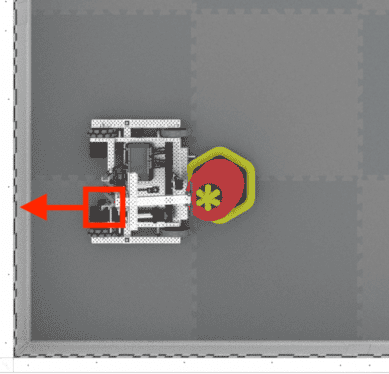
set_location establece manualmente la posición y el rumbo del punto de referencia en el Campo. Esto puede ayudar a reducir las imprecisiones si el sensor GPS está demasiado cerca de las paredes del Campo al iniciarse y no puede captar una cantidad suficiente del código de campo GPS.
Usage:
gps_sensor.set_location(x, y, distance_units, heading, heading_units)
Parámetros |
Descripción |
|---|---|
incógnita |
La coordenada x del punto de referencia en el campo. |
y |
La coordenada y del punto de referencia en el campo. |
unidades_de_distancia |
Unidad de medida para las coordenadas x e y:
|
título |
El rumbo hacia el que se orienta el punto de referencia en relación con el rumbo del campo absoluto, de 0 a 359,9 grados. |
unidades de encabezado |
Unidad de medida para el encabezado: |
posición x#
x_position devuelve la coordenada x del punto de referencia en el Campo.
Usage:
gps_sensor.x_position(units)
Parámetros |
Descripción |
|---|---|
unidad |
Unidad de medida:
|
posición y#
y_position devuelve la coordenada y del punto de referencia en el Campo.
Usage:
gps_sensor.y_position(units)
Parámetros |
Descripción |
|---|---|
unidad |
Unidad de medida:
|
título#
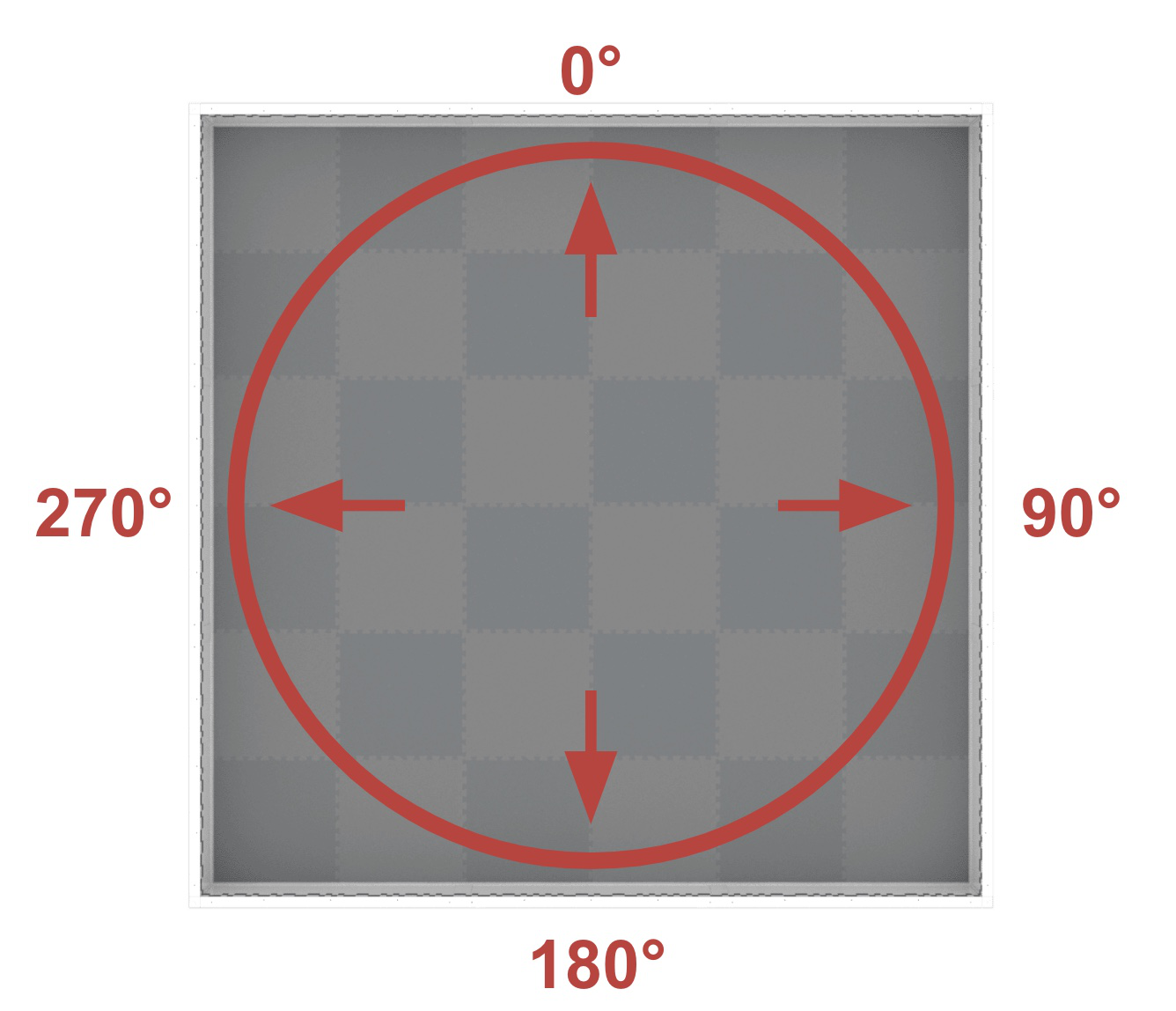
heading devuelve el rumbo del punto de referencia en función de la orientación del campo, desde 0 hasta 359,9 grados.
El rumbo corresponde al rumbo absoluto del campo, que abarca un rango de 0º a 359,9º en sentido horario. El 0º se encuentra en la posición de las 12 en punto.
Usage:
gps_sensor.heading()
Parámetros |
Descripción |
|---|---|
Este método no tiene parámetros. |
aceleración#
acceleration devuelve la aceleración del robot en un eje especificado de -4,0 a 4,0 Gs.
Usage:
gps_sensor.acceleration(axis)
Parámetros |
Descripción |
|---|---|
eje |
¿Qué eje usar?:
|
tasa de giro#
gyro_rate devuelve la velocidad de rotación del robot en un eje seleccionado.
Usage:
gps_sensor.gyro_rate(axis, units)
Parámetros |
Descripción |
|---|---|
eje |
¿Qué eje usar?:
|
unidades |
Unidad de medida:
|
orientación#
orientation devuelve la orientación de balanceo, cabeceo o guiñada del robot en grados.
Usage:
gps_sensor.orientation(axis, units)
Parámetros |
Descripción |
|---|---|
eje |
Qué orientación usar:
|
unidades |
Unidad de medida: |
calidad#
quality devuelve la intensidad de la señal del sensor GPS como un porcentaje.
Valores posibles |
Descripción |
|---|---|
100 |
Todos los datos de posición y rumbo informados por el sensor GPS son válidos. |
~90 |
Los datos de posición ya no se calculan capturando información del código de campo GPS, sino a través de medios alternativos. |
0 - 80 |
Solo los valores de rumbo del sensor GPS son válidos, pero a medida que pasa el tiempo en el que un sensor GPS no escanea lo suficiente del código de campo GPS para determinar con precisión la información de posición y rumbo, la calidad de la señal informada continuará cayendo hasta 0, donde todos los datos del sensor GPS quedan efectivamente congelados y ya no son válidos. |
Usage:
gps_sensor.quality()
Parámetros |
Descripción |
|---|---|
Este método no tiene parámetros. |
cambió#
changed registra una función que se llamará cada vez que el sensor GPS detecte un cambio de rumbo.
Usage:
gps_sensor.changed(callback, arg)
Parámetros |
Descripción |
|---|---|
|
Una función definida previamente que se ejecuta cuando cambia la dirección del sensor GPS. |
|
Opcional. Una tupla que contiene los argumentos que se pasarán a la función de devolución de llamada. Consulte Uso de funciones con parámetros para obtener más información. |
def my_function():
  brain.screen.print("GPS heading changed")

# Call my_function whenever gps_sensor's heading changes
gps_sensor.changed(my_function)
Constructor#
Los constructores se utilizan para crear manualmente objetos Gps , que son necesarios para configurar un sensor GPS fuera de VEXcode.
Gps#
Gps crea un sensor GPS.
Usage:
Gps(smartport)
Parámetro |
Descripción |
|---|---|
|
El puerto inteligente al que está conectado el sensor GPS, escrito como |
# Create a GPS Sensor in Port 10
gps_sensor = Gps(Ports.PORT10)