
Robot Specific Blocks#
The VR Rover has access to the standard VR Drivetrain, Events, Control, Operators, Variables, My Blocks, and Comments blocks.
Drivetrain#
Go to object#
The Go to object block is used to turn and drive the VR Rover to face a specified object.
This is can be a non-waiting or waiting block depending on if the and don’t wait option is used.
前往 [minerals v] %2
Choose which object the VR Rover will go to. This could be minerals, an enemy, or the base.
前往 [minerals v] %2
If the VR Rover detects multiple minerals or multiple enemies, it will move to the closer option.
By default, the Go to object block will block any subsequent blocks from executing until it’s finished. By expanding the Go to object block to show and don’t wait, blocks will continue to execute while the VR Rover is moving.
前往 [minerals v] %2 ◀ 并且不等待
In this example, the VR Rover will turn and drive to the closest mineral.
当开始
前往 [minerals v] %2
Action#
Minerals action#
The Minerals action block is used to interact with minerals in the Rover Rescue Playground.
This is a non-waiting block and allows any subsequent blocks to execute without delay.
矿物质 [捡起 v]
Choose what the VR Rover should do with the minerals.
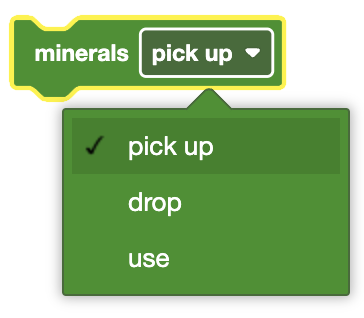
Picking up the minerals will place the minerals in the VR Rover’s storage. It will be carried around until the Minerals action block with either the ‘use’ or ‘drop’ is used in the project.
Using the minerals will replenish some of the VR Rover’s energy, as indicated by the battery icon in the Playground window. Minerals can only be used if they are on the ground.
The VR Rover will earn Experience Points (XP) by using minerals or dropping the minerals at the base.
In this example, the VR Rover will turn and drive to the closest mineral before picking it up.
当开始
前往 [minerals v] %2
矿物质 [捡起 v]
Absorb enemy radiation#
The Absorb enemy radiation block is used to interact with enemies in the Rover Rescue Playground.
This is a non-waiting block and allows any subsequent blocks to execute without delay.
吸收辐射
In this example, the VR Rover will turn and drive to the closest enemy before absorbing the enemy’s radiation once.
当开始
前往 [enemy v] %2
吸收辐射
Standby#
The Standby block is used to put the VR Rover into standby mode until the specified battery threshold is reached.
This is a waiting block and will not allow any subsequent blocks to execute until it has finished.
standby until [50] % battery
When in standby, the VR Rover will use its battery slower, but the Number of Days Survived counter will increase at a higher rate.
Once the battery level threshold is reached, the VR Rover will come out of standby, going back to consuming its battery and increasing the Number of Days Survived counter at the normal rate.
Choose the battery threshold value at which the VR Rover will exit standby mode.
standby until [50] % battery
In this example, the VR Rover will enter standby mode and wait until its battery has reached 35% before turning and moving to the closest mineral.
当开始
standby until [35] % battery
前往 [minerals v] %2
Looks#
The VR Rover does not have access to the VR Pen, but it can still print to its Monitor Console.
Events#
When under attack#
The When under attack block is used to run the attached stack of blocks when the VR Rover is being attacked by an enemy.
当遭到攻击时
In this example, the VR Rover will absorb the nearest enemy’s radiation once when it is under attack.
当遭到攻击时
吸收辐射
When level up#
The When level up block is used to run the attached stack of blocks each time the VR Rover moves from one level to another.
当等级升高
In this example, the VR Rover will print to the Print Console a message when it levels up.
当等级升高
打印 [The VR Rover has leveled up!] ◀ 并设定光标为下一行
Sensing#
The VR Rover has access to the standard Brain, Drivetrain, and Distance Sensing Blocks.
Rover sees#
The Rover sees block is used to report whether the VR Rover sees detectable objects using the built-in AI technology.
<看到 [minerals v]?>
Choose whether to report if the VR Rovers’s built-in AI sees minerals, enemies, base, obstacles, or hazards.
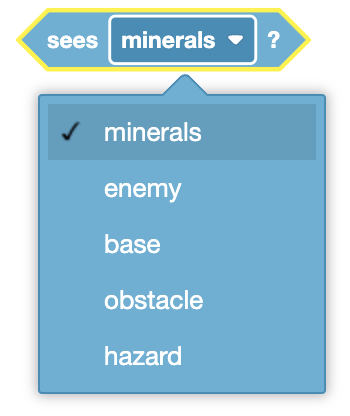
The field of view of the VR Rover is 40 degrees. This can be seen in the mini-map on the Playground indicated by the gray translucent cone from the front of the VR Rover.
The Rover sees block reports True when the selected option is less than 1000 millimeters (MM) away from the VR Rover and within its field of view.
The Rover sees block reports False when the selected option is greater than 1000 millimeters (MM) away from the VR Rover and/or not within its field of view.
The Rover sees block is used in blocks with hexagonal (six-sided) spaces.
In this example, the VR Robot will continuously check if any minerals are seen before turning and moving towards them.
当开始
永久循环
如果 <看到 [minerals v]?> 那么
前往 [minerals v] %2
结束
结束
Rover detects#
The Rover detects block is used to report whether the VR Rover detects an enemy or minerals using the built-in AI technology.
<检测 [minerals v]?>
Choose whether to report if the VR Rovers’s built-in AI detects minerals or enemies.
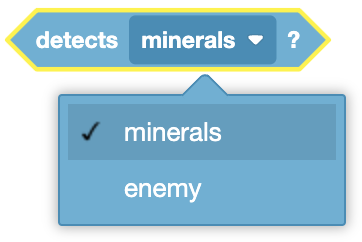
The detect radius of the VR Rover is 800 millimeters (MM). This can be seen in the mini-map on the Playground indicated by the yellow circle around the VR Rover.
The Rover detects block reports True when the VR Rover detects the selected option.
The Rover detects block reports False when the selected option is not within the detect radius of the VR Rover.
The Rover detects block is used in blocks with hexagonal (six-sided) spaces.
In this example, the VR Robot will continuously check if any minerals are detected before turning and moving towards them.
当开始
永久循环
如果 <检测 [minerals v]?> 那么
前往 [minerals v] %2
结束
结束
Minerals in storage#
The Minerals in storage block is used to report the current amount of minerals the VR Rover has in its storage.
(储存中的矿物质)
The Minerals in storage block is used in blocks with circular spaces.
In this example, the VR Rover will print how many minerals it currently has in its storage.
当开始
打印 (储存中的矿物质) ◀ 并设定光标为下一行
Storage capacity#
The Storage capacity block is used to report the carrying capacity of the VR Rover’s storage.
(存储容量)
The Storage capacity block is used in blocks with circular spaces.
In this example, the VR Rover will print its current carrying capacity.
当开始
打印 (存储容量) ◀ 并设定光标为下一行
Rover direction#
The Rover direction block is used to report the direction from the VR Rover to minerals, enemies, or base using the built-in AI technology in degrees.
([minerals v] 方向(度))
Choose whether to report the direction of minerals, enemies, or the base.
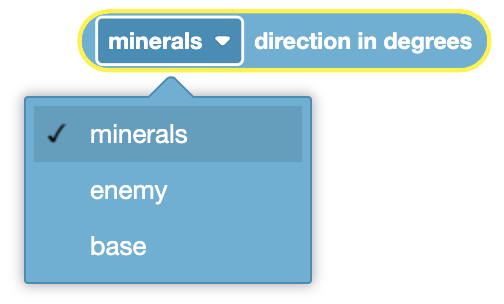
The Rover direction block will only work if the enemy or mineral is less than 1000 millimeters (mm) away from the VR Rover and within its 40 degree field of view. This can be seen in the mini-map on the Playground indicated by the gray translucent cone from the front of the VR Rover.
If “base” is selected for the block, the distance will be reported even if the VR Rover’s base is not in the field of view. The VR Rover’s AI technology allows it to always detect the base. This block will report a value from -180 to 180 degrees when reporting the direction to the base.
The Rover direction block is used in blocks with circular spaces.
In this example, the VR Rover will print the current direction from the VR Rover to the closest mineral.
当开始
打印 ([minerals v] 方向(度)) ◀ 并设定光标为下一行
Rover distance#
The Rover distance block is used to report the distance from the VR Rover to minerals, enemies, obstacles, hazards, or base using the built-in AI technology.
([minerals v] 距离 [毫米 v] :: custom-actions)
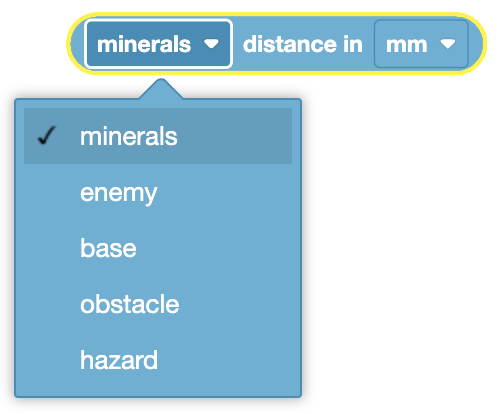
Choose whether to report the distance of minerals, enemies, obstacles, hazards or the base.
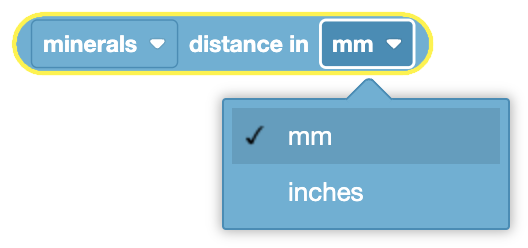
Choose whether the distance is reported in millimeters or inches.
The Rover distance block will only work if the enemy or mineral is less than 1000 millimeters (mm) away from the VR Rover and within its 40 degree field of view. This can be seen in the mini-map on the Playground indicated by the gray translucent cone from the front of the VR Rover.
If “base” is selected for the block, the distance will be reported even if the VR Rover’s base is not in the field of view. The VR Rover’s AI technology allows it to always detect the base.
The Rover distance block is used in blocks with circular spaces.
In this example, the VR Rover will print the current distance from the VR Rover to the closest mineral in millimeters.
当开始
打印 ([minerals v] 距离 [毫米 v] :: custom-actions) ◀ 并设定光标为下一行
Rover location#
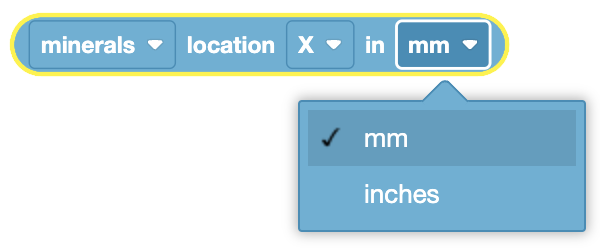
The Rover location block is used to report the X or Y coordinate location of minerals, enemies, obstacles, hazards, or base using the AI technology built into the VR Rover.
([minerals v] 在 [X v] 上位置 [毫米 v])
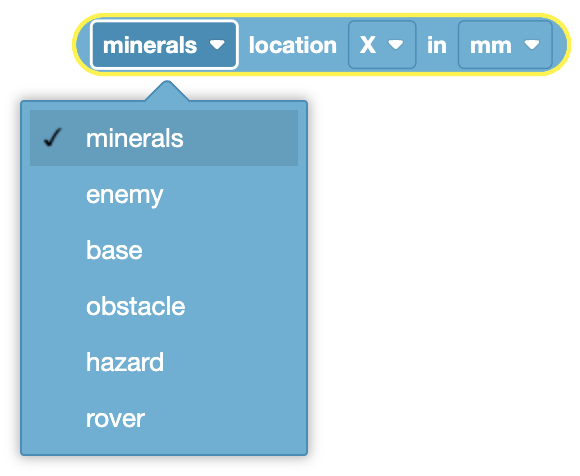
Choose whether to report the coordinate location of minerals, enemies, obstacles, hazards or the base.
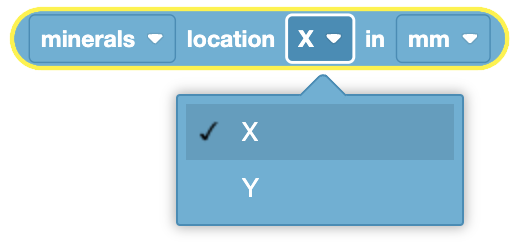
Choose whether to return the X or Y coordinate.
Choose whether the coordinate location is reported in millimeters or inches.
The Rover location block will only work if the enemy or mineral is less than 1000 millimeters (mm) away from the VR Rover and within its 40 degree field of view. This can be seen in the mini-map on the Playground indicated by the gray translucent cone from the front of the VR Rover.
If “base” is selected for the block, the location will be reported even if the VR Rover’s base is not in the field of view. The VR Rover’s AI technology allows it to always detect the base.
The Rover location block is used in blocks with circular spaces.
In this example, the VR Rover will print the X and Y coordinate of the base in millimeters.
当开始
打印 ([base v] 在 [X v] 上位置 [毫米 v]) ◀ 并设定光标为下一行
打印 ([base v] 在 [Y v] 上位置 [毫米 v]) ◀ 并设定光标为下一行
Under attack#
The Under attack block is used to report whether the VR Rover is under attack from an enemy or not.
<遭到攻击?>
The Under attack block reports True when the VR Rover is under attack from an enemy.
The Under attack block reports False when the VR Rover is not under attack from an enemy.
The Under attack block is used in blocks with hexagonal (six-sided) spaces.
In this example, the VR Robot will continuously check if it is under attack, and if so, move backwards by 500 millimeters.
当开始
永久循环
如果 <遭到攻击?> 那么
驱动 [反 v] [500] [毫米 v] ▶
结束
结束
Enemy level#
The Enemy level block is used to report the level of the closest enemy detected in the VR Rover’s vision.
(敌方等级)
When no enemies are detected in the VR Rover’s vision range, the Enemy level block returns 0.
The Enemy level block is used in blocks with circular spaces.
In this example, the will continuously check if the closest enemy is level 1. If the enemy is level 1, the VR Rover will approach the enemy, otherwise it will move backwards by 500 millimeters.
当开始
永久循环
如果 <(敌方等级) [math_equal v] [1]> 那么
前往 [enemy v] %2
否则
驱动 [反 v] [500] [毫米 v] ▶
结束
结束
Enemy radiation#
The Enemy radiation block is used to report the radiation of the closest enemy detected in the VR Rover’s vision.
(敌方辐射)
When no enemies are detected in the VR Rover’s vision range, the Enemy radiation block returns 0.
The Enemy radiation block is used in blocks with circular spaces.
In this example, the VR Rover will print the current radiation of the nearest enemy.
当开始
打印 (敌方辐射) ◀ 并设定光标为下一行
Battery level#
The Battery level block is used to report the current battery level of the VR Rover as a percent.
(电池电量百分比 :: custom-actions)
The Battery level block is used in blocks with circular spaces.
In this example, the VR Rover will print its current battery level.
当开始
打印 (电池电量百分比 :: custom-actions) ◀ 并设定光标为下一行
Level#
The Level block is used to report the current level of the VR Rover.
(等级)
The Level block is used in blocks with circular spaces.
In this example, the VR Rover will print its current level.
当开始
打印 (等级) ◀ 并设定光标为下一行
XP#
The XP block is used to report the current number of Experience Points (XP) that the VR Rover has.
(经验值)
The XP block is used in blocks with circular spaces.
In this example, the VR Rover will print the current number of Experience Points (XP) it has.
当开始
打印 (经验值) ◀ 并设定光标为下一行