
Free Playgrounds#
Free Playgrounds are available to all users. Every Free Playground takes place on a 2000 × 2000 mm map. Depending on the chosen playground, the starting position and goal for the robot will be different:
Available Playgrounds#
There are 15 playgrounds available for free users of VEXcode VR, as shown below:
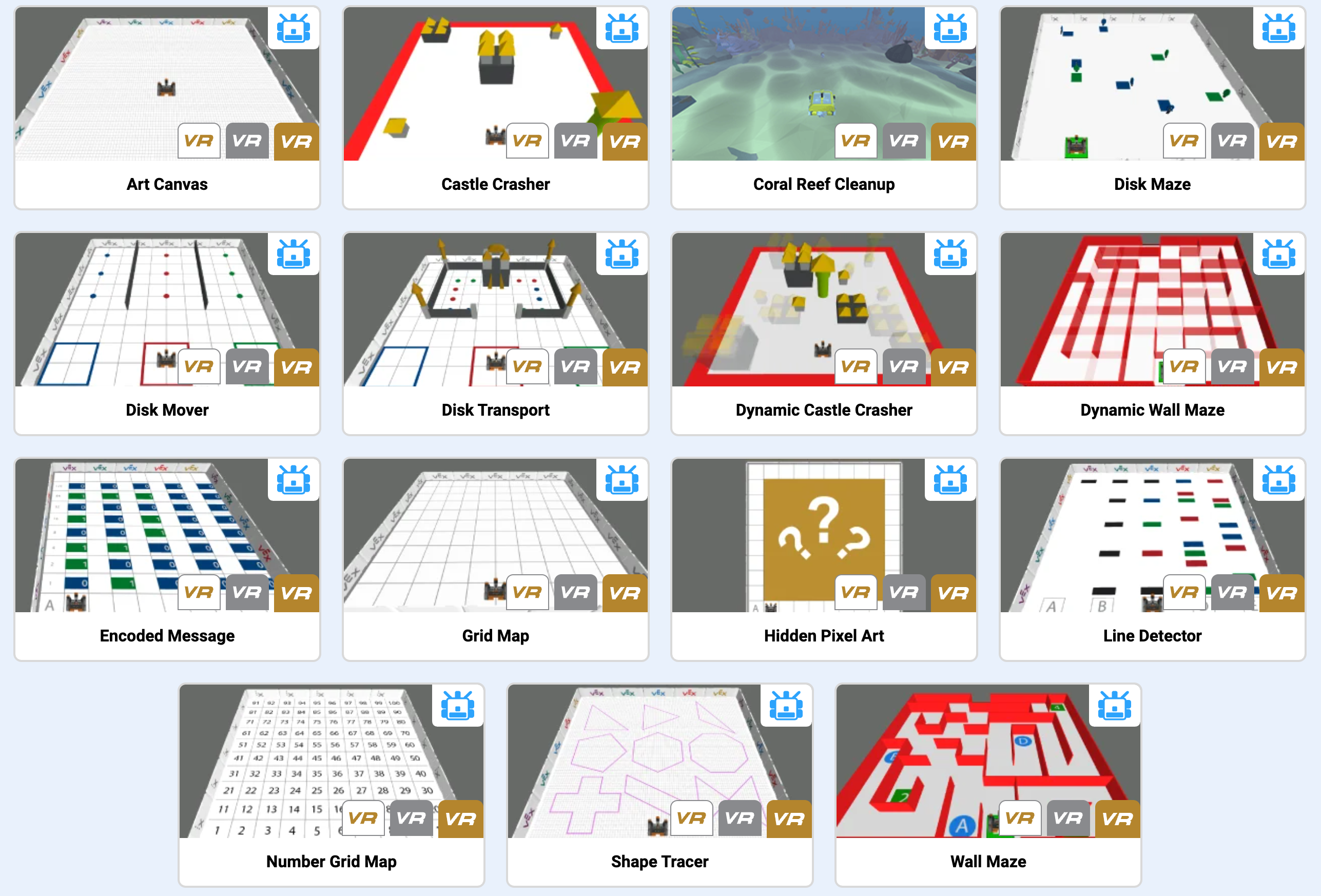
Name |
Goal |
Starting Position |
|---|---|---|
Art Canvas |
Draw images on the ground using the VR Robot’s pen. |
(0, 0) |
Castle Crasher |
Knock down all of the castle objects on the field. |
(0, -800) |
Coral Reef Cleanup |
Collect all pieces of trash before the robot’s battery runs out. |
(0, -800) |
Disk Maze |
Navigate through a color-coded maze using the Eye Sensor to detect and follow colored paths. |
(-562, -907) |
Disk Mover |
Use the Electromagnet to sort colored Disks into their matching color zones. |
(-800, -800) |
Disk Transport |
Navigate around a castle, pick up Disks with the Electromagnet, and sort them into their matching color zones. |
(0, -800) |
Dynamic Castle Crasher |
Knock down all castle objects on a layout that changes every time the project runs. |
(0, -800) |
Dynamic Wall Maze |
Navigate through a maze that is randomly generated each time the project runs. |
(130, -900) |
Encoded Message |
Use the Eye Sensor and Lists to decode binary ASCII characters into a hidden message. |
(-700, -900) |
Grid Map |
Use the grid overlay to practice navigating and moving the VR Robot across the Playground. |
(-900, -900) |
Hidden Pixel Art |
Use the Eye Sensor and 2D Lists to reveal hidden artwork one pixel at a time. |
(-704, -917) |
Line Detector |
Use the Eye Sensor to detect and identify differently colored lines across the playground. |
Depends on the starting position you select. |
Number Grid Map |
Use the numbered grid to practice counting, navigating, and moving the VR Robot across squares numbered 1 to 100. |
(-900, -900) |
Shape Tracer |
Trace pre-drawn shapes on the ground using the VR Pen. |
Depends on the starting position you select. |
Wall Maze |
Navigate through a maze to reach the exit. |
(128, -875) |
Robot Configuration#
All Free Playgrounds share the same standard robot configuration. The table below describes each component and links to its API documentation for Blocks and Python.
Component |
Use |
API Documentation |
|---|---|---|
Drivetrain |
Moves and turns the robot. |
|
Electromagnet |
Picks up and drops Disks. |
|
VR Pen |
Draws in different colors on the Playground. |
|
Brain Timer |
Tracks elapsed time since the project started. |
|
Bumper Sensor |
Detects when the robot’s front face is in contact with an object. |
|
Distance Sensor |
Detects how far the robot’s front is from an object. |
|
Eye Sensor |
Detects any colors in front of, or under, the robot. |
|
Location Sensor |
Returns the robot’s current position on the Playground. |