
安慰#
介绍#
VEXcode V5 控制台显示在 VEXcode 的监视器窗口中。项目运行时,控制台输出可以显示文本、数字和变量值。
使用 VS Code 时,基于文本的控制台输出会出现在终端中,而不是 VEXcode 控制台中。
注意: 使用 VEXcode 控制台时,必须先连接到控制台串口,然后才能将任何输出打印到控制台。
以下是所有功能的列表:
操作 — 输出文本。
printf— Displays text, numbers, or variable values in the Console or terminal.
行动#
printf#
printf displays text, numbers, or variable values in the Console. In VS Code, printf displays output in the terminal.
In C++, printf uses a format string. The format string is the text inside the quotation marks. It can include regular text, control sequences, and format specifiers that insert values from your project, like a score, timer, or sensor reading. See the String Formatting page for more information about format specifiers.
By default, printf does not automatically move to the next line. Add \n, which stands for a new line, when you want the next printed value to start on a new row.
Usage:
printf(value);
范围 |
类型 |
描述 |
|---|---|---|
|
|
要在控制台或终端中显示的文本、格式字符串或控制序列。 |
返回值:
此函数不返回值。
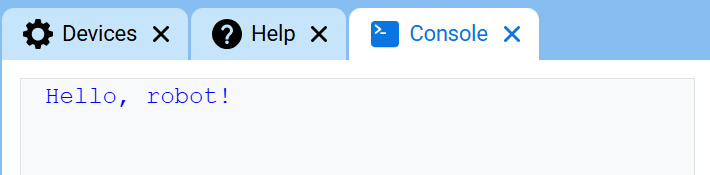
// Display a message in the Console
printf("Hello, robot!\n");
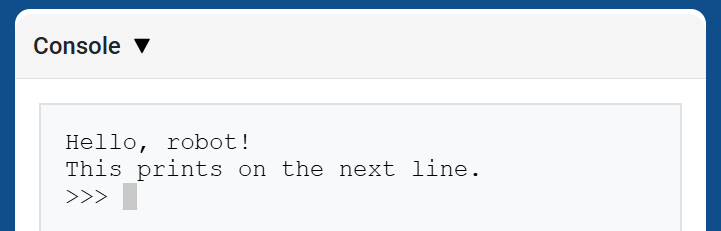
// Display two messages on separate lines
printf("Hello, robot!\n");
printf("This prints on the next line.\n");
// Display two messages on the same line
printf("Hello, ");
printf("robot!\n");
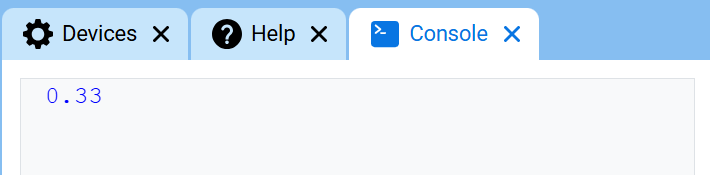
// Display a number with two decimal places
printf("%.2f\n", 1.0 / 3.0);
控制序列#
Control sequences are short codes that can be printed with printf to change how text appears in the Console.
Control sequences are useful when you want to change text color or clear the Console directly inside a printf statement.
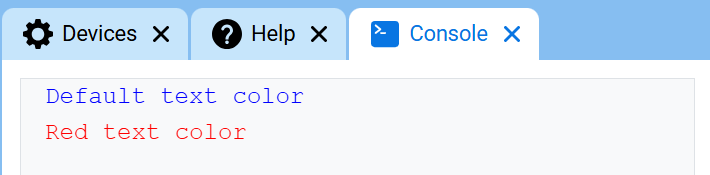
To change the text color, print \033 followed by a color code. At the start of a project, the Console text color is set to blue.
颜色 |
控制序列 |
|---|---|
黑色的 |
|
红色的 |
|
绿色的 |
|
黄色的 |
|
蓝色的 |
|
紫色的 |
|
青色 |
|
白色的 |
|
橙子 |
|
透明的 |
|
// Print text in different colors
printf("Default text color\n");
printf("\033[31m");
printf("Red text color\n");
清除控制台#
C++ does not have a separate Console function for clearing all rows. To clear the Console, print the control sequence \033[2J with printf.
这将清除控制台中的所有行,并将光标移回第 1 行。
// Clear the Console after two seconds
printf("VEXcode\n");
wait(2, seconds);
printf("\033[2J");