Consola#
Introducción#
La consola de VEXcode se muestra en la ventana Monitor dentro de VEXcode. Los métodos de la consola pueden mostrar texto, números y valores de variables mientras se ejecuta un proyecto. También pueden borrar la consola, establecer el color del texto impreso después de cambiar el color y supervisar variables o valores de sensores en la pestaña Monitor de VEXcode.
Al usar VS Code, la salida de la consola basada en texto aparece en la terminal en lugar de en la pestaña Consola de VEXcode.
A continuación se muestra una lista de todos los métodos:
Acciones: Mostrar texto o borrar la consola.
print— Muestra texto, números o valores de variables en la consola o terminal.new_line— Mueve el cursor de la consola al inicio de la siguiente fila.clear— Borra todas las filas de la consola.
Obtenido: lee la entrada del usuario.
input— Espera la entrada del usuario y devuelve la respuesta como texto.
Motador: formatea el texto impreso.
set_console_text_color— Establece el color utilizado para el texto impreso en la consola.
Comportamiento#
print#
print muestra texto, números o valores de variables en la consola. En VS Code, print muestra la salida en la terminal.
Utilice el formato de cadena personalizado cuando desee que un mensaje impreso incluya valores de su proyecto, como una puntuación, un temporizador o una lectura de sensor. Consulte la página Formato de cadena para obtener más información.
By default, each brain.print() statement ends with \n, which stands for a new line. This moves the cursor to the next line after the value is printed. The optional end parameter changes what is added after the printed value.
Usage:
brain.print(value, end=“\n”)
Parámetros |
Descripción |
|---|---|
|
El texto, número o valor de variable que se mostrará en la consola o terminal. |
|
Optional. The text added after |
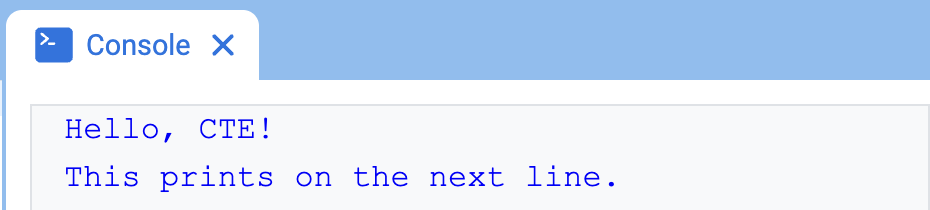
# Display two messages on separate lines
brain.print("Hello, CTE!")
brain.print("This prints on the next line.")
# Display two messages on the same line
brain.print("Hello,", end=" ")
brain.print("CTE!")

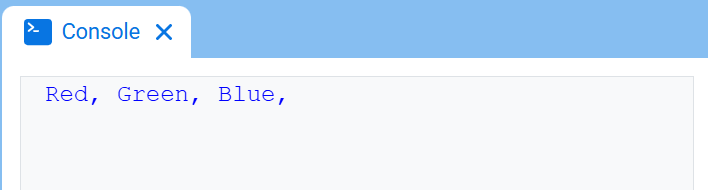
# Print three colors on one line, separated by commas
colors = ["Red", "Green", "Blue"]

for color in colors:
    brain.print(color, end=", ")
new_line#
new_line mueve el cursor a la columna 1 en la siguiente fila de la consola. El siguiente valor impreso aparecerá en esa fila.
Utilice este método cuando desee que el siguiente valor impreso comience en una nueva fila. Si no se utiliza este método y se utiliza la instrucción anterior brain.print() end=“” u otro valor que no incluya \n, el siguiente valor impreso aparecerá inmediatamente después del valor anterior en la misma fila.
Usage:
brain.new_line()
Parámetros |
Descripción |
|---|---|
Este método no tiene parámetros. |
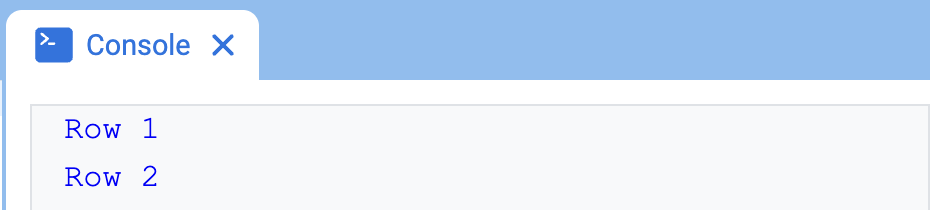
# Print on two lines
brain.print("Row 1", end="")
brain.new_line()
brain.print("Row 2")
clear#
clear borra todas las filas de la consola.
Usage:
brain.clear()
Parámetros |
Descripción |
|---|---|
Este método no tiene parámetros. |
# Display text, then clear it after two seconds
brain.print("This will disappear...")
wait(2, SECONDS)
brain.clear()
Adquiridor#
input#
input muestra un mensaje de solicitud opcional, espera a que el usuario ingrese una respuesta y luego devuelve esa respuesta como texto.
El proyecto se detiene en input() hasta que se ingresa una respuesta en la consola. En VS Code, la respuesta se ingresa en la terminal.
El valor devuelto por input() siempre es texto. Para usar la respuesta como un número, conviértala primero con int() o float().
Usage:
input(prompt)
Parámetro |
Descripción |
|---|---|
|
Opcional. Una cadena de texto que se mostrará en la consola o terminal antes de esperar una respuesta. Si no se incluye ningún mensaje, no se mostrará nada antes de esperar. |
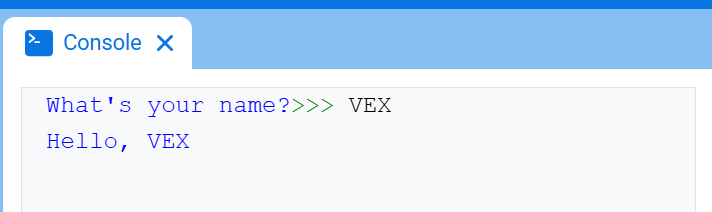
# Ask for a name, then print a greeting
answer = input("What's your name?")
brain.print("Hello, " + answer)
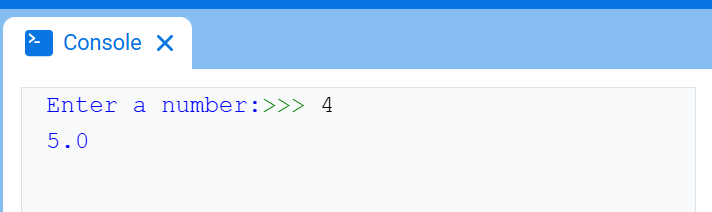
# Ask for a number, then use it in math
answer = input("Enter a number:")
number = float(answer)
brain.print(number + 1)
Mutador#
set_print_color#
set_print_color establece el color utilizado para el texto impreso en la Consola después de que se utilice este método. Al inicio de un proyecto, el color del texto de la Consola se establece en BLACK.
Este método cambia el color del texto en la consola de VEXcode. En VS Code, la compatibilidad con colores en la terminal puede variar según el terminal.
Usage:
brain.set_print_color(color)
Parámetros |
Descripción |
|---|---|
|
El color que se utilizará para el texto impreso en la consola:
|
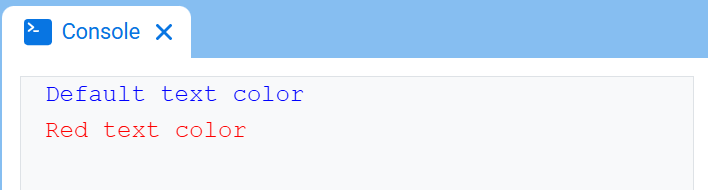
# Print text in different colors
brain.print("Default text color")
brain.new_line()
brain.set_print_color(RED)
brain.print("Red text color")