
Dibujo#
Introducción#
El robot de realidad virtual usa un lápiz para dibujar en un área de juego mientras se mueve. El lápiz del robot puede cambiar de ancho y color, y llenar áreas de juego enteras.
A continuación se muestra una lista de todos los bloques disponibles:
Acciones: Cambiar el estado del lápiz y los colores de relleno de los patios de juegos y otros dibujos.
move– Raise or lower the robot’s pen.fill– Fill a playground or an enclosed area with a specified color.
Mutadores: modifican el color y el ancho del lápiz.
set_pen_color– Set the color of the robot’s pen from preset options.set_pen_width– Set the width of the robot’s pen.set_pen_color_rgb– Set the color of the robot’s pen with red, green, and blue values.
Comportamiento#
move#
move sets the position of the VR Pen.
Usage:
pen.move(action)
Parámetros |
Descripción |
|---|---|
|
The set position of the VR Pen:
|
def main():
    # Draw a straight line.
    pen.move(DOWN)
    drivetrain.drive_for(FORWARD, 400, MM)

# VR threads — Do not delete
vr_thread(main)
fill#
fill fills in the shape of whatever the VR Pen is on top of, for example:
|
|
|
|---|---|---|
Líneas de cuadrícula |
Cuadrícula |
En los patios de juego sin cuadrícula, ocupa todo el piso del patio de juegos. |
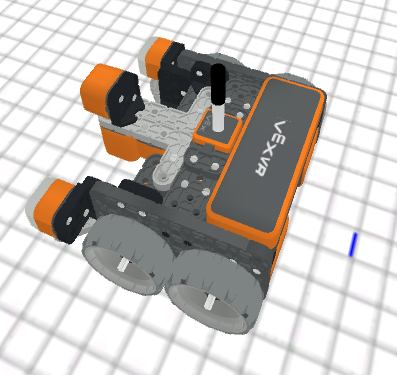
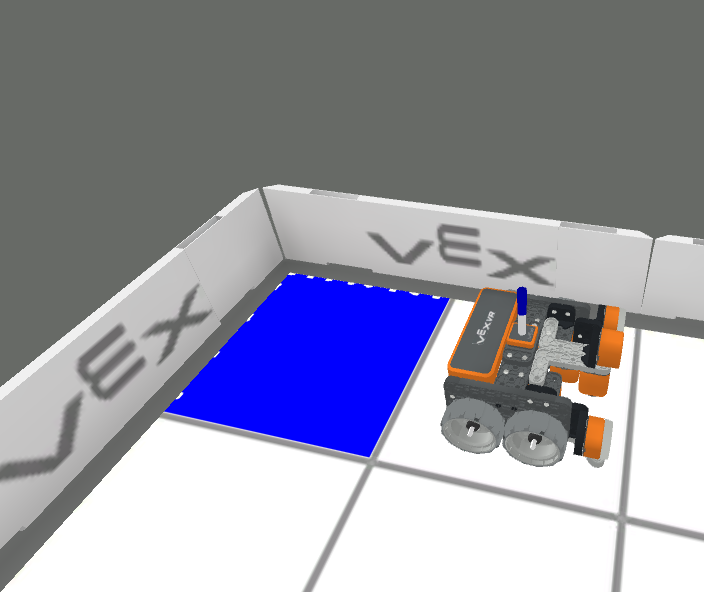
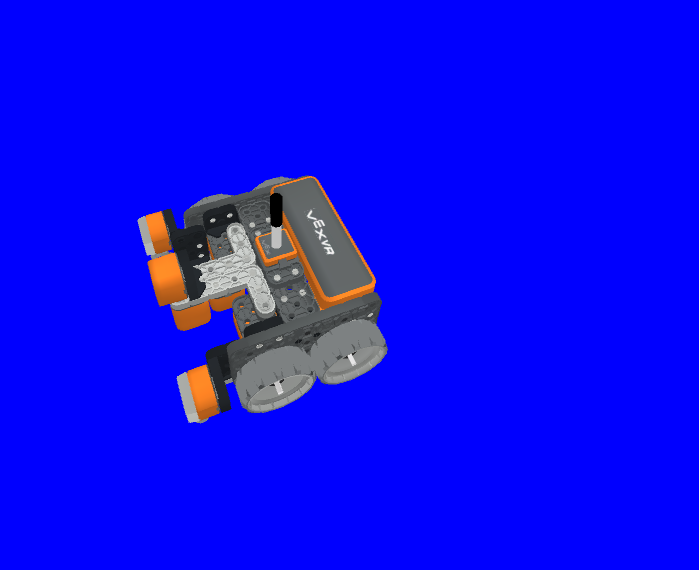
Usage:
pen.fill(red, green, blue, opacity)
Parámetros |
Descripción |
|---|---|
|
La intensidad del color rojo en el valor RGB, que va de 0 a 255. |
|
La intensidad del color verde en el valor RGB, que va de 0 a 255. |
|
La intensidad del color azul en el valor RGB, que va de 0 a 255. |
|
La transparencia del color del VR Pen, que varía entre 0 y 100 por ciento. |
def main():
    # Fill the playground's floor with blue at full opacity.
    pen.fill(43, 162, 202, 100)

# VR threads — Do not delete
vr_thread(main)
Mutadores#
set_pen_color#
set_pen_color sets the color of the VR Pen from preset options.
Usage:
pen.set_pen_color(color)
Parámetros |
Descripción |
|---|---|
|
The color of the VR Pen: |
def main():
    # Draw a blue line
    pen.move(DOWN)
    pen.set_pen_color(BLUE)
    drivetrain.drive_for(FORWARD, 400, MM)

# VR threads — Do not delete
vr_thread(main)
set_pen_width#
set_pen_width method is used to set the width of the VR Pen.
Usage:
pen.set_pen_width(width)
Parámetros |
Descripción |
|---|---|
|
The width of the VR Pen:
|
def main():
    # Draw a straight line of medium width
    pen.move(DOWN)
    pen.set_pen_width(MEDIUM)
    drivetrain.drive_for(FORWARD, 400, MM)

# VR threads — Do not delete
vr_thread(main)
set_pen_color_rgb#
set_pen_color_rgb method is used to set the RGB and opacity values for the VR Pen’s color.
Usage:
pen.set_pen_color_rgb(red, green, blue, opacity)
Parámetros |
Descripción |
|---|---|
|
La intensidad del color rojo en el valor RGB, que va de 0 a 255. |
|
La intensidad del color verde en el valor RGB, que va de 0 a 255. |
|
La intensidad del color azul en el valor RGB, que va de 0 a 255. |
|
La transparencia del color del VR Pen, que varía entre 0 y 100 por ciento. |
def main():
    # Draw an orange line
    pen.move(DOWN)
    pen.set_pen_color_rgb(225, 112, 52, 100)
    drivetrain.drive_for(FORWARD, 400, MM)

# VR threads — Do not delete
vr_thread(main)