
Controller#
Introduction#
The VEX EXP Controller has buttons and two joysticks. Controller blocks can be used to check button presses, read joystick movement, enable or disable configured controller actions, or run blocks when controller events happen.
Configured controller actions are controller behaviors set in the Devices menu. Use the controller enable/disable block to temporarily enable or disable those configured actions during a project.
Below is a list of all blocks:
Values — Check controller button status or read joystick position.
Controller pressed? — Returns whether a selected controller button is being pressed.
Controller position — Returns the joystick position along a selected axis.
Actions — Enable or disable configured controller actions, or run blocks when controller input changes.
Controller enable/disable — Enables or disables controller actions configured in the Devices menu for all connected controllers.
when Controller button pressed — Runs the attached stack when a selected button is pressed or released.
when Controller axis is changed — Runs the attached stack when a joystick’s position changes along the selected axis.
Values#
Controller pressed?#
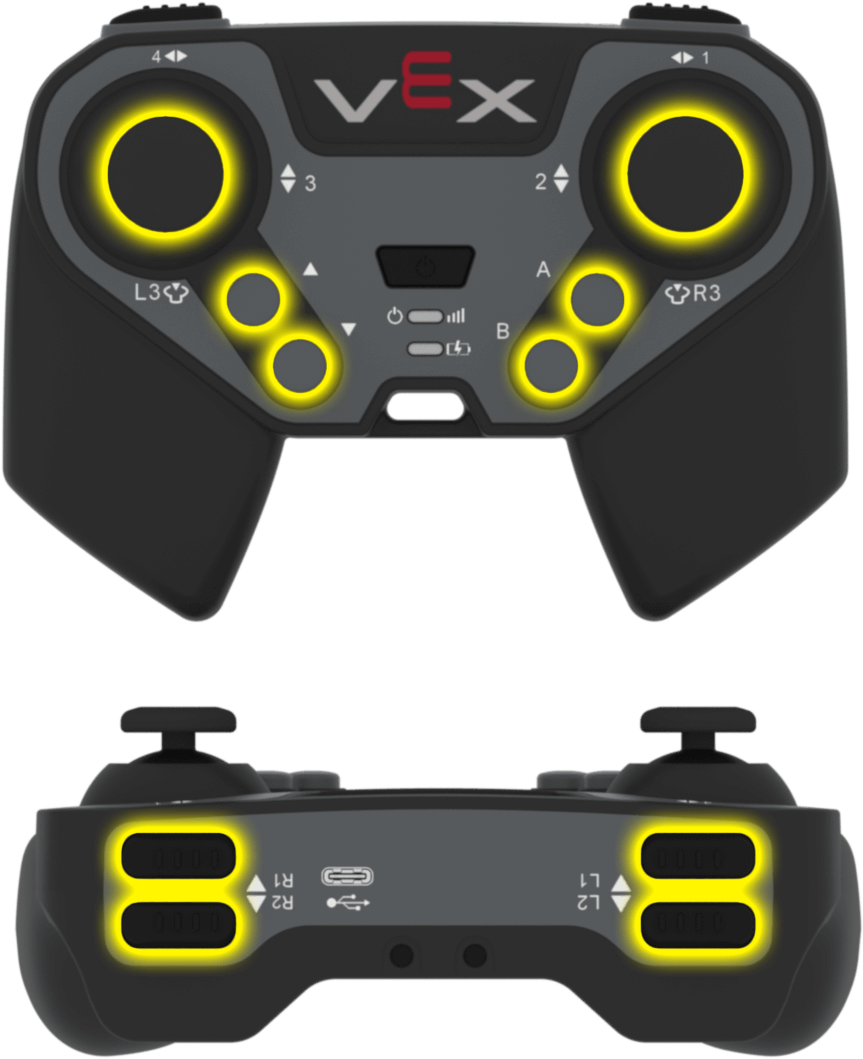
The Controller pressed? Boolean block returns whether a selected Controller button is being pressed.
<Controller [L1 v] pressed?>
Parameter |
Description |
|---|---|
button |
The button to check:
|
Example
    when started
    [Drive forward while R1 is pressed.]
    forever
        if <Controller [R1 v] pressed?> then
            drive [forward v]
        else
            stop driving
        end
    end
Controller position#
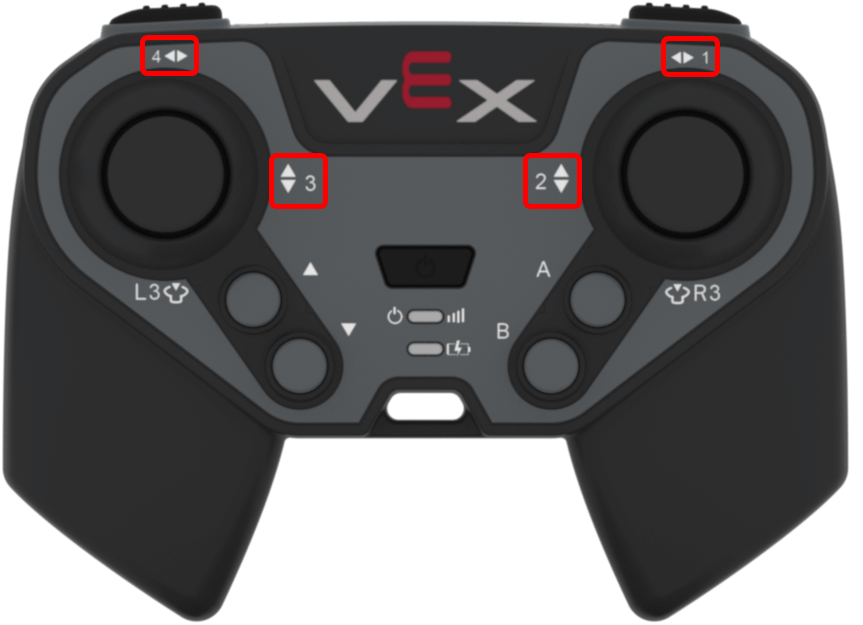
The Controller position reporter block returns the joystick position along a selected axis as a number from -100 to 100.
(Controller [1 v] position)
Parameter |
Description |
|---|---|
axis |
The joystick axis to report:
|
Example
    when started
    [Drive forward while the left joystick is pushed up.]
    forever
        if <(Controller [3 v] position) [math_greater_than v] [0]> then
            drive [forward v]
        else
            stop driving
        end
    end
Actions#
Controller enable/disable#
The Controller enable/disable stack block enables or disables Controller configured actions from the Devices menu for all connected controllers.
Controller [Disable v]
Parameter |
Description |
|---|---|
state |
The Controller configured action state: Disable or Enable. |
Example
    when started
    [Disable Controller configured actions until the drive movement is done.]
    Controller [Disable v]
    drive [forward v] for (6) [inches v] ▶
    Controller [Enable v]
when Controller button pressed#
The when Controller button pressed Hat block runs the attached stack when a selected Controller button is pressed or released.
when Controller button [L1 v] [pressed v] :: hat events
Parameter |
Description |
|---|---|
button |
The button to check:
|
button status |
The button event that triggers the attached stack: pressed or released. |
Example
    when Controller button [R1 v] [pressed v] :: hat events
    [Drive forward when R1 is pressed.]
    drive [forward v] for (200) [mm v] ▶
when Controller axis is changed#
The when Controller axis is changed Hat block runs the attached stack when a joystick’s position changes along the selected axis.
when Controller axis [1 v] is changed :: hat events
Parameter |
Description |
|---|---|
axis |
The joystick axis to check:
|
Example
    when Controller axis [3 v] is changed :: hat events
    [Drive forward when the joystick's position changes along axis 3.]
    drive [forward v] for (200) [mm v] ▶