
Controlador#
Introducción#
El controlador VEX EXP tiene botones y dos joysticks. Los bloques del controlador se pueden usar para comprobar si se pulsan los botones, leer el movimiento de los joysticks, habilitar o deshabilitar las acciones configuradas del controlador o ejecutar bloques cuando se producen eventos en el controlador.
Las acciones del controlador configuradas son comportamientos del controlador establecidos en el menú Dispositivos. Utilice el bloque habilitar/deshabilitar controlador para habilitar o deshabilitar temporalmente dichas acciones configuradas durante un proyecto.
A continuación se muestra una lista de todos los bloques:
Valores: comprueba el estado de los botones del mando o lee la posición del joystick.
¿Controlador presionado? — Devuelve si se está presionando un botón seleccionado del controlador.
Posición del controlador — Devuelve la posición del joystick a lo largo de un eje seleccionado.
Acciones: Habilita o deshabilita las acciones del controlador configuradas, o ejecuta bloques cuando cambie la entrada del controlador.
Habilitar/deshabilitar controlador — Habilita o deshabilita las acciones del controlador configuradas en el menú Dispositivos para todos los controladores conectados.
cuando se presiona el botón del controlador — Ejecuta la pila adjunta cuando se presiona o se suelta un botón seleccionado.
cuando cambia el eje del controlador — Ejecuta la pila adjunta cuando la posición de un joystick cambia a lo largo del eje seleccionado.
Valores#
¿Se pulsó el mando?#
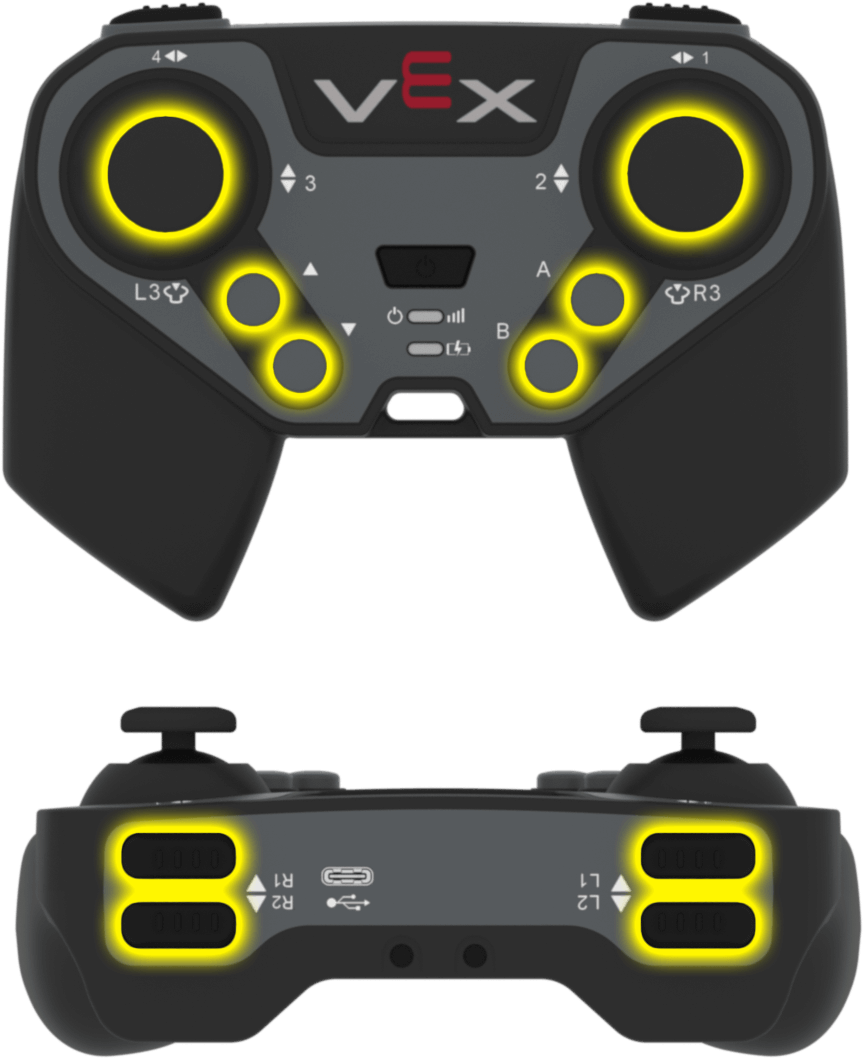
El bloque booleano ¿Controlador presionado? devuelve si se está presionando un botón seleccionado del controlador.
<¿botón [L1 v] del Control presionado?>
Parámetro |
Descripción |
|---|---|
botón |
El botón a comprobar:
|
Ejemplo
cuando inicie
[Drive forward while R1 is pressed.]
por siempre
si <¿botón [R1 v] del Control presionado?> entonces
conducir [adelante v]
si no
detener conducción
fin
fin
Puesto de controlador#
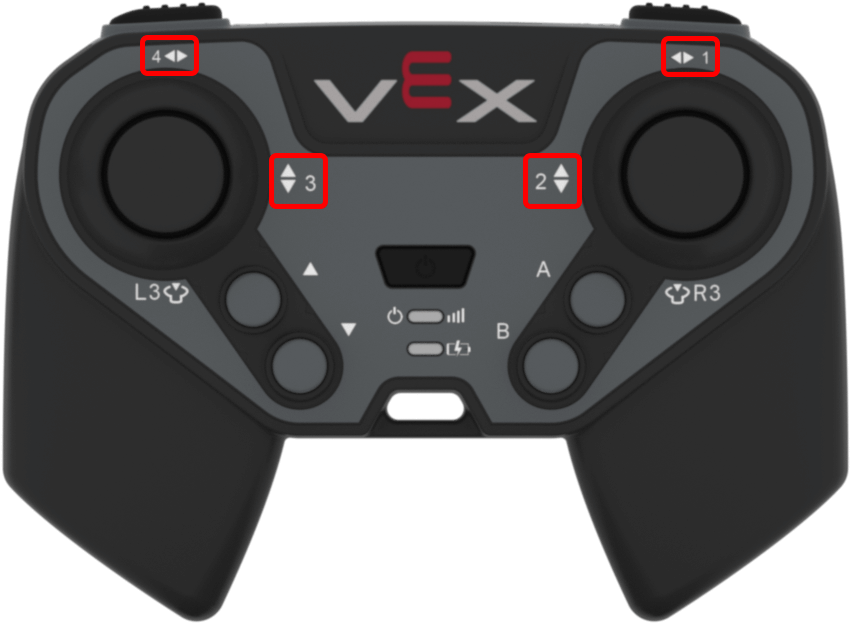
El bloque de informe de Posición del controlador devuelve la posición del joystick a lo largo de un eje seleccionado como un número entre -100 y 100.
(Posición de eje [1 v] del Control)
Parámetro |
Descripción |
|---|---|
eje |
Eje del joystick a informar:
|
Ejemplo
cuando inicie
[Drive forward while the left joystick is pushed up.]
por siempre
si <(Posición de eje [3 v] del Control) [math_greater_than v] [0]> entonces
conducir [adelante v]
si no
detener conducción
fin
fin
Comportamiento#
Habilitar/deshabilitar el controlador#
El bloque de pila Activar/Desactivar controlador habilita o desactiva las acciones configuradas del controlador desde el menú Dispositivos para todos los controladores conectados.
Control [Deshabilitar v]
Parámetro |
Descripción |
|---|---|
estado |
El controlador configuró el estado de acción: Deshabilitar o Habilitar. |
Ejemplo
cuando inicie
[Disable Controller configured actions until the drive movement is done.]
Control [Deshabilitar v]
conducir [adelante v] por (6) [pulgadas v] ▶
Control [Habilitar v]
cuando se presiona el botón del controlador#
El bloque Hat cuando se presiona el botón del controlador ejecuta la pila adjunta cuando se presiona o se suelta un botón seleccionado del controlador.
cuando botón [L1 v] del Control [presionado v] :: hat events
Parámetro |
Descripción |
|---|---|
botón |
El botón a comprobar:
|
estado del botón |
El evento del botón que activa la pila adjunta: presionado o soltado. |
Ejemplo
cuando botón [R1 v] del Control [presionado v] :: hat events
[Drive forward when R1 is pressed.]
conducir [adelante v] por (200) [mm v] ▶
cuando se cambia el eje del controlador#
El bloque Hat cuando se cambia el eje del controlador ejecuta la pila adjunta cuando la posición de un joystick cambia a lo largo del eje seleccionado.
cuando eje [1 v] del Control cambia :: hat events
Parámetro |
Descripción |
|---|---|
eje |
Ejes del joystick a comprobar:
|
Ejemplo
cuando eje [3 v] del Control cambia :: hat events
[Drive forward when the joystick's position changes along axis 3.]
conducir [adelante v] por (200) [mm v] ▶