
LED ഇൻഡിക്കേറ്റർ#
ആമുഖം#
led ക്ലാസ്, 3-വയർ പോർട്ട് ഉപയോഗിച്ച് കണക്റ്റുചെയ്ത ലൈറ്റ്-എമിറ്റിംഗ് ഡയോഡ് (LED) ഓണാക്കാനോ ഓഫാക്കാനോ V5 ബ്രെയിനെ അനുവദിക്കുന്നു.
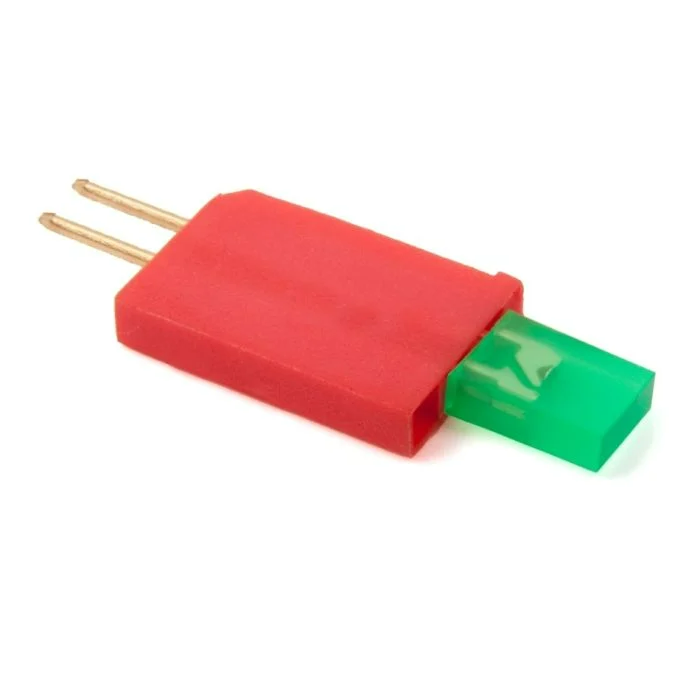
ക്ലാസ് കൺസ്ട്രക്റ്റർ#
led(
  triport::port &port );
ക്ലാസ് ഡിസ്ട്രക്റ്റർ#
led ഒബ്ജക്റ്റ് നശിപ്പിക്കുകയും അനുബന്ധ ഉറവിടങ്ങൾ പുറത്തുവിടുകയും ചെയ്യുന്നു.
virtual ~led();
പാരാമീറ്ററുകൾ#
പാരാമീറ്റർ |
ടൈപ്പ് ചെയ്യുക |
വിവരണം |
|---|---|---|
|
|
LED ഇൻഡിക്കേറ്റർ ബന്ധിപ്പിച്ചിരിക്കുന്ന 3-വയർ പോർട്ട്, |
ഉദാഹരണങ്ങൾ#
// Create an led instance in Port A
led LEDA = led(Brain.ThreeWirePort.A);
അംഗ പ്രവർത്തനങ്ങൾ#
led ക്ലാസ്സിൽ ഇനിപ്പറയുന്ന അംഗ ഫംഗ്ഷനുകൾ ഉൾപ്പെടുന്നു:
ഏതെങ്കിലും led അംഗ ഫംഗ്ഷനുകൾ വിളിക്കുന്നതിന് മുമ്പ്, താഴെ കാണിച്ചിരിക്കുന്നതുപോലെ ഒരു led ഉദാഹരണം സൃഷ്ടിക്കണം:
/* This constructor is required when using VS Code.
LED Indicator configuration is generated automatically
in VEXcode using the Device Menu. Replace the values
as needed. */

// Create an led instance in Port A
led LEDA = led(Brain.ThreeWirePort.A);
on#
നിർദ്ദിഷ്ട LED ഇൻഡിക്കേറ്റർ ഓണാക്കുന്നു.
Available Functionsvoid on();
ഈ ഫംഗ്ഷൻ ഒരു പാരാമീറ്ററുകളും സ്വീകരിക്കുന്നില്ല.
Return Valuesഈ ഫംഗ്ഷൻ ഒരു മൂല്യം തിരികെ നൽകുന്നില്ല.
Examples// Turn on the LED
LEDA.on();
// Wait 2 seconds
wait(2, seconds);
// Turn off LED
LEDA.off();
off#
നിർദ്ദിഷ്ട LED ഇൻഡിക്കേറ്റർ ഓഫാക്കുന്നു.
Available Functionsvoid off();
ഈ ഫംഗ്ഷൻ ഒരു പാരാമീറ്ററുകളും സ്വീകരിക്കുന്നില്ല.
Return Valuesഈ ഫംഗ്ഷൻ ഒരു മൂല്യം തിരികെ നൽകുന്നില്ല.
Examples// Turn on the LED
LEDA.on();
// Wait 2 seconds
wait(2, seconds);
// Turn off LED
LEDA.off();