
ไฟแสดงสถานะ LED#
การแนะนำ#
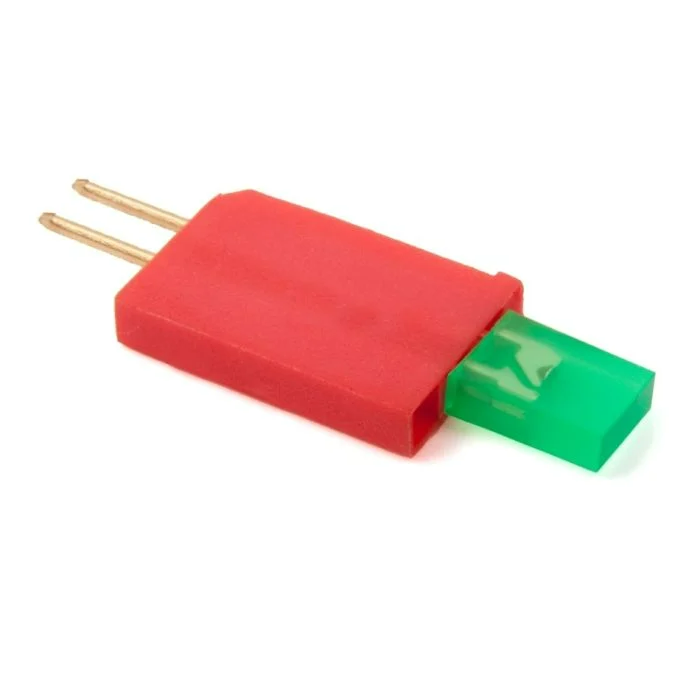
คลาส led ช่วยให้ V5 Brain สามารถเปิดหรือปิดไดโอดเปล่งแสง (LED) ที่เชื่อมต่ออยู่โดยใช้พอร์ต 3 สาย
คอนสตรัคเตอร์คลาส#
led(
  triport::port &port );
ตัวทำลายคลาส#
ทำลายวัตถุ led และปล่อยทรัพยากรที่เกี่ยวข้อง
virtual ~led();
พารามิเตอร์#
พารามิเตอร์ |
พิมพ์ |
คำอธิบาย |
|---|---|---|
|
|
พอร์ต 3 สายที่เชื่อมต่อกับไฟแสดงสถานะ LED เขียนเป็น |
ตัวอย่าง#
// Create an led instance in Port A
led LEDA = led(Brain.ThreeWirePort.A);
ฟังก์ชันสมาชิก#
คลาส led ประกอบด้วยฟังก์ชันสมาชิกต่อไปนี้:
ก่อนเรียกใช้ฟังก์ชันสมาชิก led ใดๆ จะต้องสร้างอินสแตนซ์ led ก่อน ดังแสดงด้านล่าง:
/* This constructor is required when using VS Code.
LED Indicator configuration is generated automatically
in VEXcode using the Device Menu. Replace the values
as needed. */

// Create an led instance in Port A
led LEDA = led(Brain.ThreeWirePort.A);
on#
เปิดไฟแสดงสถานะ LED ที่ระบุไว้
Available Functionsvoid on();
ฟังก์ชันนี้ไม่รับพารามิเตอร์ใดๆ
Return Valuesฟังก์ชันนี้ไม่ส่งค่ากลับ
Examples// Turn on the LED
LEDA.on();
// Wait 2 seconds
wait(2, seconds);
// Turn off LED
LEDA.off();
off#
ปิดไฟแสดงสถานะ LED ที่ระบุไว้
Available Functionsvoid off();
ฟังก์ชันนี้ไม่รับพารามิเตอร์ใดๆ
Return Valuesฟังก์ชันนี้ไม่ส่งค่ากลับ
Examples// Turn on the LED
LEDA.on();
// Wait 2 seconds
wait(2, seconds);
// Turn off LED
LEDA.off();