
Escucha#
Es posible monitorear los valores de los sensores y variables dentro de VEXcode utilizando la Consola de Monitoreo.
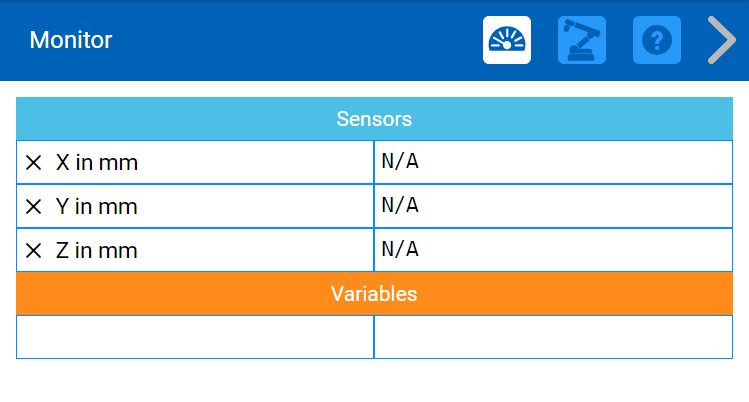
De forma predeterminada, las posiciones x, y y z del brazo de 6 ejes se informan en la consola del monitor, pero puede agregar otros sensores y variables utilizando los dos comandos siguientes:
sensor_monitor()#
The monitor_sensor(sensor1, sensor2, sensor3, …) method adds a recognized sensor to the Monitor Console.
Recognized sensor identifiers for the sensor parameter are:
brain.timer_timearm.is_donearm.get_xarm.get_yarm.get_zarm.get_pitcharm.get_rollarm.get_yaw
When adding sensor identifiers with the monitor_sensor() method, they have to be added as strings - therefore enclosed with quotation marks:
monitor_sensor("arm.get_roll")
Multiple sensor identifiers, separated by commas, can be added to the monitor_sensor() method:
monitor_sensor("arm.get_x", "arm.get_y", "arm.get_z")
Devoluciones: Ninguna.
variable_de_monitor#
The monitor_variable(variable1, variable2, variable3, …) method adds a previously defined variable to the Monitor Console.
When adding sensor identifiers with the monitor_sensor() method, they have to be added as strings - therefore enclosed with quotation marks:
# Create a global variable "cube_count" and set the
# variable to 0.
disk_count = 0
# In the main function, add the cube_count variable to
# the Monitor Console.
def main():
    monitor_variable("disk_count")