控制台#
简介#
VEXcode AIM 控制台显示在 VEXcode 的“控制台”选项卡中。控制台方法可以在项目运行时显示文本、数字和变量值。它们还可以清除控制台、读取用户输入以及设置更改颜色后打印文本的颜色。
使用 VS Code 时,基于文本的控制台输出会显示在终端中,而不是 VEXcode 控制台选项卡中。
以下是所有方法的列表:
动作——输出文本或清空控制台。
print— 在控制台或终端中显示文本、数字或变量值。clear_console—清除控制台中的所有行。
获取方法——读取用户输入。
input—等待用户输入并以文本形式返回响应。
修改方法 —设置打印文本的格式。
set_console_text_color—设置用于在控制台中打印文本的颜色。
动作#
print#
print 在控制台中显示文本、数字或变量值。在 VS Code 中,print 将输出显示在终端中。
如果您希望打印消息中包含项目中的值,例如分数、计时器或传感器读数,请使用自定义字符串格式。有关更多信息,请参阅字符串格式页面。
默认情况下,每个 print() 语句以 \n 结尾,代表换行。这会在打印值之后将光标移至下一行。可选的 end 参数可更改打印值之后附加的内容。
**用法: **
print(value, end=“\n”)
参数 |
描述 |
|---|---|
|
要在控制台或终端中显示的文本、数字或变量值。 |
|
可选。在打印 |
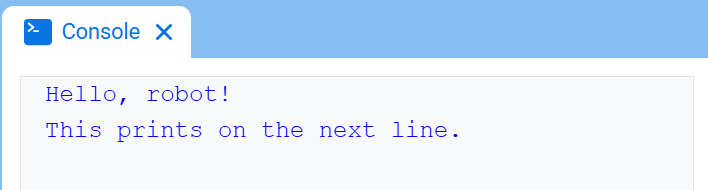
# Display two messages on separate lines
print("Hello, robot!")
print("This prints on the next line.")
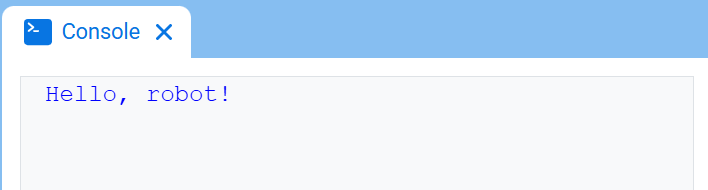
# Display two messages on the same line
print("Hello,", end=" ")
print("robot!")
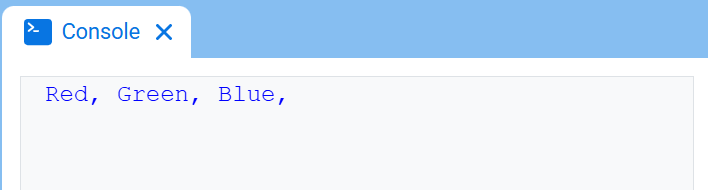
# Print three colors on one line, separated by commas
colors = ["Red", "Green", "Blue"]

for color in colors:
    print(color, end=", ")
clear_console#
clear_console 将清除控制台中的所有行。
**用法: **
clear_console()
参数 |
描述 |
|---|---|
该方法没有参数。 |
# Display text, then clear it after two seconds
print("This will disappear...")
wait(2, SECONDS)
clear_console()
获取#
input#
input 显示可选的提示消息,等待用户输入响应,然后以文本形式返回该响应。
项目在 input() 处暂停,直到在控制台中输入响应。在 VS Code 中,响应在终端中输入。
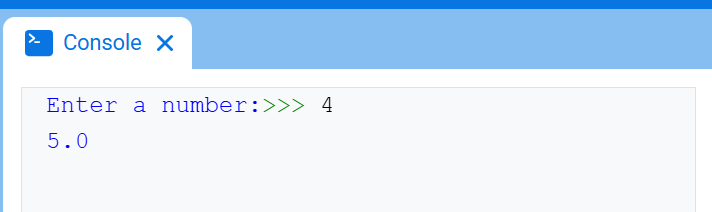
input()返回的值始终是文本。若要将响应用作数字,需先使用 int() 或 float() 进行转换。
**用法: **
input(prompt)
参数 |
描述 |
|---|---|
|
可选。在等待响应之前,要在控制台或终端中显示的字符串。如果未指定提示符,则在等待之前不显示任何消息。 |
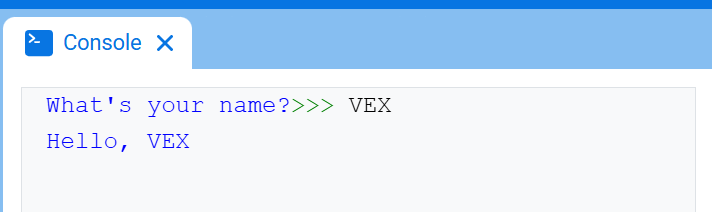
# Ask for a name, then print a greeting
answer = input("What's your name?")
print("Hello, " + answer)
# Ask for a number, then use it in math
answer = input("Enter a number:")
number = float(answer)
print(number + 1)
更改#
set_console_text_color#
set_console_text_color 设置在使用此方法后用于在控制台中打印文本的颜色。在项目开始时,控制台文本颜色设置为 BLUE。
此方法可更改 VEXcode 控制台选项卡中的文本颜色。在 VS Code 中,不同终端对颜色的支持可能有所不同。
**用法: **
set_console_text_color(color)
参数 |
描述 |
|---|---|
|
在控制台中打印文本所使用的颜色:
|
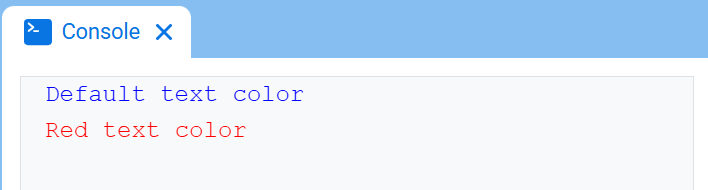
# Print text in different colors
print("Default text color")
set_console_text_color(RED)
print("Red text color")