
GPS传感器#
介绍#
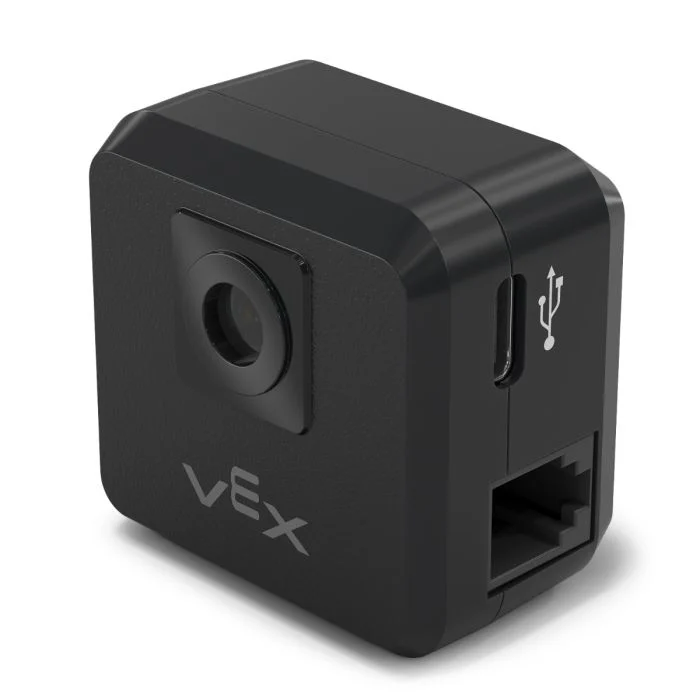
The gps class is used to control and access data from the V5 GPS (Game Positioning System™) Sensor. This sensor provides accurate position and orientation tracking for a robot on the VEX Field. It uses the GPS Field Code around the Field’s perimeter to calculate the robot’s X and Y coordinates and heading in real time.
GPS 传感器使用在“设备”窗口中配置 GPS 传感器时输入的偏移量自动计算出的参考点来返回机器人的位置。
有关 GPS 传感器的更多信息,请阅读 VEX 库中的 将 GPS 传感器与 VEX V5 一起使用。
参考点作为 GPS 传感器自身的 (0, 0) 位置,GPS 方法返回的所有坐标、航向和运动都相对于此配置点。
类构造函数#
1 — Creates a
gpsobject on the specified Smart Port using the default origin (0, 0).gps( int32_t index, double heading_offset = 0, turnType dir = right );
2 — Creates a
gpsobject on the specified Smart Port and defines a custom origin position.gps( int32_t index, double ox, double oy, distanceUnits units = mm, double heading_offset = 0, turnType dir = right );
类析构函数#
Destroys the gps object and releases associated resources.
~gps();
参数#
范围 |
类型 |
描述 |
|---|---|---|
|
|
The Smart Port that the GPS Sensor is connected to, written as |
|
|
原点的X坐标。 |
|
|
原点的Y坐标。 |
|
|
The unit of measurement used for
|
|
|
GPS传感器的旋转偏移量(以度为单位),范围从0.00到359.99。默认值为0。 |
|
|
The direction that will return positive heading values:
|
示例#
// Create the gps instance
gps GPS1 = gps(
    PORT1,      // Smart Port 1
    180);       // heading_offset
// Create the gps instance
gps GPS1 = gps(
    PORT1,   // Smart Port 1
    50.00,   // ox
    100.00,  // oy
    mm,      // units
    180 );   // heading_offset
成员功能#
The gps class includes the following member functions:
calibrate— Calibrates the GPS Sensor.setOrigin— Sets the origin position for the GPS coordinate system.setLocation— Sets the current location and heading of the GPS Sensor.xPosition— Returns the current X position.yPosition— Returns the current Y position.heading— Returns the current heading.acceleration— Returns linear acceleration along the specified axis.gyroRate— Returns the angular velocity for the specified axis.orientation— Returns the orientation for the specified axis.quality— Returns the current GPS signal quality.changed— Registers a callback function that runs when GPS data changes.
Before calling any gps member functions, a gps instance must be created, as shown below:
/* This constructor is required when using VS Code.
GPS Sensor configuration is generated automatically
in VEXcode using the Device Menu. Replace the values
as needed. */

// Create the gps instance in Smart Port 1
gps GPS1 = gps(PORT1);
类方法#
calibrate#
校准 GPS 传感器。这将把 GPS 配置的航向(根据其角度偏移)设置为传动系统的当前航向。
在校准过程中,GPS传感器必须保持静止。
Available Functionsvoid calibrate();
此函数不接受任何参数。
Return Values此函数不返回值。
Examples// Turn to face the lower Field wall using data from the GPS Sensor.
GPS1.calibrate();
Drivetrain.turnToHeading(180, degrees)
setOrigin#
设置GPS坐标系的原点。
Available Functions1 — 将原点设置为指定的 X 和 Y 位置。
void setOrigin(
  double        x,
  double        y,
  distanceUnits units = mm );
Parameters2 — 将原点设置为传感器的当前位置。
void setOrigin();
范围 |
类型 |
描述 |
|---|---|---|
|
|
新原点位置的 X 坐标。 |
|
|
新原点位置的Y坐标。 |
|
|
The unit of measurement used for
|
此函数不返回值。
NotessetLocation#
设置当前 GPS 位置和航向。
Available Functions1 — 使用指定的距离和旋转单位设置当前位置。
void setLocation(
  double        x,
  double        y,
  distanceUnits units = mm,
  double        angle = 0,
  rotationUnits units_r = degrees );
Parameters2 — 使用毫米和度设置当前位置。
void setLocation( double x, double y, double angle );
范围 |
类型 |
描述 |
|---|---|---|
|
|
当前位置的X坐标。 |
|
|
当前位置的Y坐标。 |
|
|
The unit of measurement used for
|
|
|
当前位置的航向值。 |
|
|
The unit of measurement used for
|
此函数不返回值。
NotesxPosition#
返回 GPS 传感器的当前 X 坐标。
Available Functionsdouble xPosition( distanceUnits units = distanceUnits::mm );
范围 |
类型 |
描述 |
|---|---|---|
|
|
The unit of measurement for the returned X position:
|
Returns a double representing the x positional offset from the origin in the specified units.
X 坐标是相对于当前原点测量的。
The origin may be changed using
setOrigin.
// Drive slowly towards the center of the Field
Drivetrain.setDriveVelocity(20.0, percent);
Drivetrain.drive(forward);
// Stop driving when the GPS returns an x position
// near the center of the Field
waitUntil((GPS1.xPosition(mm) < 0.0));
Drivetrain.stop();
yPosition#
返回 GPS 传感器的当前 Y 坐标。
Available Functionsdouble yPosition( distanceUnits units = distanceUnits::mm );
范围 |
类型 |
描述 |
|---|---|---|
|
|
The unit of measurement for the returned Y position:
|
Returns a double representing the Y positional offset from the origin in the specified units.
Y轴位置是相对于当前原点测量的。
The origin may be changed using
setOrigin().
// Drive slowly towards the center of the Field
Drivetrain.setDriveVelocity(20.0, percent);
Drivetrain.drive(forward);
// Stop driving when the GPS reports an y position
// near the center of the Field
waitUntil((GPS1.yPosition(mm) < 0.0));
Drivetrain.stop();
heading#
返回 GPS 传感器的当前航向(偏航角)。
Available Functionsdouble heading( rotationUnits units = rotationUnits::deg );
范围 |
类型 |
描述 |
|---|---|---|
|
|
The unit of measurement for the returned heading value:
|
Returns a double representing the current heading in the specified units.
航向值介于 0 度到 360 度之间。
The positive rotation direction is determined by the
dirparameter specified during construction.
// Turn slowly to face the right wall
Drivetrain.setTurnVelocity(20.0, percent);
Drivetrain.turn(right);
// Stop turning when the GPS reports a heading
// greater than 90 degrees
waitUntil((GPS1.heading() > 90.0));
Drivetrain.stop();
acceleration#
返回 GPS 传感器沿指定轴测量的线性加速度。
Available Functionsdouble acceleration(
axisType axis );
范围 |
类型 |
描述 |
|---|---|---|
|
|
The axis for which acceleration will be returned:
|
Returns a double representing the acceleration along the specified axis in G (gravitational units).
加速度值以 G 为单位报告,其中 1 G 等于地球表面的重力加速度。
gyroRate#
返回 GPS 传感器沿指定轴测量的角速度。
Available Functionsdouble gyroRate(
axisType axis,
velocityUnits units );
范围 |
类型 |
描述 |
|---|---|---|
|
|
The axis for which angular velocity will be returned:
|
|
|
The unit of measurement for the returned angular velocity:
|
Returns a double representing the angular velocity along the specified axis in the selected units.
orientation#
返回 GPS 传感器在指定轴上的方向角。
Available Functionsdouble orientation(
orientationType axis,
rotationUnits units );
范围 |
类型 |
描述 |
|---|---|---|
|
|
The orientation axis to retrieve:
|
|
|
The unit of measurement for the returned orientation value:
|
Returns a double representing the orientation of the specified axis in the selected units.
quality#
返回感知到的GPS信号质量。
Available Functionsint32_t quality();
此函数不接受任何参数。
Return ValuesReturns an int32_t representing the GPS signal quality as a percentage:
可能的值 |
描述 |
|---|---|
|
GPS传感器报告的所有位置和航向数据均有效。 |
|
位置数据不再直接从 GPS 字段代码计算,而是通过其他方式估算。 |
|
Only heading values are valid. As time passes without sufficient scanning of the GPS Field Code, signal quality continues to decrease until |
changed#
注册一个回调函数,当 GPS 航向值发生变化时运行。
Available Functionsvoid changed(
void (* callback)(void) );
范围 |
类型 |
描述 |
|---|---|---|
|
|
A pointer to a function that will be called when the GPS heading value changes. The function must take no parameters and return |
此函数不返回值。