
电机控制器 55#
介绍#
电机控制器 55 (MC55) 用于控制标准直流电机。
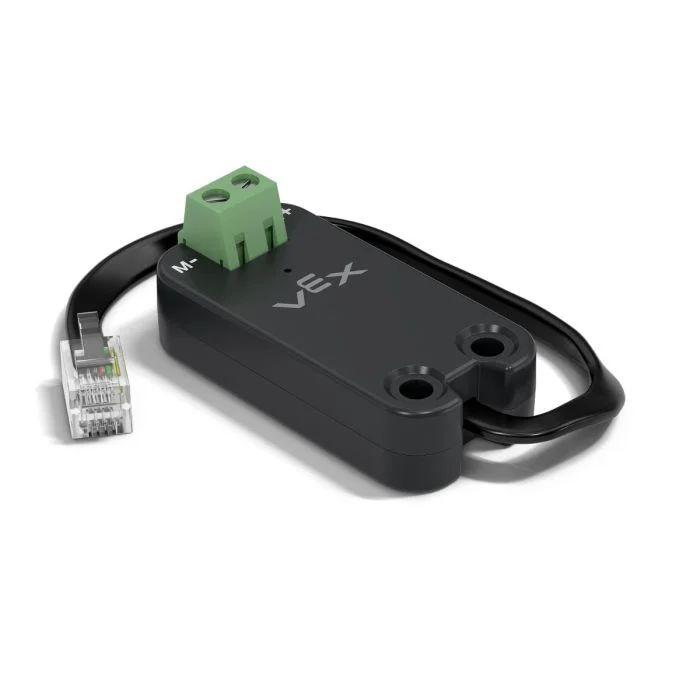
This page uses mc_55 as the example Motor Controller 55 name. Replace it with your own configured name as needed.
以下是可用方法列表:
spin– Spins a DC motor forward or reverse until stopped.stop– Stops the DC motor immediately.set_velocity– Tells the DC motor how fast to spin.set_stopping– Sets how the DC motor behaves when stopping.set_max_torque– Sets the most torque the DC motor is allowed to use.set_reversed– Sets the DC motor to have its direction be reversed.current– Returns how much electrical current the DC motor is using.temperature– Returns the temperature of the DC motor.
构造函数 - 手动初始化电机控制器 55。
Motor55– Creates a Motor Controller 55.
旋转#
spin rotates a connected DC motor in a specified direction using the current motor velocity.
Usage:
mc_55.spin(direction, velocity, units)
参数 |
描述 |
|---|---|
|
The direction in which to spin the motor:
|
|
Optional. The velocity to spin with from 0% to 100% when using |
|
Optional. The velocity unit:
|
# Spin the motor at -2 volts
mc_55.spin(FORWARD, -2)
停止#
stop stops the connected DC motor immediately, using the current stopping mode.
Usage:
mc_55.stop(mode)
范围 |
描述 |
|---|---|
模式 |
Optional. The stopping behavior to use when the motor stops:
If the stopping mode is not specified or previously set, the default behavior is |
设置速度#
set_velocity tells a DC motor how fast to spin. A higher percentage makes the DC motor spin faster and a lower percentage makes the DC motor spin slower.
每个项目开始时,每个连接的直流电机默认以 50% 的速度旋转。
Usage:
mc_55.set_velocity(value, units)
范围 |
描述 |
|---|---|
|
The velocity to spin with from 0% to 100% when using |
|
Optional. The velocity unit: |
设置停止#
set_stopping sets how a DC motor behaves when it stops.
Usage:
mc_55.set_stopping(mode)
参数 |
描述 |
|---|---|
|
How the motor will stop:
|
设置最大扭矩#
扭矩表示直流电机在旋转时能够产生的推力或拉力的大小。
set_max_torque sets the most torque a DC motor is allowed to use.
Usage:
mc_55.set_max_torque(value, units)
参数 |
描述 |
|---|---|
|
The maximum torque the DC motor is allowed to use. This can be an |
|
Optional. The torque unit: |
设置反转#
set_reversed sets the DC motor to be reversed so that the FORWARD direction will spin clockwise. This method works the same as setting the reverse parameter to True when constructing a Motor55.
Usage:
mc_55.set_reversed(value)
参数 |
描述 |
|---|---|
|
Whether the DC motor’s direction is reversed:
|
当前的#
current returns how much electrical current the DC motor is using, measured in amps from 0.0 to 1.2 A. Current is the amount of electricity flowing through the DC motor.
电流值越高,意味着直流电机消耗的电流越大。这种情况可能发生在直流电机提升重物、推动物体或试图在卡住时移动时。
这可以用来检查直流电机在运动过程中是否运转吃力。如果电流持续过高,电机可能会发热或功率利用率降低。
Usage:
mc_55.current(units)
参数 |
描述 |
|---|---|
|
Optional. The current unit: |
温度#
temperature returns the temperature of the DC motor.
电机温度显示直流电机的温度。温度越高,说明直流电机在工作过程中温度越高。为了保持最佳性能,电机温度应保持在 55°C 以下。
如果直流电机过热,它会降低最大电流以保护自身。当温度达到 70°C 时,电机将停止运转,直到冷却下来。
这可以用来检查直流电机在重复运动、长时间运行或推动物体时是否过热。
Usage:
mc_55.temperature(units)
参数 |
描述 |
|---|---|
|
Optional. The temperature unit:
|
构造函数#
Constructors are used to manually create Motor55 objects, which are necessary for configuring a Motor Controller 55 outside of VEXcode.
Motor55#
Motor55 creates a Motor Controller 55.
Usage:
Motor55(port, reverse)
范围 |
描述 |
|---|---|
|
The 3-Wire Port that the Motor Controller 55 is connected to:
|
|
Optional. Sets whether the motor’s spin should be reversed.
|
# Create a Motor Controller 55 in Port A
mc_55 = Motor55(brain.three_wire_port.a)