
Motion#
Introduction#
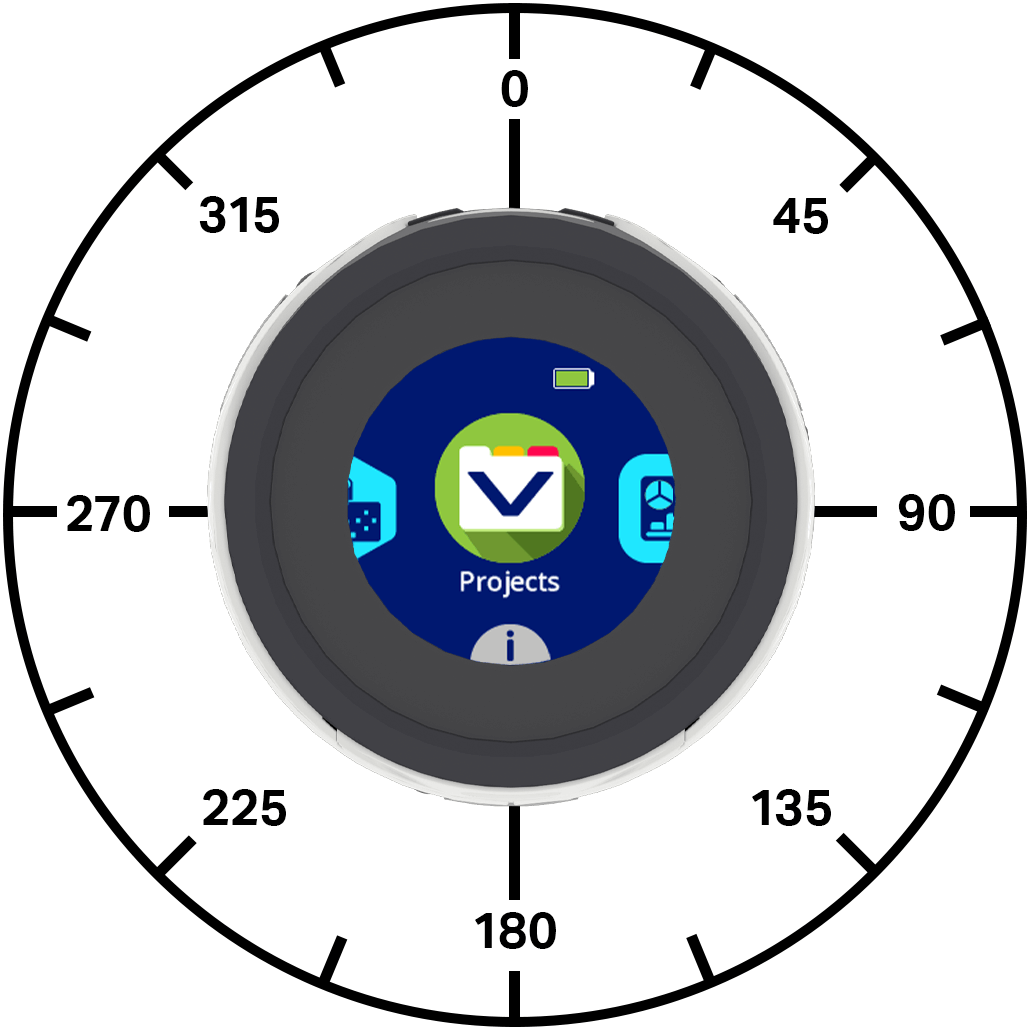
The VEX AIM Coding Robot uses a holonomic drivetrain to move forward, reverse, left, right, or at an angle while also being able to turn independently. Motion blocks control how the robot moves and turns, how fast it moves, and how its x and y position are tracked.
Below is a list of all blocks:
Actions — Move and turn the robot.
move — Moves the robot forward, reverse, left, or right forever.
move at angle — Moves the robot at a specific angle forever.
move for — Moves the robot in a specific direction for a set distance.
move at angle for — Moves the robot at a specific angle for a specific distance.
turn — Turns the robot left or right forever.
turn for — Turns the robot left or right for a specific number of degrees.
turn to heading — Turns the robot to face a specific heading.
move with controller — Allows the robot to be driven using the controller.
stop all movement — Stops all movement of the robot.
Settings — Adjust movement and turn speeds.
set move velocity — Tells the robot how fast to move.
set turn velocity — Tells the robot how fast to turn.
Position — Track and modify the robot’s position.
position — Reports the robot’s current x or y coordinate.
set robot position — Changes the robot’s current x and y position to new values.
Values — Check movement status.
move active? — Reports whether the robot is moving.
turn active? — Reports whether the robot is turning.
stopped? — Reports whether the robot is neither moving nor turning.
Actions#
move#
The move stack block moves the robot forward, reverse, left, or right forever using the current move velocity. The robot will continue to move until it is given another action, like moving in a different direction, turning, or stopping.
move [forward v]
Parameters |
Description |
|---|---|
direction |
The direction the robot moves:
|
Example
    when started
    [Move forward]
    move [forward v]
move at angle#
The move at angle stack block moves the robot forever at a specific angle using the current move velocity. The angle is relative to the current position of the robot. The robot will continue to move until it is given another action, like moving in a different direction, turning, or stopping.
move at (90) degrees
Parameters |
Description |
|---|---|
angle |
The angle, in degrees, that the robot moves. This can be an integer or decimal from -360 to 360. |
Examples
    when started
    [Move right, then move forward and stop.]
    move at (90) degrees
    wait (1) seconds
    move at (0) degrees
    wait (1) seconds
    stop all movement
    when started
    [Move diagonally to the right and stop.]
    move at (45.33) degrees
    wait (1) seconds
    stop all movement
move for#
The move for stack block moves the robot forward, reverse, left, or right for a specific distance using the current move velocity. The direction is relative to the current position of the robot. The project will wait until the robot is done moving before the next block in the stack runs.
move [forward v] for (200) [mm v] ▶
Parameters |
Description |
|---|---|
direction |
The direction the robot moves:
|
distance |
The distance the robot moves. This can be an integer or a decimal. |
unit |
The distance unit: mm (millimeters) or inches. |
and don’t wait |
Select the arrow ( ▶ ) to expand the block to say and don’t wait, so the next block in the stack will run right away. |
Example
    when started
    [Move forward for 200 mm]
    move [forward v] for (200) [mm v] ▶
move at angle for#
The move at angle for stack block moves the robot at a specific angle for a specific distance using the current move velocity. The angle is relative to the current position of the robot. The project will wait until the robot is done moving before the next block in the stack runs.
move at (45) degrees for (200) [mm v] ▶
Parameters |
Description |
|---|---|
angle |
The angle, in degrees, that the robot moves. This can be an integer or decimal from -360 to 360. |
distance |
The distance the robot moves. This can be an integer or a decimal. |
unit |
The distance unit: mm (millimeters) or inches. |
and don’t wait |
Select the arrow ( ▶ ) to expand the block to say and don’t wait, so the next block in the stack will run right away. |
Examples
    when started
    [Move right, then move forward.]
    move at (90) degrees for (50) [mm v] ▶
    move at (0) degrees for (100) [mm v] ▶
    when started
    [Drive forward and blink all LEDs red.]
    move at (0) degrees for (100) [mm v] ◀ and don't wait
    set [lightall v] LED color to [red v]
    wait (0.5) seconds
    set [lightall v] LED color to [off v]
    wait (0.5) seconds
    set [lightall v] LED color to [red v]
    wait (0.5) seconds
    set [lightall v] LED color to [off v]
    wait (0.5) seconds
turn#
The turn stack block turns the robot left or right forever using the current turn velocity. The robot will continue to turn until it is given another action, like moving or stopping.
turn [right v]
Parameters |
Description |
|---|---|
direction |
The direction the robot turns: left or right. |
Example
    when started
    [Turn left, then stop.]
    turn [left v]
    wait (1) seconds
    stop all movement
turn for#
The turn for stack block turns the robot left or right for a specific number of degrees using the current turn velocity. The turn is relative to the current direction the robot is facing. The project will wait until the robot is done turning before the next block in the stack runs.
turn [right v] for (90) degrees ▶
Parameters |
Description |
|---|---|
direction |
The direction the robot turns: left or right. |
angle |
The number of degrees the robot turns. This can be an integer or a decimal. |
and don’t wait |
Select the arrow ( ▶ ) to expand the block to say and don’t wait, so the next block in the stack will run right away. |
Examples
    when started
    [Turn left, then turn around to the right.]
    turn [left v] for (90) degrees ▶
    turn [right v] for (180) degrees ▶
    when started
    [Turn right and blink all LEDs blue.]
    turn [right v] for (180) degrees ◀ and don't wait
    set [lightall v] LED color to [blue v]
    wait (0.5) seconds
    set [lightall v] LED color to [off v]
    wait (0.5) seconds
    set [lightall v] LED color to [blue v]
    wait (0.5) seconds
    set [lightall v] LED color to [off v]
    wait (0.5) seconds
turn to heading#
A heading is the direction the robot is facing, measured in degrees. The turn to heading stack block turns the robot to face a specific heading using the current turn velocity. The robot will turn the shortest direction to reach the target heading.
The robot’s starting heading is 0 degrees.
The project will wait until the robot is done turning before the next block in the stack runs.
turn to heading (270) degrees ▶
Parameters |
Description |
|---|---|
heading |
The heading the robot should face, from -360 to 360 degrees. |
and don’t wait |
Select the arrow ( ▶ ) to expand the block to say and don’t wait, so the next block in the stack will run right away. |
Examples
    when started
    [Turn to face each cardinal direction.]
    turn to heading (90) degrees ▶
    wait (2) seconds
    turn to heading (180) degrees ▶
    wait (2) seconds
    turn to heading (270) degrees ▶
    wait (2) seconds
    turn to heading (0) degrees ▶
    wait (2) seconds
    when started
    [Turn around quickly and blink all LEDs green.]
    turn to heading (180) degrees ◀ and don't wait
    set [lightall v] LED color to [green v]
    wait (0.5) seconds
    set [lightall v] LED color to [off v]
    wait (0.5) seconds
    set [lightall v] LED color to [green v]
    wait (0.5) seconds
    set [lightall v] LED color to [off v]
    wait (0.5) seconds
move with controller#
The move with controller stack block lets you drive the robot using the One Stick Controller. This block only reads the controller input once, unless placed inside of a loop, such as a forever loop. If the loop stops and there are no other blocks telling the robot to move, the robot will keep going in the last direction you pushed the joystick.
move with controller
Parameters |
Description |
|---|---|
This block has no parameters. |
Example
    when started
    [Drive with the controller for five seconds.]
    reset timer
    while <(timer in seconds) [math_less_than v] [5]>
    move with controller
    end
    stop all movement
stop all movement#
The stop all movement stack block stops all movement of the robot.
stop all movement
Parameters |
Description |
|---|---|
This block has no parameters. |
Example
    when started
    [Turn right, then stop.]
    turn [right v]
    wait (1) seconds
    stop all movement
Settings#
set move velocity#
The set move velocity stack block tells the robot how fast to move. A higher percentage makes the robot move faster and a lower percentage makes the robot move slower.
Every project begins with the robot moving at 50% velocity by default.
A move velocity of 100% is equivalent to 200 millimeters per second (mmps).
set move velocity to (50)%
Parameters |
Description |
|---|---|
velocity |
The velocity to move with from 0% to 100%. |
Example
    when started
    [Move forward at the default velocity.]
    set move velocity to (50)%
    move at (0) degrees for (100) [mm v] ▶
    wait (1) seconds
    [Move slower.]
    set move velocity to (20)%
    move at (0) degrees for (100) [mm v] ▶
    wait (1) seconds
    [Move faster.]
    set move velocity to (100)%
    move at (0) degrees for (100) [mm v] ▶
    wait (1) seconds
set turn velocity#
The set turn velocity stack block tells the robot how fast to turn. A higher percentage makes the robot turn faster and a lower percentage makes the robot turn slower.
Every project begins with the robot turning at 50% velocity by default.
A turn velocity of 100% is equivalent to 150 degrees per second (dps).
set turn velocity to (50)%
Parameters |
Description |
|---|---|
velocity |
The velocity to turn with from 0% to 100%. |
Example
    when started
    [Turn around at default velocity.]
    set turn velocity to (50)%
    turn [right v] for (180) degrees ▶
    wait (1) seconds
    [Turn around slower.]
    set turn velocity to (20)%
    turn [right v] for (180) degrees ▶
    wait (1) seconds
    [Turn around faster.]
    set turn velocity to (100)%
    turn [right v] for (180) degrees ▶
    wait (1) seconds
Position#
position#
The position reporter block reports the robot’s current x or y-coordinate.
At the beginning of a project, the robot’s x and y positions are set to 0. The position values change as the robot moves and can be set using the set robot position block.
[x v] position in [mm v]
Parameters |
Description |
|---|---|
coordinate |
The coordinate axis to report: x or y. |
unit |
The position unit: mm (millimeters) or inches. |
Example
    when started
    move at (0) degrees for (200) [mm v] ▶
    [Move forward and print the new coordinate and heading.]
    set robot position x: [0] y: [0]
    move at (45) degrees for (200) [mm v] ▶
    print ([x v] position in [mm v]) on screen ▶
    set cursor to next row on screen
    print ([y v] position in [mm v]) on screen ▶
set robot position#
The set robot position stack block changes the robot’s current x and y position to new values.
For example, if the robot has moved away from its starting point, setting x to 0 and y to 0 makes the robot’s current location the new 0, 0 position. Then the robot can track future positions based on that new value.
set robot position x: [0] y: [0]
Parameters |
Description |
|---|---|
x |
The x-position value to set for the robot, in mm. |
y |
The y-position value to set for the robot, in mm. |
Example
  when started
  [Reset the robot's position after moving.]
  move [forward v] for [60] [mm v] ▶
  set robot position x: [0] y: [0]
  print ([y v] position in [mm v]) on screen ▶
Values#
move active#
The move active Boolean block reports whether the robot is moving. This can be used to control the timing of other behaviors based on the robot’s movement.
True — The robot is moving.
False — The robot is not moving.
This block works together with Motion blocks that have the and don’t wait parameter.
<move active?>
Parameters |
Description |
|---|---|
This block has no parameters. |
Example
    when started
    [Blink all of the LEDs when the robot is moving.]
    move at (0) degrees for (200) [mm v] ◀ and don't wait
    while <move active?>
        set [lightall v] LED color to [red v]
        wait (0.5) seconds
        set [lightall v] LED color to [off v]
        wait (0.5) seconds
    end
    set [lightall v] LED color to [off v]
turn active#
The turn active Boolean block reports whether the robot is turning. This can be used to control the timing of other behaviors based on the robot’s movement.
True — The robot is turning.
False — The robot is not turning.
This block works together with Motion blocks that have the and don’t wait parameter.
<turn active?>
Parameters |
Description |
|---|---|
This block has no parameters. |
Example
    when started
    [Blink all of the LEDs while the robot is turning.]
    turn [right v] for (180) degrees ◀ and don't wait
    while <turn active?>
        set [lightall v] LED color to [red v]
        wait (0.5) seconds
        set [lightall v] LED color to [off v]
        wait (0.5) seconds
    end
    set [lightall v] LED color to [off v]
stopped#
The stopped Boolean block reports whether the robot is neither moving nor turning. This can be used to control the timing of other behaviors based on the robot’s movement.
True — The robot is not moving or turning.
False — The robot is moving or turning.
<stopped?>
Parameters |
Description |
|---|---|
This block has no parameters. |
Example
    define light show
        [Flash LEDs while the robot is moving or turning.]
        repeat until <stopped?>
            set [lightall v] LED color to [green v]
            wait (0.5) seconds
            set [lightall v] LED color to [purple v]
            wait (0.5) seconds
        end


    when started
    [Blink all the LEDs while the robot is moving or turning.]
    move at (0) degrees for (200) [mm v] ◀ and don't wait
    light show
    turn [right v] for (180) degrees ◀ and don't wait
    light show