
Movimiento#
Introducción#
El robot de codificación VEX AIM utiliza un sistema de propulsión holonómico para moverse hacia adelante, hacia atrás, a la izquierda, a la derecha o en ángulo, además de poder girar de forma independiente. Los bloques de movimiento controlan cómo se mueve y gira el robot, su velocidad y el seguimiento de sus posiciones en los ejes x e y.
A continuación se muestra una lista de todos los bloques:
Acciones: Mover y girar el robot.
mover — Mueve el robot hacia adelante, hacia atrás, a la izquierda o a la derecha indefinidamente.
mover en ángulo — Mueve el robot en un ángulo específico indefinidamente.
mover para — Mueve el robot en una dirección específica durante una distancia determinada.
mover en ángulo para — Mueve el robot en un ángulo específico para una distancia específica.
giro — Gira el robot hacia la izquierda o hacia la derecha indefinidamente.
girar para — Gira el robot hacia la izquierda o hacia la derecha un número específico de grados.
girar rumbo — Gira el robot para que mire hacia un rumbo específico.
mover con controlador — Permite que el robot sea conducido usando el controlador.
detener todo movimiento — Detiene todo movimiento del robot.
Ajustes: Ajusta la velocidad de movimiento y de giro.
establecer velocidad de movimiento — Indica al robot a qué velocidad debe moverse.
establecer velocidad de giro — Indica al robot a qué velocidad debe girar.
Posición: Rastrea y modifica la posición del robot.
posición — Informa la coordenada x o y actual del robot.
establecer posición del robot — Cambia la posición x e y actual del robot a nuevos valores.
Valores: comprobar el estado del movimiento.
¿movimiento activo? — Informa si el robot se está moviendo.
¿giro activo? — Informa si el robot está girando.
detenido? — Informa si el robot no se está moviendo ni girando.
Comportamiento#
mover#
El bloque move mueve el robot hacia adelante, hacia atrás, a la izquierda o a la derecha indefinidamente utilizando la velocidad de movimiento actual (#set-move-velocity). El robot continuará moviéndose hasta que se le indique otra acción, como cambiar de dirección, girar o detenerse.
mover [adelante v]
Parámetros |
Descripción |
|---|---|
dirección |
Dirección en la que se mueve el robot:
|
Ejemplo
cuando inicie
[Move forward]
mover [adelante v]
moverse en ángulo#
El bloque de pila mover en ángulo mueve el robot indefinidamente en un ángulo específico utilizando la velocidad de movimiento actual (#set-move-velocity). El ángulo es relativo a la posición actual del robot. El robot continuará moviéndose hasta que se le indique otra acción, como cambiar de dirección, girar o detenerse.
mover a (90) grados
Parámetros |
Descripción |
|---|---|
ángulo |
El ángulo, en grados, que describe el movimiento del robot. Puede ser un número entero o decimal entre -360 y 360. |
Ejemplos
cuando inicie
[Move right, then move forward and stop.]
mover a (90) grados
esperar (1) segundos
mover a (0) grados
esperar (1) segundos
detener todo movimiento
cuando inicie
[Move diagonally to the right and stop.]
mover a (45.33) grados
esperar (1) segundos
detener todo movimiento
moverse para#
El bloque move for mueve el robot hacia adelante, hacia atrás, a la izquierda o a la derecha una distancia específica utilizando la velocidad de movimiento actual (#set-move-velocity). La dirección es relativa a la posición actual del robot. El programa esperará a que el robot termine de moverse antes de ejecutar el siguiente bloque.
mover [adelante v] por (200) [mm v] ▶
Parámetros |
Descripción |
|---|---|
dirección |
Dirección en la que se mueve el robot:
|
distancia |
La distancia que recorre el robot. Puede ser un número entero o decimal. |
unidad |
La unidad de distancia: mm (milímetros) o pulgadas. |
y no esperes |
Seleccione la flecha ( ▶ ) para expandir el bloque y decir y no espere, de modo que el siguiente bloque en la pila se ejecutará inmediatamente. |
Ejemplo
cuando inicie
[Move forward for 200 mm]
mover [adelante v] por (200) [mm v] ▶
moverse en ángulo para#
El bloque mover en ángulo para mueve el robot en un ángulo específico a lo largo de una distancia determinada, utilizando la velocidad de movimiento actual (#set-move-velocity). El ángulo es relativo a la posición actual del robot. El programa esperará a que el robot termine de moverse antes de ejecutar el siguiente bloque.
mover a (45) grados por (200) [mm v] ▶
Parámetros |
Descripción |
|---|---|
ángulo |
El ángulo, en grados, que describe el movimiento del robot. Puede ser un número entero o decimal entre -360 y 360. |
distancia |
La distancia que recorre el robot. Puede ser un número entero o decimal. |
unidad |
La unidad de distancia: mm (milímetros) o pulgadas. |
y no esperes |
Seleccione la flecha ( ▶ ) para expandir el bloque y decir y no espere, de modo que el siguiente bloque en la pila se ejecutará inmediatamente. |
Ejemplos
cuando inicie
[Move right, then move forward.]
mover a (90) grados por (50) [mm v] ▶
mover a (0) grados por (100) [mm v] ▶
cuando inicie
[Drive forward and blink all LEDs red.]
mover a (0) grados por (100) [mm v] ◀ y no esperar
establecer color de LED de [lightall v] a [rojo v]
esperar (0.5) segundos
establecer color de LED de [lightall v] a [apagado v]
esperar (0.5) segundos
establecer color de LED de [lightall v] a [rojo v]
esperar (0.5) segundos
establecer color de LED de [lightall v] a [apagado v]
esperar (0.5) segundos
doblar#
El bloque de pila giro hace girar al robot hacia la izquierda o hacia la derecha indefinidamente utilizando la velocidad de giro actual (#set-turn-velocity). El robot seguirá girando hasta que se le dé otra acción, como moverse o detenerse.
girar [derecha v]
Parámetros |
Descripción |
|---|---|
dirección |
La dirección en la que gira el robot: izquierda o derecha. |
Ejemplo
cuando inicie
[Turn left, then stop.]
girar [izquierda v]
esperar (1) segundos
detener todo movimiento
girar para#
El bloque turn for hace girar el robot hacia la izquierda o hacia la derecha un número específico de grados utilizando la velocidad de giro actual (#set-turn-velocity). El giro es relativo a la dirección actual en la que apunta el robot. El programa esperará a que el robot termine de girar antes de ejecutar el siguiente bloque.
girar [derecha v] por (90) grados ▶
Parámetros |
Descripción |
|---|---|
dirección |
La dirección en la que gira el robot: izquierda o derecha. |
ángulo |
El número de grados que gira el robot. Puede ser un número entero o decimal. |
y no esperes |
Seleccione la flecha ( ▶ ) para expandir el bloque y decir y no espere, de modo que el siguiente bloque en la pila se ejecutará inmediatamente. |
Ejemplos
cuando inicie
[Turn left, then turn around to the right.]
girar [izquierda v] por (90) grados ▶
girar [derecha v] por (180) grados ▶
cuando inicie
[Turn right and blink all LEDs blue.]
girar [derecha v] por (180) grados ◀ y no esperar
establecer color de LED de [lightall v] a [azul v]
esperar (0.5) segundos
establecer color de LED de [lightall v] a [apagado v]
esperar (0.5) segundos
establecer color de LED de [lightall v] a [azul v]
esperar (0.5) segundos
establecer color de LED de [lightall v] a [apagado v]
esperar (0.5) segundos
girar al rumbo#
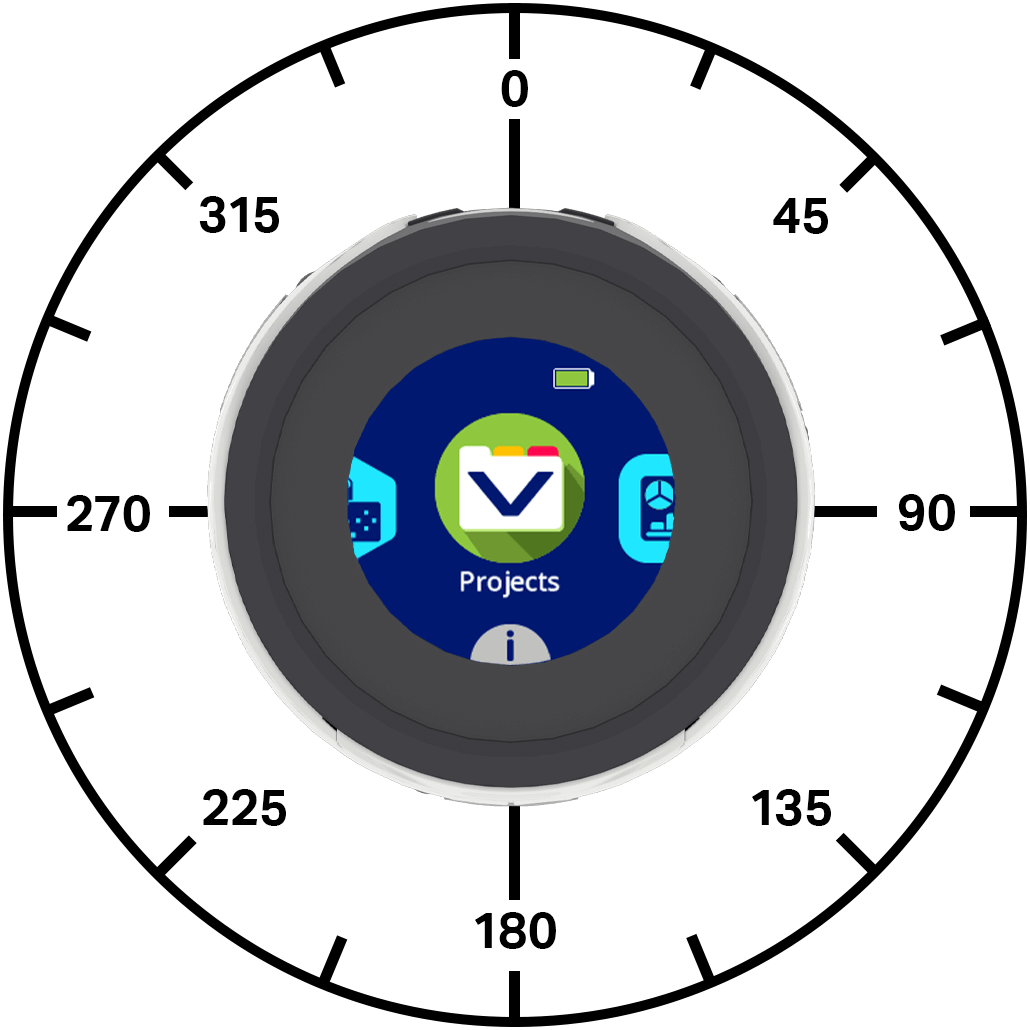
El rumbo es la dirección hacia la que apunta el robot, medida en grados. El bloque girar a rumbo hace que el robot gire hacia un rumbo específico utilizando la velocidad de giro actual (#set-turn-velocity). El robot girará en la dirección más corta para alcanzar el rumbo deseado.
La dirección inicial del robot es de 0 grados.
El proyecto esperará a que el robot termine de girar antes de ejecutar el siguiente bloque de la pila.
girar al rumbo (270) grados ▶
Parámetros |
Descripción |
|---|---|
título |
La dirección hacia la que debe apuntar el robot, desde -360 hasta 360 grados. |
y no esperes |
Seleccione la flecha ( ▶ ) para expandir el bloque y decir y no espere, de modo que el siguiente bloque en la pila se ejecutará inmediatamente. |
Ejemplos
cuando inicie
[Turn to face each cardinal direction.]
girar al rumbo (90) grados ▶
esperar (2) segundos
girar al rumbo (180) grados ▶
esperar (2) segundos
girar al rumbo (270) grados ▶
esperar (2) segundos
girar al rumbo (0) grados ▶
esperar (2) segundos
cuando inicie
[Turn around quickly and blink all LEDs green.]
girar al rumbo (180) grados ◀ y no esperar
establecer color de LED de [lightall v] a [verde v]
esperar (0.5) segundos
establecer color de LED de [lightall v] a [apagado v]
esperar (0.5) segundos
establecer color de LED de [lightall v] a [verde v]
esperar (0.5) segundos
establecer color de LED de [lightall v] a [apagado v]
esperar (0.5) segundos
moverse con el controlador#
El bloque Mover con controlador te permite controlar el robot usando el controlador One Stick. Este bloque solo lee la entrada del controlador una vez, a menos que se coloque dentro de un bucle, como un bucle infinito. Si el bucle se detiene y no hay otros bloques que le indiquen al robot que se mueva, este continuará avanzando en la última dirección en la que presionaste el joystick.
mover con el control
Parámetros |
Descripción |
|---|---|
Este bloque no tiene parámetros. |
Ejemplo
cuando inicie
[Drive with the controller for five seconds.]
restablecer temporizador
mientras <(temporizador en segundos) [math_less_than v] [5]>
mover con el control
fin
detener todo movimiento
detener todo movimiento#
El bloque de pila detener todo movimiento detiene todo movimiento del robot.
detener todo movimiento
Parámetros |
Descripción |
|---|---|
Este bloque no tiene parámetros. |
Ejemplo
cuando inicie
[Turn right, then stop.]
girar [derecha v]
esperar (1) segundos
detener todo movimiento
Ajustes#
establecer velocidad de movimiento#
El bloque de pila establecer velocidad de movimiento indica al robot a qué velocidad debe moverse. Un porcentaje mayor hace que el robot se mueva más rápido y un porcentaje menor hace que se mueva más lento.
Todos los proyectos comienzan con el robot moviéndose al 50% de su velocidad por defecto.
Una velocidad de movimiento del 100% equivale a 200 milímetros por segundo (mmps).
establecer velocidad de movimiento a (50)%
Parámetros |
Descripción |
|---|---|
velocidad |
La velocidad a moverse va del 0% al 100%. |
Ejemplo
cuando inicie
[Move forward at the default velocity.]
establecer velocidad de movimiento a (50)%
mover a (0) grados por (100) [mm v] ▶
esperar (1) segundos
[Move slower.]
establecer velocidad de movimiento a (20)%
mover a (0) grados por (100) [mm v] ▶
esperar (1) segundos
[Move faster.]
establecer velocidad de movimiento a (100)%
mover a (0) grados por (100) [mm v] ▶
esperar (1) segundos
establecer la velocidad de giro#
El bloque de pila establecer velocidad de giro indica al robot la velocidad a la que debe girar. Un porcentaje mayor hace que el robot gire más rápido y un porcentaje menor hace que gire más lento.
Todos los proyectos comienzan con el robot girando al 50% de su velocidad por defecto.
Una velocidad de giro del 100% equivale a 150 grados por segundo \(dps\).
establecer velocidad de giro a (50)%
Parámetros |
Descripción |
|---|---|
velocidad |
La velocidad de giro varía del 0% al 100%. |
Ejemplo
cuando inicie
[Turn around at default velocity.]
establecer velocidad de giro a (50)%
girar [derecha v] por (180) grados ▶
esperar (1) segundos
[Turn around slower.]
establecer velocidad de giro a (20)%
girar [derecha v] por (180) grados ▶
esperar (1) segundos
[Turn around faster.]
establecer velocidad de giro a (100)%
girar [derecha v] por (180) grados ▶
esperar (1) segundos
Posición#
posición#
El bloque de informe de posición informa la coordenada x o y actual del robot.
Al inicio de un proyecto, las posiciones x e y del robot se establecen en 0. Los valores de posición cambian a medida que el robot se mueve y se pueden establecer utilizando el bloque establecer posición del robot.
posición de [x v] en [mm v]
Parámetros |
Descripción |
|---|---|
coordinar |
El eje de coordenadas a indicar es x o y. |
unidad |
La unidad de medida de la posición: mm (milímetros) o pulgadas. |
Ejemplo
cuando inicie
mover a (0) grados por (200) [mm v] ▶
[Move forward and print the new coordinate and heading.]
establecer posición del robot x: [0] y: [0]
mover a (45) grados por (200) [mm v] ▶
imprimir (posición de [x v] en [mm v]) en pantalla ▶
mover cursor a la siguiente fila en pantalla
imprimir (posición de [y v] en [mm v]) en pantalla ▶
establecer la posición del robot#
El bloque de pila establecer posición del robot cambia la posición x e y actual del robot a nuevos valores.
Por ejemplo, si el robot se ha alejado de su punto de partida, al establecer x en 0 e y en 0, la ubicación actual del robot se convierte en la nueva posición (0, 0). A partir de ese nuevo valor, el robot puede rastrear posiciones futuras.
establecer posición del robot x: [0] y: [0]
Parámetros |
Descripción |
|---|---|
incógnita |
El valor de la posición x que se debe establecer para el robot, en mm. |
y |
El valor de la posición Y que se debe establecer para el robot, en mm. |
Ejemplo
cuando inicie
[Reset the robot's position after moving.]
mover [adelante v] por [60] [mm v] ▶
establecer posición del robot x: [0] y: [0]
imprimir (posición de [y v] en [mm v]) en pantalla ▶
Valores#
moverse activo#
El bloque booleano move active indica si el robot se está moviendo. Esto permite controlar la sincronización de otras acciones en función del movimiento del robot.
Verdadero — El robot se está moviendo.
Falso — El robot no se está moviendo.
Este bloque funciona junto con los bloques Motion que tienen el parámetro y no esperar.
<¿movimiento activo?>
Parámetros |
Descripción |
|---|---|
Este bloque no tiene parámetros. |
Ejemplo
cuando inicie
[Blink all of the LEDs when the robot is moving.]
mover a (0) grados por (200) [mm v] ◀ y no esperar
mientras <¿movimiento activo?>
establecer color de LED de [lightall v] a [rojo v]
esperar (0.5) segundos
establecer color de LED de [lightall v] a [apagado v]
esperar (0.5) segundos
fin
establecer color de LED de [lightall v] a [apagado v]
activarse#
El bloque booleano girar activo indica si el robot está girando. Esto permite controlar la sincronización de otras acciones en función del movimiento del robot.
Verdadero — El robot está girando.
Falso — El robot no está girando.
Este bloque funciona junto con los bloques Motion que tienen el parámetro y no esperar.
<¿giro activo?>
Parámetros |
Descripción |
|---|---|
Este bloque no tiene parámetros. |
Ejemplo
cuando inicie
[Blink all of the LEDs while the robot is turning.]
girar [derecha v] por (180) grados ◀ y no esperar
mientras <¿giro activo?>
establecer color de LED de [lightall v] a [rojo v]
esperar (0.5) segundos
establecer color de LED de [lightall v] a [apagado v]
esperar (0.5) segundos
fin
establecer color de LED de [lightall v] a [apagado v]
interrumpido#
El bloque booleano stopped indica si el robot no se mueve ni gira. Esto permite controlar la sincronización de otras acciones en función del movimiento del robot.
Verdadero — El robot no se mueve ni gira.
Falso — El robot se está moviendo o girando.
<¿detenido?>
Parámetros |
Descripción |
|---|---|
Este bloque no tiene parámetros. |
Ejemplo
definir light show
[Flash LEDs while the robot is moving or turning.]
repetir hasta <¿detenido?>
establecer color de LED de [lightall v] a [verde v]
esperar (0.5) segundos
establecer color de LED de [lightall v] a [morado v]
esperar (0.5) segundos
fin


cuando inicie
[Blink all the LEDs while the robot is moving or turning.]
mover a (0) grados por (200) [mm v] ◀ y no esperar
light show
girar [derecha v] por (180) grados ◀ y no esperar
light show