
Distance Sensor#
Introduction#
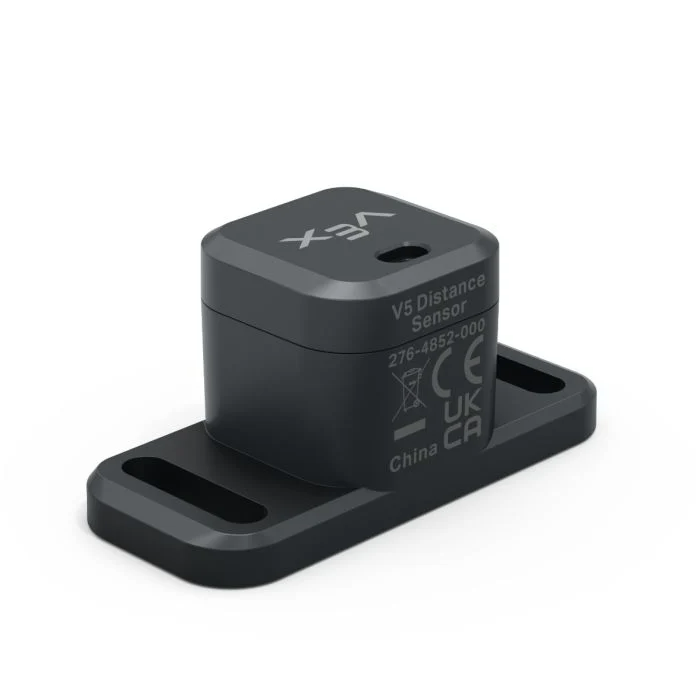
The Distance Sensor can detect whether an object is in front of the sensor and report how far away that object is. It can also report the detected object’s relative velocity and estimate whether the object is small, medium, or large.
The Distance Sensor operates over a range of 20 mm to 2000 mm.
Below 200mm, accuracy is approximately ±15mm. Above 200mm, accuracy improves to about 5%.
The Distance Sensor uses a Class 1 laser. Detection is directed straight ahead and is classroom-safe.
Below is a list of available blocks:
object distance — Reports the distance between the Distance Sensor and the nearest detected object.
object velocity — Reports how quickly the detected object is moving toward or away from the Distance Sensor.
object size is — Reports whether the detected object matches the selected size.
Distance found an object — Reports whether the Distance Sensor currently detects an object.
object distance#
The object distance reporter block reports the distance between the Distance Sensor and the nearest detected object.
([Distance1 v] object distance in [mm v])
Parameters |
Description |
|---|---|
device |
The Distance Sensor to use. Choose from the Distance Sensors configured in the Devices window. |
units |
The distance unit: mm (20 mm to 2000 mm) or inches (0.78 inches to 78.74 inches). |
Example
  when started
  [Drive forward until the object is within 50 mm away.]
  drive [forward v]
  wait until <([Distance1 v] object distance in [mm v]) [math_less_than v] [50]>
  stop driving
object velocity#
The object velocity reporter block reports the relative velocity of the detected object as a decimal number in m/s (meters per second).
Velocity shows how quickly the object is moving toward or away from the Distance Sensor. A value near 0 means the object is not moving much relative to the sensor.
([Distance1 v] object velocity in m/s)
Parameters |
Description |
|---|---|
device |
The Distance Sensor to use. Choose from the Distance Sensors configured in the Devices window. |
object size is#
The object size is Boolean block reports whether the object detected by the Distance Sensor matches the selected size.
The Distance Sensor estimates object size based on how much of the sensor’s view is taken up by the detected object.
True — The Distance Sensor detects an object of the selected size.
False — The Distance Sensor does not detect an object of the selected size.
<[Distance1 v] object size is [small v]?>
Parameters |
Description |
|---|---|
device |
The Distance Sensor to use. Choose from the Distance Sensors configured in the Devices window. |
size |
The object size to check for:
|
Distance found an object#
The Distance found an object Boolean block reports whether the Distance Sensor currently detects an object.
True — The Distance Sensor detects an object.
False — The Distance Sensor does not detect an object.
<[Distance1 v] found an object?>
Parameters |
Description |
|---|---|
device |
The Distance Sensor to use. Choose from the Distance Sensors configured in the Devices window. |
Example
  when started
  [Drive forward until the object is within 50 mm away.]
  forever
  drive [forward v]
  if <[Distance1 v] found an object?> then
    if <([Distance1 v] object distance in [mm v]) [math_less_than v] [50]> then
    stop driving
    break