
限位开关#
介绍#
限位开关是一种小型数字传感器,用于检测与物体的物理接触。
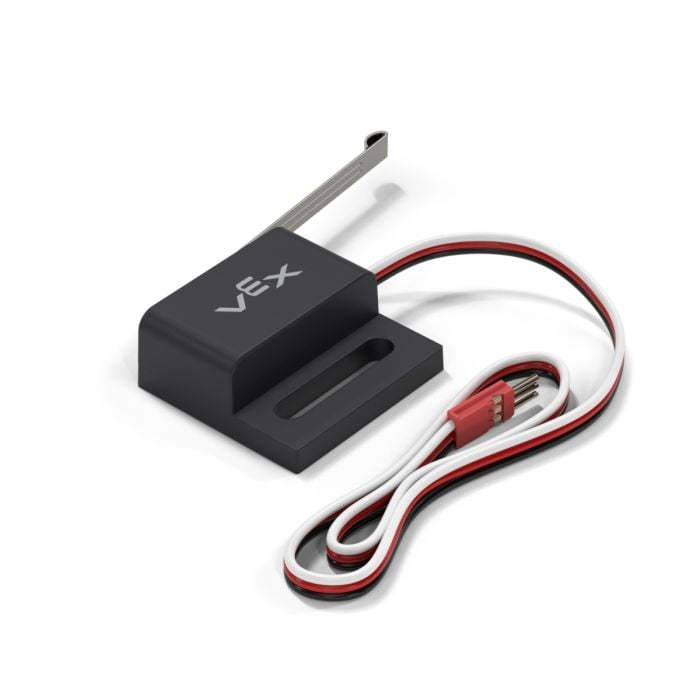
This page uses limit_switch as the example Limit Switch name. Replace it with your own configured name as needed.
以下是可用方法列表:
pressing– Returns whether the specified Limit Switch is being pressed.pressed– Registers a function to be called whenever the Limit Switch is pressed.released– Registers a function to be called whenever the Limit Switch is released.
构造函数 - 手动初始化限位开关。
Limit– Create a Limit Switch.
紧迫#
pressing returns a Boolean indicating whether the Limit Switch is currently being pressed. This can be used to check if the robot bumps into other objects.
True– The Limit Switch is being pressed.False– The Limit Switch is not being pressed.
Usage:
limit_switch.pressing()
参数 |
描述 |
|---|---|
此方法没有参数。 |
# Display a message after limit_switch is pressed
while not limit_switch.pressing():
  pass

brain.screen.print("Limit Switch pressed!")
按下#
pressed registers a function to be called whenever the Limit Switch is pressed.
Usage:
limit_switch.pressed(callback, arg)
参数 |
描述 |
|---|---|
|
一个先前定义的函数,当限位开关被按下时执行。 |
|
Optional. A |
def my_function():
  brain.screen.print("Pressed")

# Call my_function whenever limit_switch is pressed
limit_switch.pressed(my_function)
发布#
released registers a function to be called whenever the Limit Switch is released.
Usage:
limit_switch.released(callback, arg)
参数 |
描述 |
|---|---|
|
先前定义的 函数,当限位开关释放时执行。 |
|
Optional. A |
def my_function():
  brain.screen.print("Pressed")

# Call my_function whenever limit_switch is released
limit_switch.released(my_function)
构造函数#
Constructors are used to manually create Limit objects, which are necessary for configuring a Limit Switch outside of VEXcode.
Limit#
Limit creates a Limit Switch.
Usage:
Limit(port)
范围 |
描述 |
|---|---|
|
The 3-Wire Port that the Limit Switch is connected to:
|
# Create a Limit Switch in Port A
light_switch = Limit(brain.three_wire_port.a)