
加速度计#
介绍#
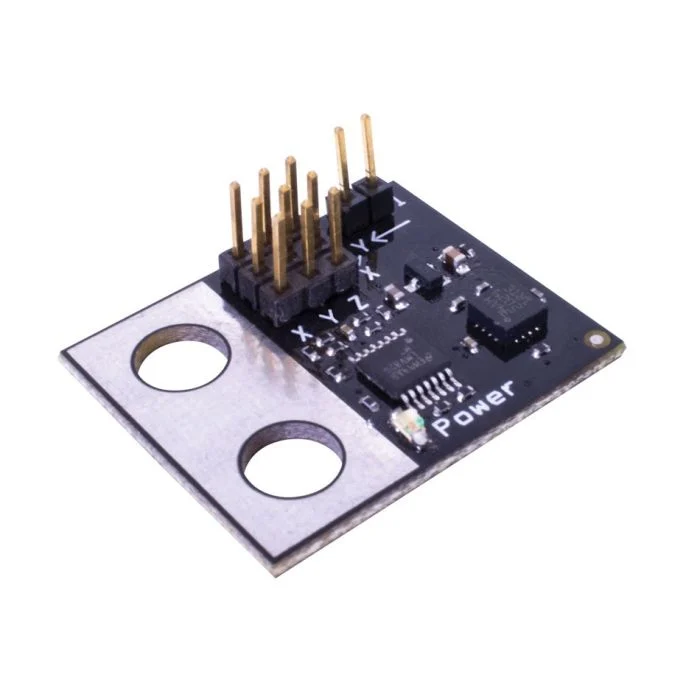
加速度计测量机器人沿一个或多个轴的加速度。该传感器输出模拟电压,该电压会根据加速度(以G力为单位)而变化。
加速度计上的跳线决定了其灵敏度范围:
2G – 测量从 -2G 到 +2G 的加速度
6G – 测量从 -6G 到 +6G 的加速度
This page uses accel_a as the example Accelerometer name. Replace it with your own configured name as needed.
以下是可用方法列表:
acceleration– Returns the acceleration detected by the Accelerometer in Gs.changed– Registers a function to be called whenever the Accelerometer’s value changes.
构造函数 – 手动初始化和配置加速度计。
Accelerometer– Create an Accelerometer.
加速度#
acceleration returns the acceleration measured in Gs as a decimal float.
Usage:
accel_a.acceleration()
参数 |
描述 |
|---|---|
此方法没有参数。 |
已更改#
changed registers a function to be called whenever the Accelerometer’s value changes.
Usage:
accel_a.changed(callback, arg)
参数 |
描述 |
|---|---|
|
先前定义的 函数,当加速度计的值发生变化时执行。 |
|
Optional. A |
def my_function():
  brain.screen.print("Value changed")

# Call my_function whenever accel_a's value changes
accel_a.changed(my_function)
构造函数#
Constructors are used to manually create Accelerometer objects, which are necessary for configuring an Accelerometer outside of VEXcode.
Accelerometer#
Accelerometer creates an Accelerometer.
Usage:
Accelerometer(port, sensitivity)
范围 |
描述 |
|---|---|
|
The 3-Wire Port that the Accelerometer is connected to:
|
|
Optional. Whether to enable high sensitivity mode on the Accelerometer: |
# Create a high sensitivity Accelerometer in Port A
accel_a = Accelerometer(brain.three_wire_port.a, True)