
光学传感器#
介绍#
V5 光学传感器结合了 RGB 颜色传感器和接近传感器,能够检测附近物体的颜色、亮度和是否存在。它还可以利用内置 LED 灯照亮物体,从而实现更精确的检测。
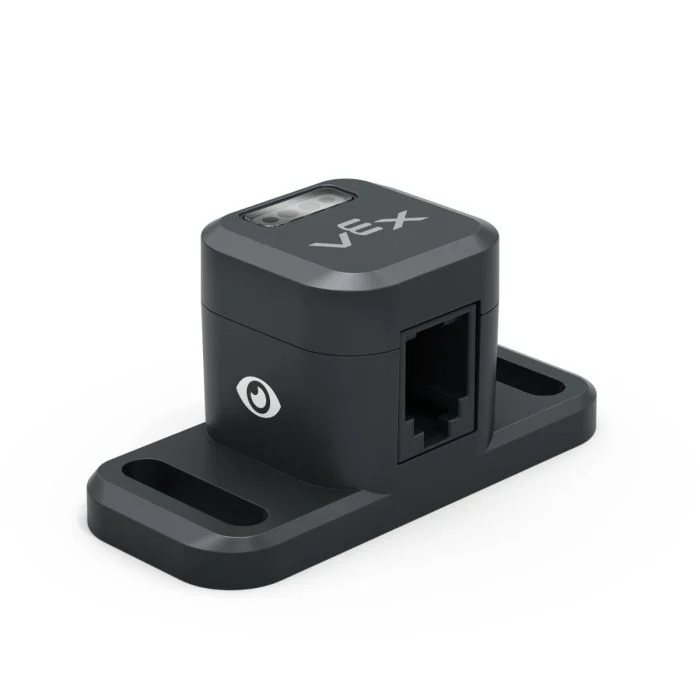
本页面使用 optical_sensor 作为示例光学传感器名称。请根据需要将其替换为您自己配置的名称。
以下是可用方法列表:
set_light– 打开或关闭光学传感器的 LED。set_light_power– 设置光学传感器的光功率级别。is_near_object– 返回光学传感器是否检测到范围内的物体。color– 返回光学传感器检测到的颜色。brightness– 返回物体反射的光量。hue– 返回光学传感器检测到的色调。object_detected– 注册一个当光学传感器检测到物体时要调用的函数。object_lost– 注册一个当光学传感器丢失物体时要调用的函数。
构造函数 - 手动初始化光学传感器。
Optical– 创建光学传感器。
设置灯光#
set_light 用于打开或关闭光学传感器的 LED。这有助于提高传感器检测颜色的精度。
Usage:
optical_sensor.set_light(state)
参数 |
描述 |
|---|---|
状态 |
Sets the LED on or off. |
# Turn on the sensor's LED
optical_sensor.set_light(LEDStateType.ON)
设置灯光功率#
set_light_power 设置光学传感器的 LED 亮度。灯光可以帮助光学传感器更清晰地检测物体和颜色。
如果光传感器的灯熄灭,将灯光功率设置为 0% 以上即可打开灯。
如果光传感器的指示灯亮着,将光功率设置为 0% 将关闭指示灯。
百分比越高,灯光越亮;百分比越低,灯光越暗。
Usage:
optical_sensor.set_light_power(percent, units)
参数 |
描述 |
|---|---|
百分比 |
将 LED 亮度设置为整数。 |
单位 |
可选。亮度单位: |
# Turn on the sensor's light at half brightness
optical_sensor.set_light_power(50, PERCENT)
靠近对象#
is_near_object 返回一个布尔值,指示光学传感器是否检测到范围内的物体。
True– 光学传感器检测到物体。False– 光学传感器未检测到物体。
Usage:
optical_sensor.is_near_object()
参数 |
描述 |
|---|---|
此方法没有参数。 |
# Drive forward until an object is found
drivetrain.drive(FORWARD)
while not optical_sensor.is_near_object():
  pass
drivetrain.stop()
颜色#
color 返回一个 Color 类 实例,该实例基于检测到的色调值。这些实例可以与预定义的 Color 对象进行比较,以创建条件语句。
可选颜色有:
Color.BLACKColor.WHITEColor.RED- 色调值介于 340° 至 20° 之间Color.GREEN- 色调值介于 80° 至 140° 之间Color.BLUE- 色调值介于 200° - 240° 之间Color.YELLOW- 色调值介于 40° 至 60° 之间Color.ORANGE- 色调值介于 20° 至 40° 之间Color.PURPLE- 色调值介于 240° - 280° 之间Color.CYAN- 色相值介于 140° - 200° 之间
注意: 光学传感器正在查找与指定颜色匹配的色调范围。有关检测特定色调范围的信息,请参阅 hue。
Usage:
optical_sensor.color()
参数 |
描述 |
|---|---|
此方法没有参数。 |
# Drive forward until red is found
drivetrain.drive(FORWARD)
while not optical_sensor.color() == Color.RED:
  pass
drivetrain.stop()
亮度#
brightness 返回物体反射的光量,以百分比表示的十进制数 (float)。
百分比越高,意味着反射回光学传感器的光线越多;百分比越低,意味着反射回的光线越少。
Usage:
optical_sensor.brightness()
参数 |
描述 |
|---|---|
此方法没有参数。 |
色调#
hue 返回检测到的颜色的色调值,以 0 到 359 之间的十进制数 (float) 表示。
色相是用色轮上的数字来描述颜色的一种方法。

Usage:
optical_sensor.hue()
参数 |
描述 |
|---|---|
此方法没有参数。 |
# Look for the color pink using hue
while True:
  brain.screen.clear_screen()
  brain.screen.set_cursor(1, 1)

  if 300 < optical_sensor.hue() < 359:
    brain.screen.print("This is pink!")
  else:
    brain.screen.print("No pink detected!")
检测到目标#
object_detected 注册一个函数,当光学传感器检测到新物体时,该函数将被调用。
Usage:
optical_sensor.object_detected(callback, arg)
参数 |
描述 |
|---|---|
|
先前定义的 函数,当光学传感器检测到新物体时执行。 |
|
def my_function():
  brain.screen.print("Optical Sensor detected an object")

# Call my_function whenever optical_sensor detects an object
optical_sensor.object_detected(my_function)
丢失对象#
object_lost 注册一个函数,当光学传感器丢失检测到的对象时,该函数将被调用。
Usage:
optical_sensor.object_lost(callback, arg)
参数 |
描述 |
|---|---|
|
先前定义的 函数,当光学传感器丢失检测到的对象时执行。 |
|
def my_function():
  brain.screen.print("Optical Sensor lost an object")

# Call my_function whenever optical_sensor loses an object
optical_sensor.object_lost(my_function)
构造函数#
构造函数用于手动创建 Optical 对象,这是在 VEXcode 之外配置光学传感器所必需的。
Optical#
Optical 创建一个光学传感器。
Usage:
Optical(smartport)
范围 |
描述 |
|---|---|
|
光传感器所连接的智能端口,记为 |
# Create an Optical Sensor in Port 10
optical_sensor = Optical(Ports.PORT10)