
距离传感器#
介绍#
距离传感器可以检测物体是否位于传感器前方,并返回物体与传感器之间的距离。它还可以返回被检测物体的相对速度,并估计物体的大小(小、中、大)。
距离传感器的工作范围为 20 毫米至 2000 毫米。
小于 200 毫米时,精度约为 ±15 毫米;大于 200 毫米时,精度可提高至约 5%。
该距离传感器采用1级激光。探测方向为正前方,对教室环境安全。
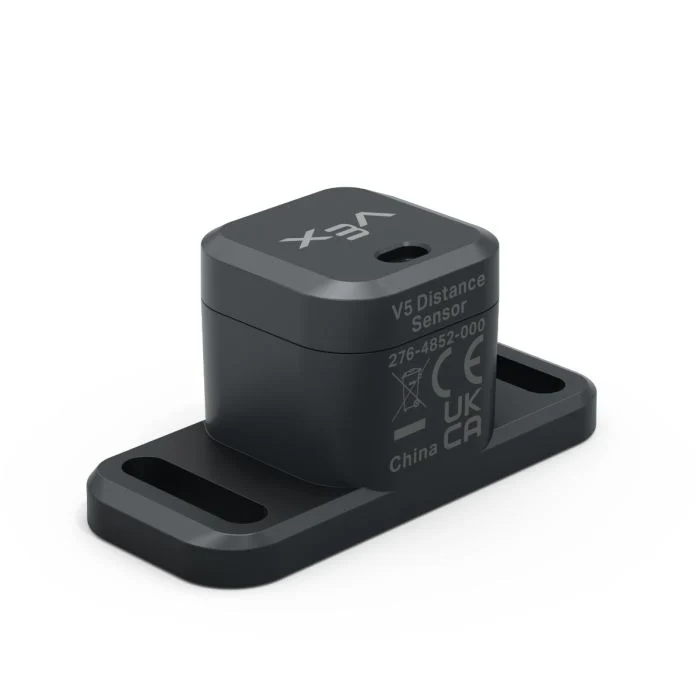
本页面使用 distance_sensor 作为距离传感器名称示例。您可以根据需要将其替换为您自己配置的名称。
以下是可用方法列表:
object_distance— 返回距离传感器与最近检测到的对象之间的距离。object_velocity— 返回检测到的物体向距离传感器移动或远离距离传感器的速度。object_size— 返回检测到的对象的大小估计值。is_object_detected— 返回距离传感器当前是否检测到对象。changed— 注册一个函数,当距离传感器的值发生变化时运行。
构造函数——手动初始化距离传感器。
Distance— 创建一个距离传感器。
物体距离#
object_distance 返回距离传感器与最近检测到的对象之间的距离,以十进制(浮点数)表示。
Usage:
distance_sensor.object_distance(units)
参数 |
描述 |
|---|---|
|
可选。距离单位: |
# Drive forward until the object is within 50 mm away
drivetrain.drive(FORWARD)
while not distance_sensor.object_distance(MM) < 50:
  pass
drivetrain.stop()
物体速度#
object_velocity 返回检测到的物体的相对速度,以 m/s(米每秒)为单位的十进制(浮点数)。
速度表示物体相对于距离传感器移动或远离的快慢。接近 0 的值表示物体相对于传感器移动的幅度很小。
Usage:
distance_sensor.object_velocity()
参数 |
描述 |
|---|---|
此方法没有参数。 |
对象大小#
object_size 返回距离传感器检测到的物体的估计大小。
距离传感器根据被检测到的物体在传感器视野中所占的比例来估计物体的大小。
ObjectSizeType(0, “NONE”)— 未检测到对象。ObjectSizeType(1, “SMALL”)— 检测到小型物体。ObjectSizeType(2, “MEDIUM”)— 检测到中等大小的物体。ObjectSizeType(3, “LARGE”)— 检测到大型物体。
Usage:
distance_sensor.object_size()
参数 |
描述 |
|---|---|
此方法没有参数。 |
检测到物体#
is_object_detected 返回距离传感器当前是否检测到物体。
True— 距离传感器检测到物体。False— 距离传感器未检测到物体。
Usage:
distance_sensor.is_object_detected()
参数 |
描述 |
|---|---|
此方法没有参数。 |
# Drive forward until the object is within 50 mm away
while True:
  drivetrain.drive(FORWARD)
  if distance_sensor.is_object_detected():
    if distance_sensor.object_distance(MM) < 50:
      drivetrain.stop()
      break
已更改#
changed 注册一个函数,当距离传感器的值发生变化时,该函数将被调用。
Usage:
distance_sensor.changed(callback, arg)
参数 |
描述 |
|---|---|
|
先前定义的 函数,当距离传感器的值发生变化时执行。 |
|
可选。包含要传递给回调函数的参数的元组。有关更多信息,请参阅使用带参数的函数。 |
def my_function():
  brain.screen.print("Distance changed")

# Call my_function whenever distance_sensor's value changes
distance_sensor.changed(my_function)
构造函数#
构造函数用于手动创建 Distance 对象,例如在 VEXcode 之外配置距离传感器时。
Distance#
Distance 创建一个距离传感器对象。
Usage:
Distance(smartport)
范围 |
描述 |
|---|---|
|
距离传感器连接的智能端口,写成 |
# Create a Distance Sensor in Port 10
distance_sensor = Distance(Ports.PORT10)