
Using Events#
This tutorial covers how to use events in VEXcode V5. By the end, you’ll know how to broadcast an event and have another stack of blocks respond to it.
Events let separate stacks of blocks in a project communicate with each other, using blocks from the Logic - Events category. Blocks whose names begin with broadcast signal that an event has happened, and blocks whose names begin with when run their attached stack of blocks in response.
Add a broadcast block or a broadcast and wait block to your project.
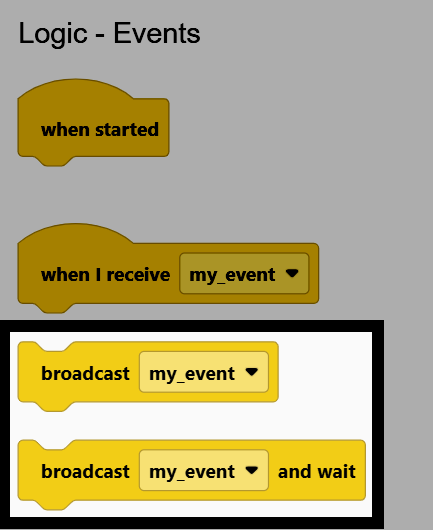
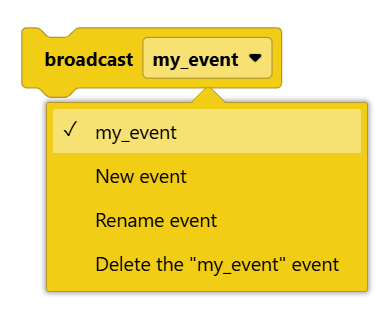
Select the dropdown on the broadcast block to choose an existing event, or to create, rename, or delete an event.
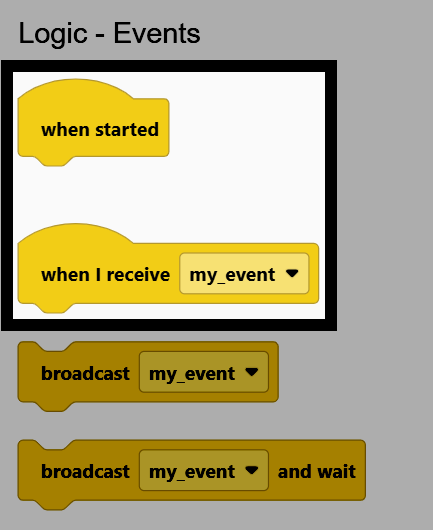
Add a when I receive block to the workspace, and set its dropdown to match the event name used in your broadcast block. Then, attach blocks below it as those blocks will run whenever that event is broadcast.
Once a when I receive block matches the event name used by a broadcast block, running the project lets both stacks run at the same time. For example, this project turns until the Brain’s screen is pressed, then broadcasts an event that stops the robot from driving.
    when started
        turn [right v]
        wait until <screen pressed?>
        broadcast [my_event v]
    when I receive [my_event v]
        stop driving
Blocks starting with when can also be found attached to sensors, running their attached blocks whenever that sensor’s condition is met. For example, the when Brain screen and when Bumper Switch hat blocks.
when Brain screen [pressed v] :: hat events
when [BumperA v] [pressed v] :: hat events