
距离传感器#
介绍#
距离传感器可以检测物体是否位于传感器前方,并返回物体与传感器之间的距离。它还可以返回被检测物体的相对速度,并估计物体的大小(小、中、大)。
距离传感器的工作范围为 20 毫米至 2000 毫米。
小于 200 毫米时,精度约为 ±15 毫米;大于 200 毫米时,精度可提高至约 5%。
该距离传感器采用1级激光。探测方向为正前方,对教室环境安全。
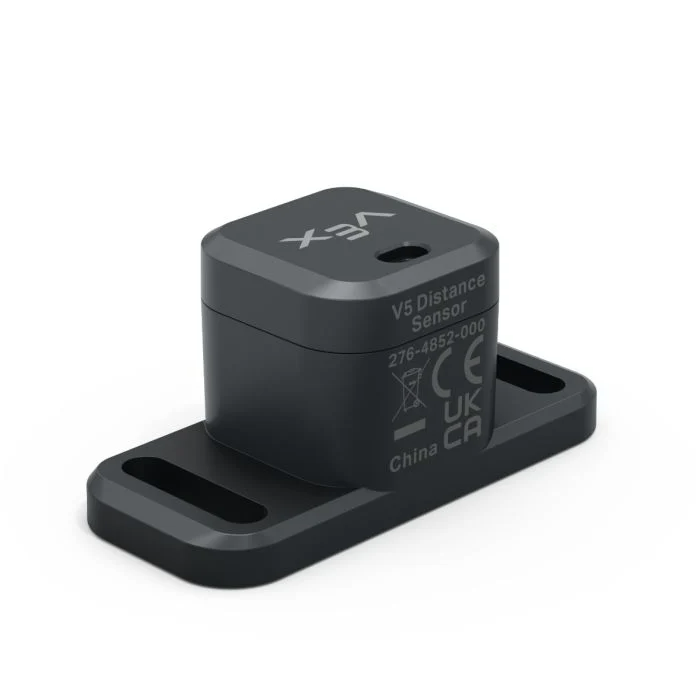
This page uses distance_sensor as the example Distance Sensor name. Replace it with your own configured name as needed.
以下是可用方法列表:
object_distance— Returns the distance between the Distance Sensor and the nearest detected object.object_velocity— Returns how quickly the detected object is moving toward or away from the Distance Sensor.object_size— Returns the estimated size of the detected object.is_object_detected— Returns whether the Distance Sensor currently detects an object.changed— Registers a function to run whenever the Distance Sensor’s value changes.
构造函数——手动初始化距离传感器。
Distance— Creates a Distance Sensor.
物体距离#
object_distance returns the distance between the Distance Sensor and the nearest detected object as a decimal (float).
Usage:
distance_sensor.object_distance(units)
参数 |
描述 |
|---|---|
|
Optional. The distance unit: |
# Drive forward until the object is within 50 mm away
drivetrain.drive(FORWARD)
while not distance_sensor.object_distance(MM) < 50:
  pass
drivetrain.stop()
物体速度#
object_velocity returns the relative velocity of the detected object as a decimal (float) in m/s (meters per second).
速度表示物体相对于距离传感器移动或远离的快慢。接近 0 的值表示物体相对于传感器移动的幅度很小。
Usage:
distance_sensor.object_velocity()
参数 |
描述 |
|---|---|
此方法没有参数。 |
对象大小#
object_size returns the estimated size of the object detected by the Distance Sensor.
距离传感器根据被检测到的物体在传感器视野中所占的比例来估计物体的大小。
ObjectSizeType(0, “NONE”)— No object is detected.ObjectSizeType(1, “SMALL”)— A small object is detected.ObjectSizeType(2, “MEDIUM”)— A medium object is detected.ObjectSizeType(3, “LARGE”)— A large object is detected.
Usage:
distance_sensor.object_size()
参数 |
描述 |
|---|---|
此方法没有参数。 |
检测到物体#
is_object_detected returns whether the Distance Sensor currently detects an object.
True— The Distance Sensor detects an object.False— The Distance Sensor does not detect an object.
Usage:
distance_sensor.is_object_detected()
参数 |
描述 |
|---|---|
此方法没有参数。 |
# Drive forward until the object is within 50 mm away
while True:
  drivetrain.drive(FORWARD)
  if distance_sensor.is_object_detected():
    if distance_sensor.object_distance(MM) < 50:
      drivetrain.stop()
      break
已更改#
changed registers a function to be called whenever the Distance Sensor’s value changes.
Usage:
distance_sensor.changed(callback, arg)
参数 |
描述 |
|---|---|
|
先前定义的 函数,当距离传感器的值发生变化时执行。 |
|
可选。包含要传递给回调函数的参数的元组。有关更多信息,请参阅使用带参数的函数。 |
def my_function():
  brain.screen.print("Distance changed")

# Call my_function whenever distance_sensor's value changes
distance_sensor.changed(my_function)
构造器#
Constructors are used to manually create Distance objects, such as when configuring a Distance Sensor outside of VEXcode.
Distance#
Distance creates a Distance Sensor object.
Usage:
Distance(smartport)
范围 |
描述 |
|---|---|
|
The Smart Port that the Distance Sensor is connected to, written as |
# Create a Distance Sensor in Port 10
distance_sensor = Distance(Ports.PORT10)