安慰#
介绍#
VEXcode V5 控制台显示在 VEXcode 的监视器窗口中。控制台模块可以在项目运行时显示文本、数字和变量值。
以下是所有可用模块的列表:
在控制台上打印 — 在控制台中显示文本、数字或变量值。
将光标移至控制台的下一行 — 将光标移至控制台的下一行。
清除控制台上的所有行 — 清除控制台中的所有行。
询问并等待 — 在控制台中显示一条消息,并暂停项目,直到在控制台中输入响应。
answer — 将控制台中输入的最新响应以文本形式报告。
设置控制台打印精度 — 设置打印数字时显示的小数位数。
设置控制台字体颜色 — 设置控制台中打印的文本的字体颜色。
在控制台上打印#
The print on console stack block displays text, numbers, or variable values in the Console at the current row and with the current font color.
如果未将块扩展以包含并将光标设置为下一行,则下一个打印值将紧跟在同一行的前一个值之后。
在控制台上打印 [VEXcode]▶
参数 |
描述 |
|---|---|
价值 |
要在控制台中显示的文本、数字或变量值。 |
展开箭头 |
扩展代码块以包含并将光标设置为下一行,这样在打印值后光标就会移动到下一行。如果未使用此选项,则下一个打印值将紧跟在同一行的前一个值之后。 |
例子
当开始
[Display a message in the Console.]
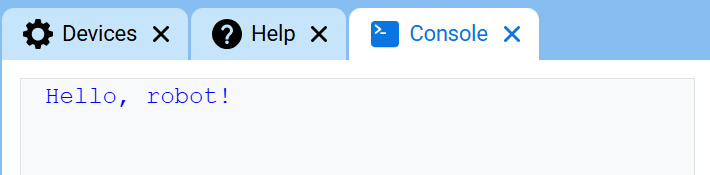
在控制台上打印 [Hello, robot!]▶
将控制台光标移至下一行#
将光标移至控制台的下一行 代码块会将光标移动到控制台下一行的第一列。下一个打印的值将显示在该行。
当您希望下一个打印值从新的一行开始时,请使用此代码块。如果未使用此代码块,且之前的在控制台上打印代码块未展开以包含并将光标设置为下一行,则下一个打印值将紧随上一个值之后出现在同一行。
在控制台上设定光标至下一行
参数 |
描述 |
|---|---|
此代码块没有参数。 |
例子
当开始
[Display two lines of text.]
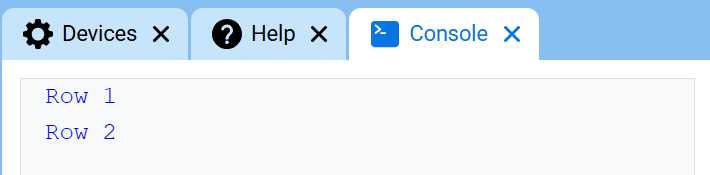
在控制台上打印 [Row 1]▶
在控制台上设定光标至下一行
在控制台上打印 [Row 2]▶
清除控制台上的所有行#
清除控制台上的所有行 堆栈块会清除控制台中的所有行,并将光标移回第一行。
清除控制台所有行
参数 |
描述 |
|---|---|
此代码块没有参数。 |
例子
当开始
[Clear the Console after printing.]
在控制台上打印 [This will disappear...]▶
等待 [2] 秒
清除控制台所有行
问并等待/回答#
询问并等待堆栈块会在控制台中显示一条消息,并暂停项目,直到在控制台中输入响应。
answer 报告器模块返回控制台中输入的最新响应。响应以文本形式返回。要将响应用作数字,请先使用 convert 报告器模块将响应转换为数字。
询问 [What's your name?] 并等待
范围 |
描述 |
|---|---|
迅速的 |
要在控制台中显示的消息。 |
应答
参数 |
描述 |
|---|---|
此代码块没有参数。 |
例子
当开始
[Tell the robot your name.]
询问 [What's your name?] 并等待
在控制台上打印 [Hello, ]▶
在控制台上打印 (应答)▶
在控制台上设置打印精度#
设置控制台打印精度 代码块用于设置控制台打印数字时显示的小数位数。此设置适用于使用此代码块之后打印的数字。项目开始时,打印精度设置为 1,因此数字不显示小数位。
在控制台上设定打印精度为 [0.1 v]
参数 |
描述 |
|---|---|
精确 |
打印精度:
|
例子
当开始
[Print 1/3 as 0.33.]
在控制台上设定打印精度为 [0.01 v]
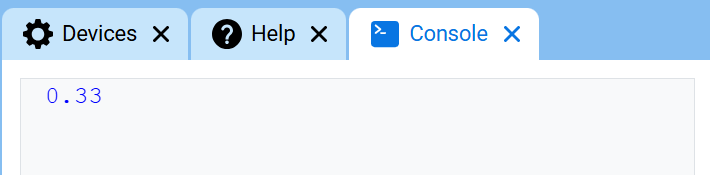
在控制台上打印 ([1] [math_division v] [3])▶
在控制台上设置字体颜色#
设置控制台字体颜色 代码块用于设置控制台中打印文本的字体颜色。项目开始时,字体颜色默认设置为蓝色。
设定控制台字体颜色为 [红色 v]
范围 |
描述 |
|---|---|
颜色 |
控制台打印文本的字体颜色:
|
例子
当开始
[Print text in different colors.]
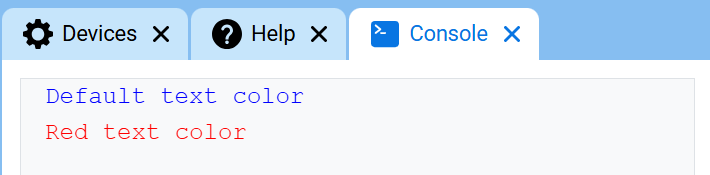
在控制台上打印 [Default text color]▶
在控制台上设定光标至下一行
设定控制台字体颜色为 [红色 v]
在控制台上打印 [Red text color]▶