
Sensor de distancia#
Introducción#
El Sensor de Distancia puede detectar si hay un objeto delante del sensor y devolver la distancia a la que se encuentra dicho objeto. También puede devolver la velocidad relativa del objeto detectado y estimar si el objeto es pequeño, mediano o grande.
El sensor de distancia funciona en un rango de 20 mm a 2000 mm.
Por debajo de 200 mm, la precisión es de aproximadamente ±15 mm. Por encima de 200 mm, la precisión mejora hasta aproximadamente un 5 %.
El sensor de distancia utiliza un láser de clase 1. La detección se realiza en línea recta hacia adelante y es seguro para usar en el aula.
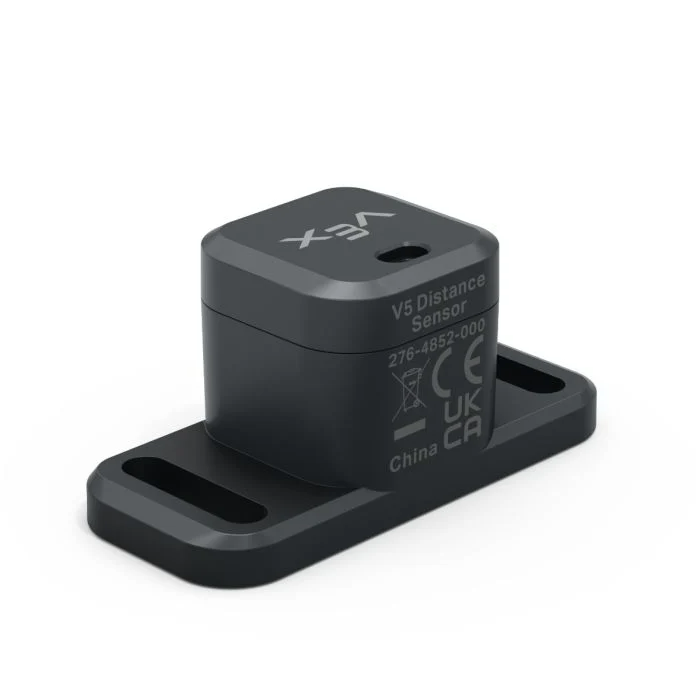
This page uses distance_sensor as the example Distance Sensor name. Replace it with your own configured name as needed.
A continuación se muestra una lista de los métodos disponibles:
object_distance— Returns the distance between the Distance Sensor and the nearest detected object.object_velocity— Returns how quickly the detected object is moving toward or away from the Distance Sensor.object_size— Returns the estimated size of the detected object.is_object_detected— Returns whether the Distance Sensor currently detects an object.changed— Registers a function to run whenever the Distance Sensor’s value changes.
Constructor: Inicializa manualmente un sensor de distancia.
Distance— Creates a Distance Sensor.
distancia_del_objeto#
object_distance returns the distance between the Distance Sensor and the nearest detected object as a decimal (float).
Usage:
distance_sensor.object_distance(units)
Parámetros |
Descripción |
|---|---|
|
Optional. The distance unit: |
# Drive forward until the object is within 50 mm away
drivetrain.drive(FORWARD)
while not distance_sensor.object_distance(MM) < 50:
  pass
drivetrain.stop()
velocidad del objeto#
object_velocity returns the relative velocity of the detected object as a decimal (float) in m/s (meters per second).
La velocidad indica la rapidez con la que el objeto se acerca o se aleja del sensor de distancia. Un valor cercano a 0 significa que el objeto no se mueve mucho con respecto al sensor.
Usage:
distance_sensor.object_velocity()
Parámetros |
Descripción |
|---|---|
Este método no tiene parámetros. |
tamaño del objeto#
object_size returns the estimated size of the object detected by the Distance Sensor.
El sensor de distancia estima el tamaño del objeto en función de la porción del campo de visión del sensor que ocupa el objeto detectado.
ObjectSizeType(0, “NONE”)— No object is detected.ObjectSizeType(1, “SMALL”)— A small object is detected.ObjectSizeType(2, “MEDIUM”)— A medium object is detected.ObjectSizeType(3, “LARGE”)— A large object is detected.
Usage:
distance_sensor.object_size()
Parámetros |
Descripción |
|---|---|
Este método no tiene parámetros. |
se ha detectado un objeto#
is_object_detected returns whether the Distance Sensor currently detects an object.
True— The Distance Sensor detects an object.False— The Distance Sensor does not detect an object.
Usage:
distance_sensor.is_object_detected()
Parámetros |
Descripción |
|---|---|
Este método no tiene parámetros. |
# Drive forward until the object is within 50 mm away
while True:
  drivetrain.drive(FORWARD)
  if distance_sensor.is_object_detected():
    if distance_sensor.object_distance(MM) < 50:
      drivetrain.stop()
      break
cambió#
changed registers a function to be called whenever the Distance Sensor’s value changes.
Usage:
distance_sensor.changed(callback, arg)
Parámetros |
Descripción |
|---|---|
|
Una función previamente definida que se ejecuta cuando cambia el valor del sensor de distancia. |
|
Opcional. Una tupla que contiene los argumentos que se pasan a la función de devolución de llamada. Consulte Uso de funciones con parámetros para obtener más información. |
def my_function():
  brain.screen.print("Distance changed")

# Call my_function whenever distance_sensor's value changes
distance_sensor.changed(my_function)
Constructor#
Constructors are used to manually create Distance objects, such as when configuring a Distance Sensor outside of VEXcode.
Distance#
Distance creates a Distance Sensor object.
Usage:
Distance(smartport)
Parámetro |
Descripción |
|---|---|
|
The Smart Port that the Distance Sensor is connected to, written as |
# Create a Distance Sensor in Port 10
distance_sensor = Distance(Ports.PORT10)