
按鈕#
介紹#
button 類別是 controller 類別的衍生類別。它提供對 Controller 按鈕狀態和按鈕事件回呼的存取。
button 物件是透過 controller 物件存取的,它不是直接建構的。
使用權#
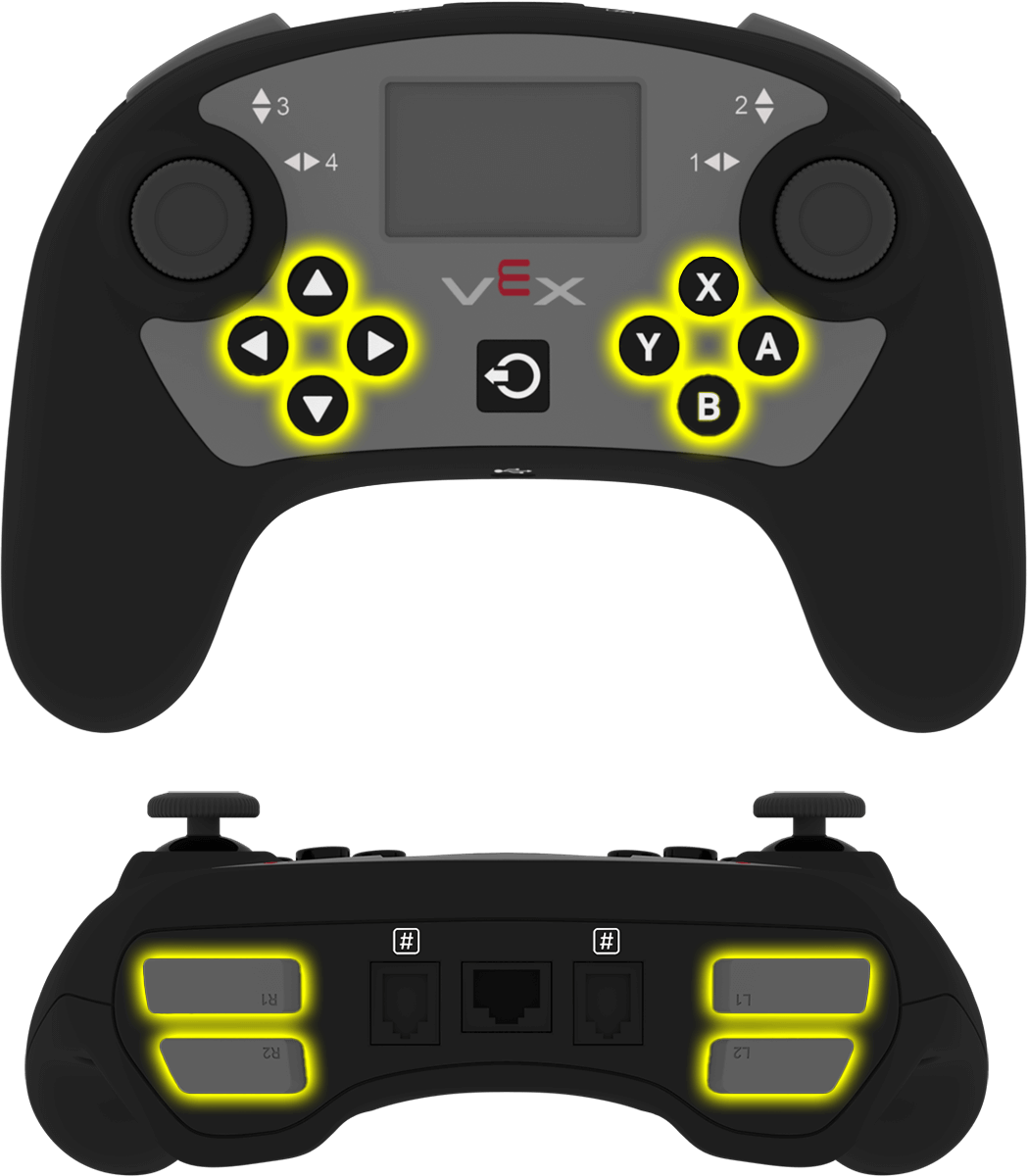
controller 類別提供以下按鈕物件。每個物件都是 button 類別的一個實例。
目的 |
用法範例 |
描述 |
|---|---|---|
|
|
A 鍵。 |
|
|
B 鍵。 |
|
|
X 鈕。 |
|
|
Y 鍵。 |
|
|
向下按鈕。 |
|
|
向上按鈕。 |
|
|
左鍵。 |
|
|
右鍵。 |
|
|
L1 按鈕。 |
|
|
L2 按鈕。 |
|
|
R1 按鈕。 |
|
|
R2 按鈕。 |
筆記#
在使用
button成員函數之前,請建立一個controller物件。
// Create a Controller object
controller Controller = controller();
成員功能#
button 類別包含以下成員函數:
Getter — 讀取按鈕狀態。
pressing— 返回按鈕是否被按下。
回調函數-當按鈕事件發生時運行的函數。
Getter#
緊迫#
pressing 返回按鈕目前是否被按下。
可用功能
bool pressing() const;
參數
此函數沒有參數。
傳回值
返回布林值。
true— 按鈕被按下。false— 按鈕未按下。
例子
// Turn right while L1 is pressed
while (true) {
  if (Controller.ButtonL1.pressing()) {
    Drivetrain.turn(right);
  }
  else {
    Drivetrain.stop();
  }

  wait(20, msec);
}
回呼函數#
按下#
pressed 註冊一個在按鈕按下時執行的函數。
可用功能
void pressed(void (* callback)(void)) const;
範圍 |
類型 |
描述 |
|---|---|---|
|
|
按鈕按下時運行的函數。 |
傳回值
此函數不傳回值。
例子
在 main之外定義回呼函數。
// Drive forward when A is pressed
void driveForward() {
  Drivetrain.driveFor(forward, 100, mm);
}
在 main中註冊回呼。
int main() {
  vexcodeInit();

  // Run driveForward when A is pressed
  Controller.ButtonA.pressed(driveForward);
}
發布#
released 註冊一個在按鈕釋放時運行的函數。
可用功能
void released(void (* callback)(void)) const;
範圍 |
類型 |
描述 |
|---|---|---|
|
|
按鈕釋放時運行的函數。 |
傳回值
此函數不傳回值。
例子
在 main之外定義回呼函數。
// Stop the drivetrain when A is released
void stopDriving() {
  Drivetrain.stop();
}
在 main中註冊回呼。
int main() {
  vexcodeInit();

  // Run stopDriving when A is released
  Controller.ButtonA.released(stopDriving);
}