Κονσόλα#
Εισαγωγή#
Η Κονσόλα VEXcode 123 εμφανίζεται στην καρτέλα Κονσόλας μέσα στο VEXcode. Οι μέθοδοι κονσόλας μπορούν να εμφανίσουν κείμενο, αριθμούς και τιμές μεταβλητών ενώ εκτελείται ένα έργο. Μπορούν επίσης να μετακινήσουν τον κέρσορα της Κονσόλας σε μια νέα γραμμή, να διαγράψουν την Κονσόλα, να διαβάσουν την είσοδο χρήστη και να ορίσουν το χρώμα του κειμένου που εκτυπώνεται μετά την αλλαγή του χρώματος.
Παρακάτω είναι μια λίστα με όλες τις μεθόδους:
Ενέργειες — Εξαγωγή κειμένου ή εκκαθάριση της Κονσόλας.
print— Εμφανίζει κείμενο, αριθμούς ή τιμές μεταβλητών στην Κονσόλα.new_line— Μετακινεί τον κέρσορα της κονσόλας στην αρχή της επόμενης γραμμής.clear— Διαγράφει όλες τις γραμμές στην Κονσόλα.
Getter — Ανάγνωση εισόδου χρήστη.
input— Περιμένει την εισαγωγή δεδομένων από τον χρήστη και επιστρέφει την απάντηση ως κείμενο.
Mutator — Μορφοποίηση εκτυπωμένου κειμένου.
set_print_color— Ορίζει το χρώμα που χρησιμοποιείται για το κείμενο που εκτυπώνεται στην Κονσόλα.
Ενέργειες#
print#
print εμφανίζει κείμενο, αριθμούς ή τιμές μεταβλητών στην Κονσόλα χρησιμοποιώντας την τρέχουσα θέση του κέρσορα.
Χρησιμοποιήστε προσαρμοσμένη μορφοποίηση συμβολοσειράς όταν θέλετε ένα εκτυπωμένο μήνυμα να περιλαμβάνει τιμές από το έργο σας, όπως μια βαθμολογία, ένα χρονόμετρο ή μια ένδειξη αισθητήρα. Ανατρέξτε στη σελίδα Μορφοποίηση συμβολοσειράς για περισσότερες πληροφορίες.
Χρησιμοποιήστε την συνάρτηση new_line όταν θέλετε η επόμενη εκτυπωμένη τιμή να ξεκινά σε νέα γραμμή.
Usage:
console.print(value, precision)
Παράμετροι |
Περιγραφή |
|---|---|
|
Το κείμενο, ο αριθμός ή η τιμή μεταβλητής που θα εμφανίζεται στην Κονσόλα. |
|
Προαιρετικό. Ο αριθμός των δεκαδικών ψηφίων που θα εμφανίζονται κατά την εκτύπωση ενός αριθμού. Η προεπιλογή είναι |
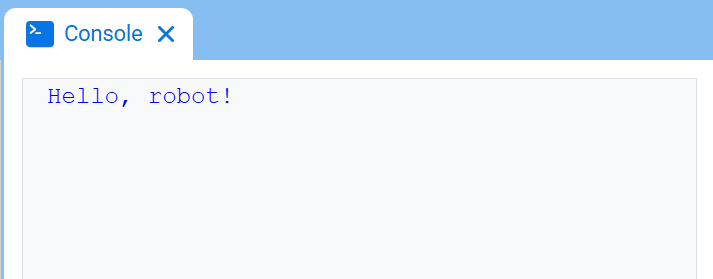
# Display a message in the Console
console.print("Hello, robot!")
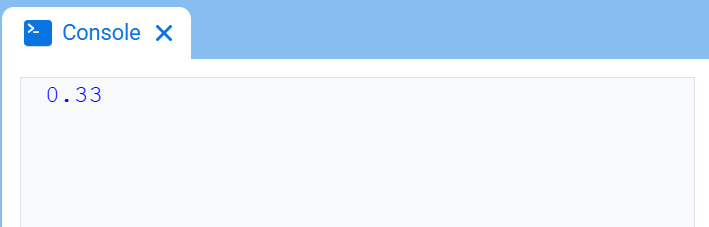
# Display 1/3 with two decimals
console.print(1 / 3, precision=2)
new_line#
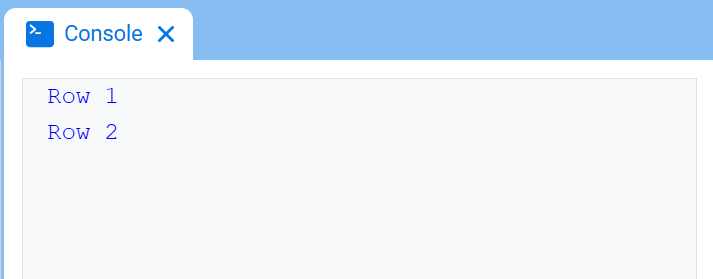
new_line μετακινεί τον κέρσορα στη στήλη 1 στην επόμενη γραμμή της Κονσόλας. Η επόμενη τιμή που θα εκτυπωθεί θα εμφανιστεί σε αυτήν τη γραμμή.
Χρησιμοποιήστε αυτήν τη μέθοδο όταν θέλετε η επόμενη εκτυπωμένη τιμή να ξεκινά σε μια νέα γραμμή.
Usage:
console.new_line()
Παράμετροι |
Περιγραφή |
|---|---|
Αυτή η μέθοδος δεν έχει παραμέτρους. |
# Print on two lines
console.print("Row 1")
console.new_line()
console.print("Row 2")
clear#
clear καθαρίζει όλες τις γραμμές από την Κονσόλα.
Usage:
console.clear()
Παράμετροι |
Περιγραφή |
|---|---|
Αυτή η μέθοδος δεν έχει παραμέτρους. |
# Display text, then clear it after two seconds
console.print("This will disappear...")
wait(2, SECONDS)
console.clear()
Λήπτης#
input#
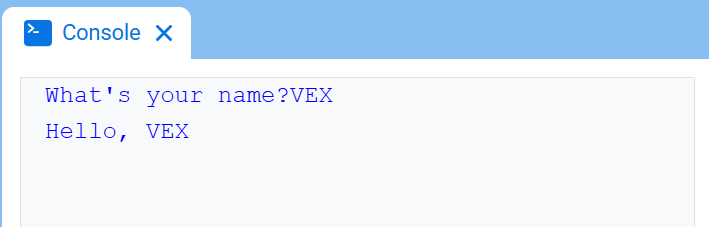
Η εντολή input περιμένει τον χρήστη να εισαγάγει μια απάντηση και, στη συνέχεια, επιστρέφει αυτήν την απάντηση ως κείμενο.
Το έργο σταματάει στο input() μέχρι να εισαχθεί μια απάντηση στην Κονσόλα.
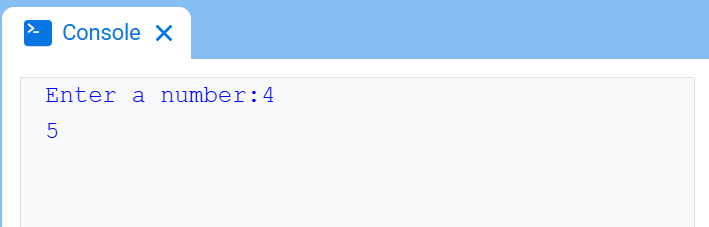
Η τιμή που επιστρέφεται από την συνάρτηση input() είναι πάντα κείμενο. Για να χρησιμοποιήσετε την απόκριση ως αριθμό, μετατρέψτε την πρώτα με int() ή float().
Usage:
input()
Παράμετροι |
Περιγραφή |
|---|---|
Αυτή η μέθοδος δεν έχει παραμέτρους. |
# Ask for a name, then print a greeting
answer = input("What's your name?")
console.print("Hello, " + answer)
# Ask for a number, then use it in math
answer = input("Enter a number:")
number = float(answer)
console.print(number + 1)
Μεταλλακτής#
set_print_color#
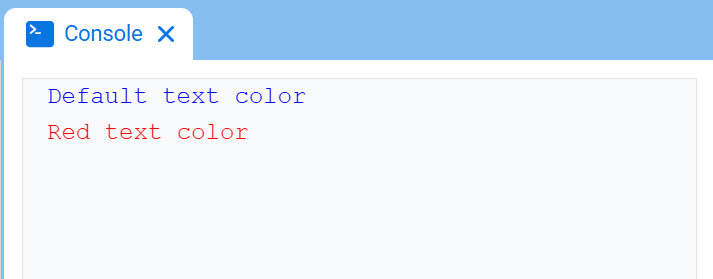
set_print_color ορίζει το χρώμα που χρησιμοποιείται για το κείμενο που εκτυπώνεται στην Κονσόλα μετά τη χρήση αυτής της μεθόδου. Στην αρχή ενός έργου, το χρώμα κειμένου της Κονσόλας ορίζεται σε BLUE.
Usage:
console.set_print_color(color)
Παράμετροι |
Περιγραφή |
|---|---|
|
Το χρώμα που θα χρησιμοποιηθεί για το κείμενο που εκτυπώνεται στην Κονσόλα:
|
# Print text in different colors
console.print("Default text color")
console.new_line()
console.set_print_color(RED)
console.print("Red text color")