
Consola#
Introducción#
La consola VEXcode GO se muestra en la pestaña Consola dentro de VEXcode. Los bloques de consola pueden mostrar texto, números y valores de variables mientras se ejecuta un proyecto.
A continuación se muestra una lista de todos los bloques disponibles:
print — Muestra texto, números o valores de variables en la consola.
establecer precisión de impresión — Establece cuántos lugares decimales se muestran al imprimir números.
borrar todas las filas — Borra todas las filas en la consola.
establecer cursor a la siguiente fila — Mueve el cursor a la siguiente fila en la consola.
establecer color de fuente en la consola — Establece el color de fuente utilizado para el texto impreso en la consola.
preguntar y esperar — Muestra un mensaje en la consola y pausa el proyecto hasta que se ingrese una respuesta en la consola.
respuesta — Informa la respuesta más reciente ingresada en la Consola como texto.
imprimir#
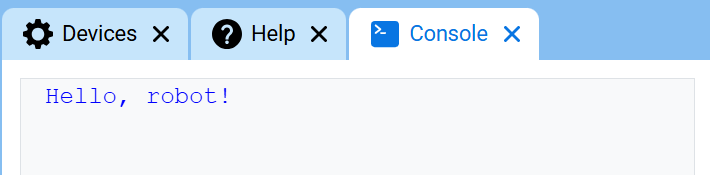
El bloque de pila print muestra texto, números o valores de variables en la consola en la fila actual.
imprimir [VEXcode] ▶
Parámetros |
Descripción |
|---|---|
valor |
El texto, número o valor de variable que se mostrará en la consola. |
flecha expansiva |
Expande el bloque para incluir y posicionar el cursor en la siguiente fila, lo que mueve el cursor a la siguiente fila después de que se imprima el valor. Si no se utiliza esta opción, el siguiente valor impreso aparece inmediatamente después del valor anterior en la misma fila. |
Ejemplo
cuando inicie :: hat events
[Display a message in the Console.]
imprimir [Hello, robot!] ▶
establecer la precisión de impresión#
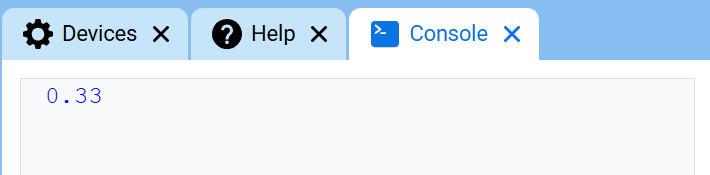
El bloque de pila establecer precisión de impresión determina la cantidad de decimales que se muestran al imprimir números en la consola. Esta configuración se aplica a los números impresos después de usar este bloque. Al inicio de un proyecto, la precisión de impresión se establece en 1, por lo que los números se imprimen sin decimales.
establecer precisión de impresión a [0.1 v]
Parámetros |
Descripción |
|---|---|
precisión |
Precisión de impresión a utilizar:
|
Ejemplo
cuando inicie :: hat events
[Display 1/3 with two decimals.]
establecer precisión de impresión a [0.01 v]
imprimir ([1] [math_division v] [3]) ▶
borrar todas las filas#
El bloque de pila borrar todas las filas borra todas las filas de la consola y mueve el cursor de vuelta a la primera fila.
limpiar todas las filas
Parámetros |
Descripción |
|---|---|
Este bloque no tiene parámetros. |
Ejemplo
cuando inicie :: hat events
[Clear the Console after printing.]
imprimir [This will disappear...] ▶
esperar [2] segundos
limpiar todas las filas
colocar el cursor en la siguiente fila#
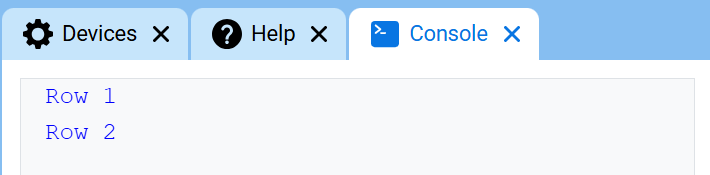
El bloque de pila establecer cursor a la siguiente fila mueve el cursor a la columna 1 de la siguiente fila en la consola. El siguiente valor impreso aparecerá en esa fila.
Utilice este bloque cuando desee que el siguiente valor impreso comience en una nueva fila. Si no se utiliza este bloque y el bloque print anterior no se ha ampliado para incluir and set cursor to next row, el siguiente valor impreso aparecerá inmediatamente después del valor anterior en la misma fila.
mover cursor a la siguiente fila
Parámetros |
Descripción |
|---|---|
Este bloque no tiene parámetros. |
Ejemplo
cuando inicie :: hat events
[Print on two rows.]
imprimir [Row 1] ▶
mover cursor a la siguiente fila
imprimir [Row 2] ▶
establecer el color de la fuente en la consola#
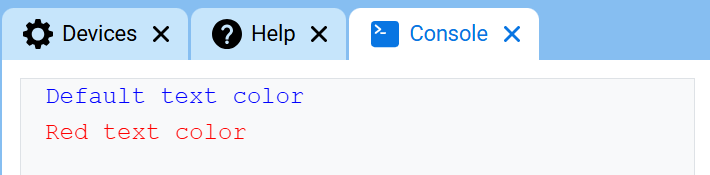
El bloque de pila establecer color de fuente en la consola establece el color de fuente que se utiliza para el texto que se imprime en la consola. Al inicio de un proyecto, el color de fuente se establece en azul.
establecer color de fuente a [rojo v] en consola
Parámetros |
Descripción |
|---|---|
color |
Color de fuente que se utilizará para el texto impreso en la consola:
|
Ejemplo
cuando inicie :: hat events
[Print text in different font colors.]
imprimir [Default text color] ▶
mover cursor a la siguiente fila
establecer color de fuente a [rojo v] en consola
imprimir [Red text color] ▶
preguntar y esperar / responder#
El bloque de pila preguntar y esperar muestra un mensaje en la consola y pausa el proyecto hasta que se introduce una respuesta en la consola.
El bloque de informe answer devuelve la respuesta más reciente ingresada en la consola. La respuesta se devuelve como texto. Para usar la respuesta como un número, use primero el bloque de informe convert para convertir la respuesta a un número.
preguntar [What's your name?] y esperar
Parámetro |
Descripción |
|---|---|
inmediato |
El mensaje que se mostrará en la consola. |
respuesta
Parámetros |
Descripción |
|---|---|
Este bloque no tiene parámetros. |
Ejemplo
cuando inicie
[Tell the robot your name.]
preguntar [What's your name?] y esperar
imprimir [Hello, ] ▶
imprimir (respuesta) ▶