光学传感器#
介绍#
光学传感器结合了RGB颜色传感器和接近传感器,用于检测附近物体的颜色、亮度和是否存在。它还可以利用内置的LED灯照亮物体,以实现更精确的检测。
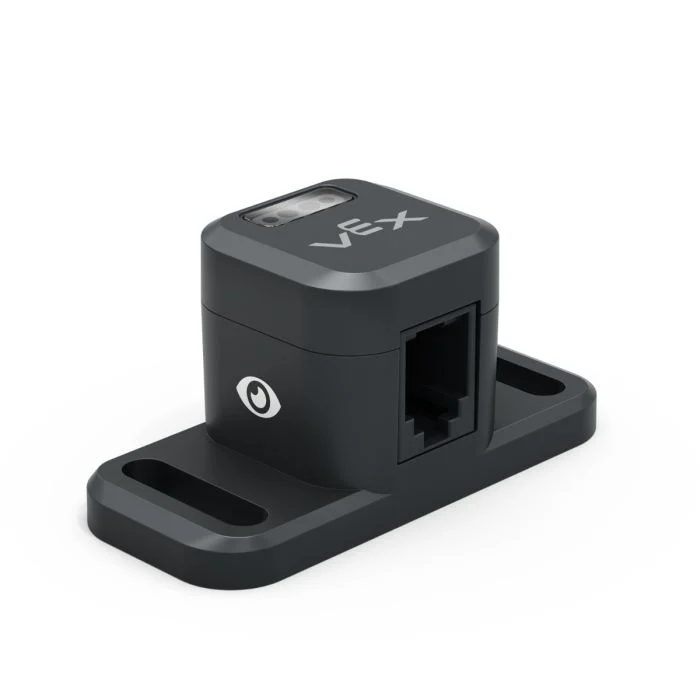
以下是可用模块列表:
设置光学灯 – 打开或关闭光学传感器的 LED。
set Optical light power – Sets the power level of the Optical Sensor’s LED.
Optical found an object – Reports whether the sensor is detecting an object within range.
Optical detects color – Reports whether the Optical Sensor detects a specified color.
Optical brightness – Reports the brightness detected by the Optical Sensor.
Optical hue – Reports the hue detected by the Optical Sensor.
when Optical – Runs the attached stack of blocks when the Optical Sensor detects or loses an object.
set Optical light#
The set Optical light stack block turns the Optical Sensor’s LED on or off. This can help increase the sensor’s accuracy when detecting colors.
设定 [Optical 1 v] 灯 [on v]
参数 |
描述 |
|---|---|
设备 |
Which Optical Sensor to use, configured in the Devices window. |
状态 |
The state of the Optical Sensor’s light: on or off. |
当开始
[Turn on the sensor's LED.]
设定 [Optical 1 v] 灯 [on v]
设置光学功率#
The set Optical light power stack block sets the brightness of the Optical Sensor’s LED. The light can help the Optical Sensor detect objects and colors more clearly.
A higher percentage makes the light brighter. A lower percentage makes the light dimmer.
If the Optical Sensor’s light is off, setting the light power above 0% will turn the light on.
If the Optical Sensor’s light is on, setting the light power at 0% will turn the light off.
设定 [Optical 1 v] 灯亮度为 [50]%
参数 |
描述 |
|---|---|
设备 |
Which Optical Sensor to use, configured in the Devices window. |
亮度 |
The brightness to set the Optical Sensor’s light to, from 0% to 100%. Use whole numbers. |
当开始
[Turn on the sensor's LED at half brightness.]
设定 [Optical 1 v] 灯亮度为 [50]%
Optical found an object#
The Optical found an object Boolean block reports whether or not the Optical Sensor detects an object within range.
True — The Optical Sensor detects an object.
False — The Optical Sensor does not detect an object.
<[Optical 1 v] 发现对象?>
参数 |
描述 |
|---|---|
设备 |
Which Optical Sensor to use, configured in the Devices window. |
例子
当开始
[Drive forward until an object is found.]
驱动 [向前 v]
等到 <[Optical 1 v] 发现对象?>
驱动停止
Optical detects color#
The Optical detects color Boolean block reports whether the Optical Sensor detects a specified color, based on the detected hue value.
True – The sensor detects the specified color.
False – The sensor does not detect the specified color.
Note: The Optical Sensor is looking for hue ranges that match the specified color. For detecting specific hue ranges, see the Optical hue reporter block.
<[Optical 1 v] 测得 [红色 v]?>
参数 |
描述 |
|---|---|
设备 |
Which Optical Sensor to use, configured in the Devices window. |
颜色 |
Which color to look for:
|
例子
当开始
[Drive forward until red is found.]
驱动 [向前 v]
等到 <[Optical 1 v] 测得 [红色 v]?>
驱动停止
光学亮度#
The Optical brightness reporter block reports how much light is reflected back to the Optical Sensor, as a percentage from 0% to 100%.
A higher percentage means more light is reflected back to the Optical Sensor. A lower percentage means less light is reflected back.
([Optical 1 v] 亮度百分比)
参数 |
描述 |
|---|---|
设备 |
Which Optical Sensor to use, configured in the Devices window. |
光学色调#
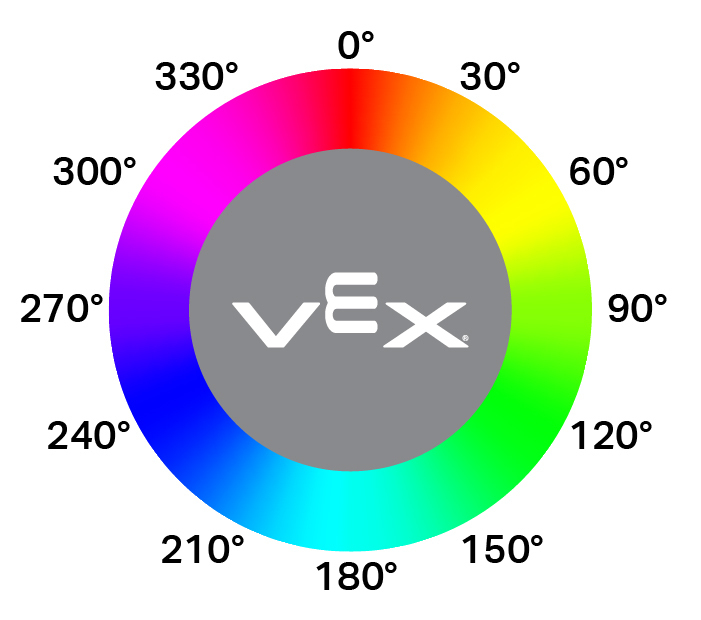
The Optical hue reporter block reports the hue detected by the Optical Sensor as a number from 0 to 359 degrees.
Hue is a way to describe color using numbers around a color wheel.

([Optical 1 v] 色调度数)
参数 |
描述 |
|---|---|
设备 |
Which Optical Sensor to use, configured in the Devices window. |
例子
当开始
[Look for the color pink using hue.]
永久循环
清屏
在屏幕上设定光标至 [1] 行 [1] 列
如果 <[300] [math_less_than v] ([Optical 1 v] 色调度数) [math_less_than v] [359]> 那么
在屏幕上打印 [This is pink!]▶
否则
在屏幕上打印 [No pink detected!]▶
光学#
The when Optical hat block runs the attached stack of blocks whenever the Optical Sensor detects or loses an object.
当 [Optical 1 v] [detects v] 一个对象 :: hat events
参数 |
描述 |
|---|---|
设备 |
Which Optical Sensor to use, configured in the Devices window. |
状态 |
When the attached stack of blocks will run: detects runs when an undetected object is detected, while loses runs when a detected object is now no longer detected. |