
屏幕#
介绍#
屏幕模块控制 IQ(第一代)大脑如何在其内置屏幕上显示文本和数值。
IQ(第一代)大脑屏幕最多支持 5 行 21 列文本。
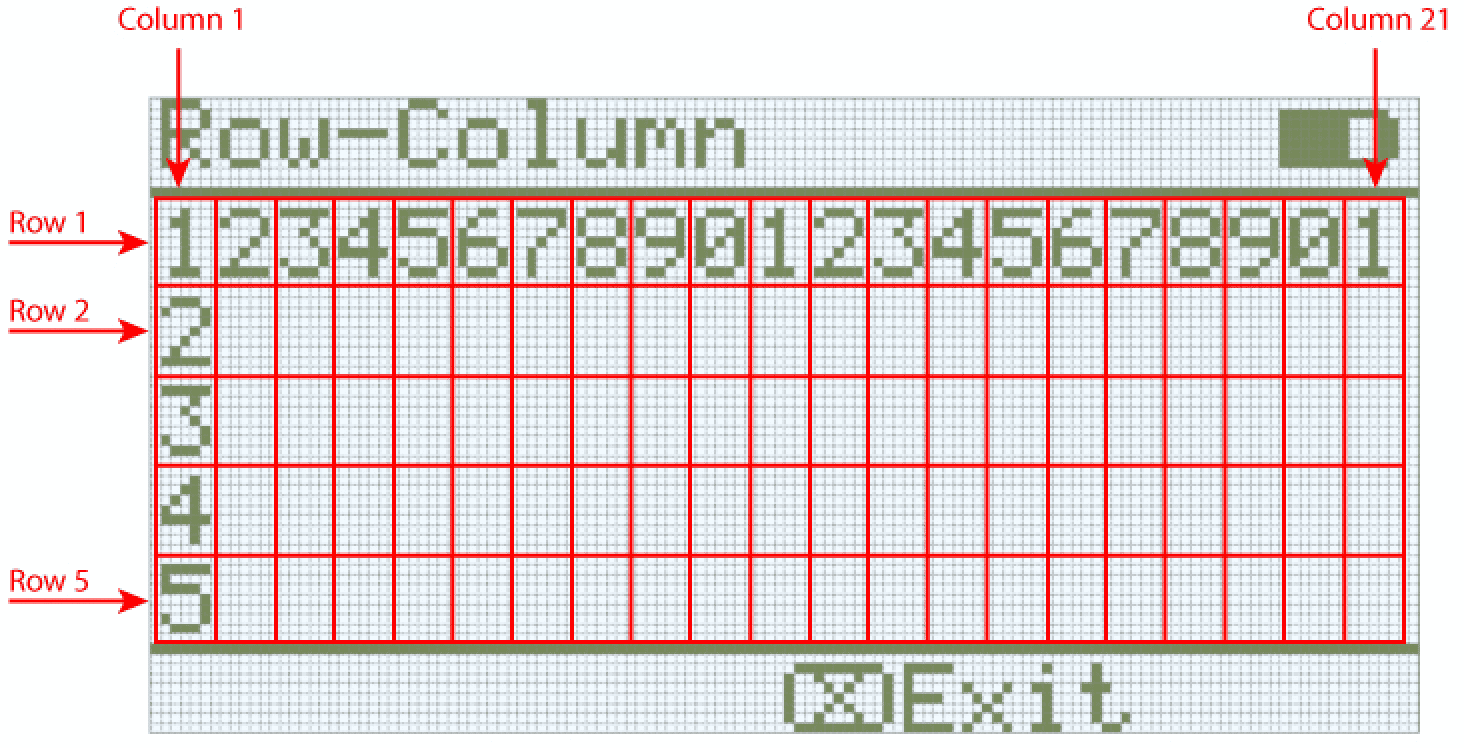
以下是所有模块的列表:
光标打印——在屏幕上显示文本和数值。
在屏幕上打印 — 在 Brain 屏幕上打印文本、数字或变量值。
将光标设置到屏幕上的行列 — 将光标移动到指定的行和列。
将光标移至屏幕上的下一行 — 将光标移至下一行。
清除屏幕上的行 — 清除指定的行。
设置 — 配置屏幕显示属性。
清除屏幕 — 清除整个屏幕。
设置屏幕上的打印精度 — 设置打印数字时显示的小数位数。
光标打印#
屏幕打印#
在屏幕上打印堆栈块在 Brain 屏幕上的当前光标位置打印文本、数字或变量值。
在屏幕上打印 [VEXcode]▶
参数 |
描述 |
|---|---|
价值 |
要在屏幕上打印的文本、数字或变量值。 |
并将光标移至下一行 |
选择箭头(▶)展开块,显示并将光标设置到下一行,这样打印后光标将移动到下一行的第 1 列。 |
例子
当开始
[Display a message at the starting cursor position.]
在屏幕上打印 [Hello, Robot!]◀ 并设定光标至下一行
将光标设置到屏幕上的行列#
“设置光标到屏幕上的行列”堆栈块会将光标移动到大脑屏幕上#print-on-screen特定行和列。下一个“在屏幕上打印”块将从该位置开始打印。
第一代 IQ Brain 使用等宽字体,这意味着每个字符的宽度相同,从而确保文本对齐的一致性。第一代 IQ Brain 屏幕最多支持 5 行 21 列文本。
在屏幕上设定光标至 [1] 行 [1] 列
参数 |
描述 |
|---|---|
排 |
要将光标移动到的行。 |
柱子 |
要将光标移动到的列。 |
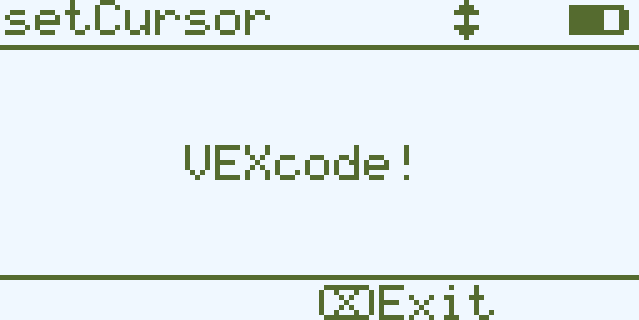
例子
当开始
[Display a message in the middle of the screen]
在屏幕上设定光标至 (3) 行 (7) 列
在屏幕上打印 [VEXcode!]▶
将光标移至屏幕上的下一行#
将光标设置到屏幕上的下一行 堆栈块将光标移动到大脑屏幕上下一行的第 1 列。
在屏幕上设定光标至下一行
参数 |
描述 |
|---|---|
此代码块没有参数。 |
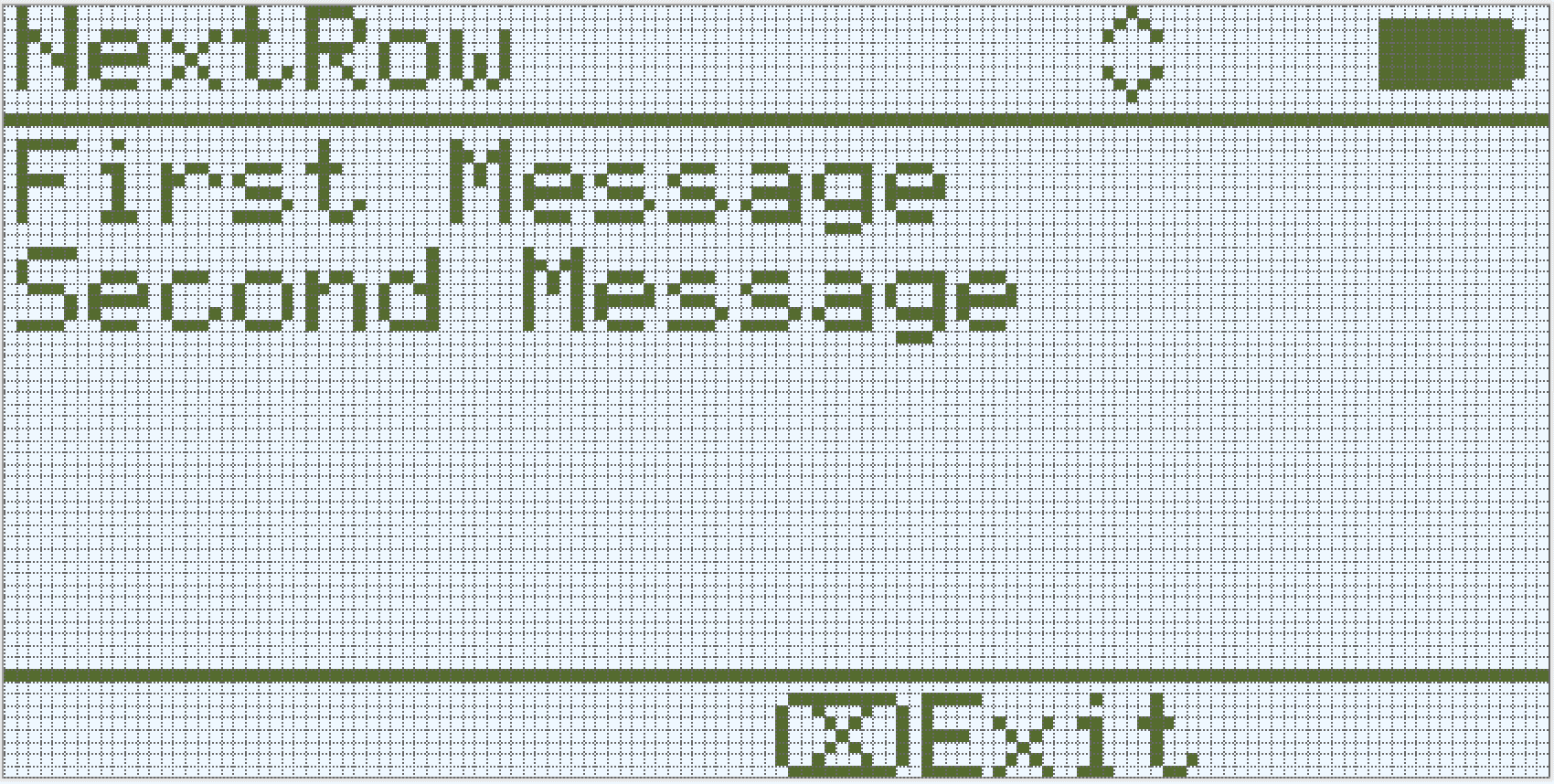
例子
当开始
[Display two lines of text.]
在屏幕上打印 [First Message]▶
在屏幕上设定光标至下一行
在屏幕上打印 [Second Message]◀ 并设定光标至下一行
屏幕上的清除行#
清除屏幕上的行堆栈块清除大脑屏幕上的一行文本。
清除屏幕第 (1) 行
参数 |
描述 |
|---|---|
排 |
要清除的行号为整数。 |
例子
当开始
[Display text on two rows, but only keep one.]
在屏幕上打印 [This text stays]◀ 并设定光标至下一行
在屏幕上打印 [This disappears]◀ 并设定光标至下一行
等待 (3) 秒
清除屏幕第 (2) 行
设置#
清晰屏幕#
清除屏幕堆栈块会清除大脑屏幕上的所有文本和图形。
清屏
参数 |
描述 |
|---|---|
此代码块没有参数。 |
例子
当开始
[Fill the screen, then clear it after 2 seconds.]
重复 (5)
在屏幕上打印 [Line]◀ 并设定光标至下一行
结束
等待 (3) 秒
清屏
设置屏幕打印精度#
设置屏幕打印精度 堆栈块用于设置 Brain 屏幕上打印数字时显示的小数位数。此打印精度将应用于此代码块运行后打印的所有数字。
在屏幕上设定打印精度为 [0.1 v]
参数 |
描述 |
|---|---|
精确 |
打印精度:
|
例子
当开始
[Print 1/3 as 0.33.]
在屏幕上设定打印精度为 [0.01 v]
在屏幕上打印 ([1] / [3])◀ 并设定光标至下一行