电机控制器 55#
介绍#
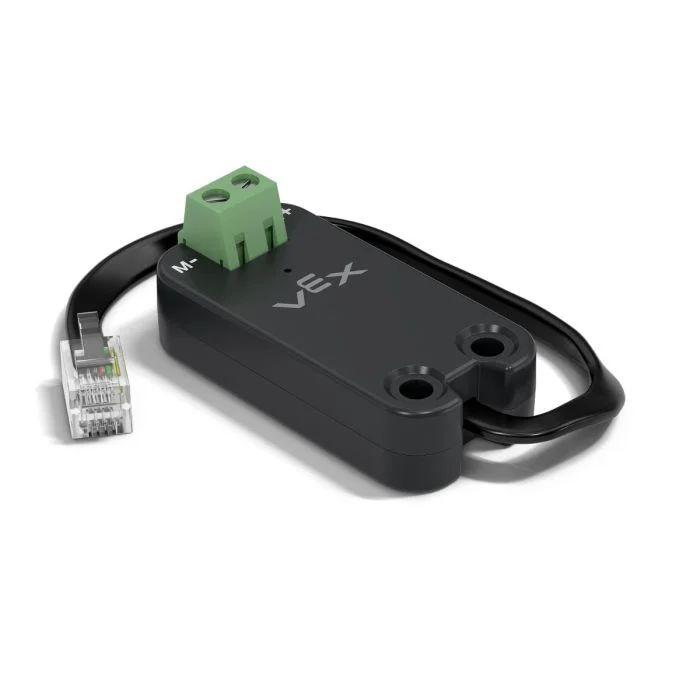
The Motor Controller 55 (MC55) is used to control standard DC motors. The MC55 connects a DC motor to a Smart Port and controls how much power is sent to the motor.
A DC motor connected to an MC55 can spin forward or reverse, spin at a set voltage, and be stopped. Unlike a Smart Motor, a DC motor connected to an MC55 does not report position, velocity, current, power, torque, efficiency, or temperature.

Below is a list of available Motor Controller 55 blocks:
Actions — Stop and spin a DC motor.
spin MC55 – Spins a DC motor forward or reverse forever.
以电压旋转 MC55 – 使用特定电压水平旋转直流电机。
stop MC55 – Stops a DC motor from spinning.
Settings — Adjust MC55 settings.
set MC55 velocity – Tells a DC motor how fast to spin.
set MC55 stopping – Sets how a DC motor will stop moving: by braking or coasting.
旋转 MC55#
The spin MC55 stack block spins a connected DC motor forward or reverse forever. The motor will continue to spin until it is given another action, like spinning in a different direction or stopping.
[MC55_1 v] [向前 v] 转
参数 |
描述 |
|---|---|
设备 |
The MC55 to use. Choose from the MC55 devices configured in the Devices window. |
方向 |
The direction the connected DC motor spins. By default, the choices are forward and reverse. Direction choices can change depending on the motor’s configuration. |
Example
当开始
[Spin the DC motor forward for 1 second.]
[MC55_1 v] [向前 v] 转
等待 (1) 秒
[MC55_1 v] 停止
在电压下旋转 MC55#
The spin MC55 at voltage stack block spins a DC motor using a specific voltage level.
Voltage is the electrical pressure supplied to the DC motor. A higher voltage makes the motor spin faster.
[MC55_1 v]以 [8] 伏特 [向前 v]转
参数 |
描述 |
|---|---|
设备 |
The MC55 to use. Choose from the MC55 devices configured in the Devices window. |
方向 |
The direction the connected DC motor spins. By default, the choices are forward and reverse. Direction choices can change depending on the motor’s configuration. |
电压 |
The voltage to spin the DC motor with, from -8V to 8V. Positive values spin in the selected direction, and negative values spin in the opposite direction. |
Example
当开始
[Spin the DC motor forward at 8 volts for 1 second.]
[MC55_1 v]以 [8] 伏特 [向前 v]转
等待 (1) 秒
[MC55_1 v] 停止
停止 MC55#
The stop MC55 stack block stops the connected DC motor. The DC motor stops based on the current stopping behavior: brake or coast.
[MC55_1 v] 停止
参数 |
描述 |
|---|---|
设备 |
The MC55 to use. Choose from the MC55 devices configured in the Devices window. |
Example
当开始
[MC55_1 v] [向前 v] 转
等待 (1) 秒
[MC55_1 v] 停止
设置MC55速度#
The set MC55 velocity stack block tells a DC motor how fast to spin. A higher percentage makes the DC motor spin faster and a lower percentage makes the DC motor spin slower.
Every project begins with each connected DC motor spinning at 50% velocity by default.
Note: A higher velocity makes the DC motor spin faster, but it may be less precise. A lower velocity makes the DC motor spin slower, but it can be more precise.
set [MC55_1 v] velocity to [50] %
参数 |
描述 |
|---|---|
设备 |
The MC55 to use. Choose from the MC55 devices configured in the Devices window. |
速度 |
The speed the DC motor will spin at. Percent uses whole numbers from 0% to 100%. |
unit |
The velocity unit: %. |
Example
当开始
[Spin the DC motor at full speed.]
set [MC55_1 v] velocity to [100] %
[MC55_1 v] [向前 v] 转
等待 (1) 秒
[MC55_1 v] 停止
设置 MC55 停止#
The set MC55 stopping stack block sets how a DC motor will stop moving: by braking or coasting.
Every project begins with each connected DC motor stopping with brake by default.
设定 [MC55_1 v] 停止模式为 [刹车 v]
参数 |
描述 |
|---|---|
设备 |
The MC55 to use. Choose from the MC55 devices configured in the Devices window. |
停止行为 |
How the DC motor will stop:
|