
Sensor de distancia#
Introducción#
El Sensor de Distancia puede detectar si hay un objeto delante del sensor e indicar a qué distancia se encuentra dicho objeto. También puede informar sobre la velocidad relativa del objeto detectado y estimar si el objeto es pequeño, mediano o grande.
El sensor de distancia funciona en un rango de 20 mm a 2000 mm.
Por debajo de 200 mm, la precisión es de aproximadamente ±15 mm. Por encima de 200 mm, la precisión mejora hasta aproximadamente un 5 %.
El sensor de distancia utiliza un láser de clase 1. La detección se realiza en línea recta hacia adelante y es seguro para usar en el aula.
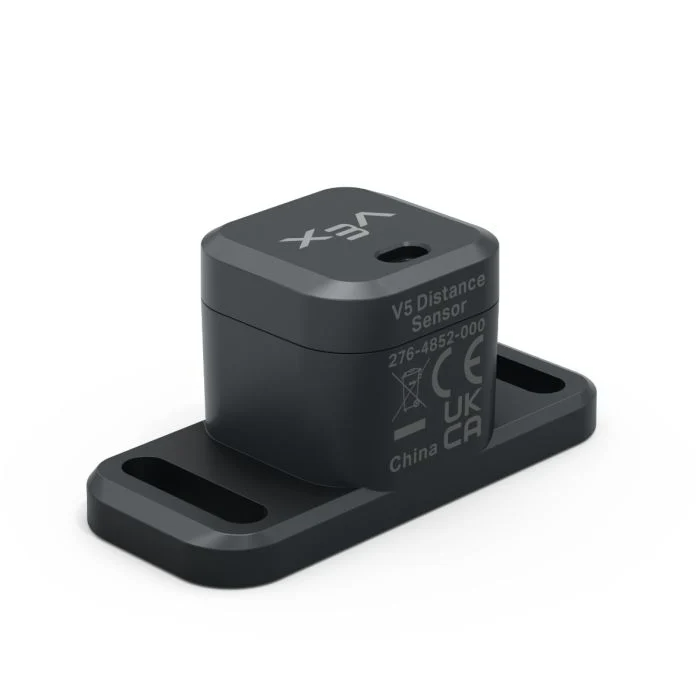
A continuación se muestra una lista de los bloques disponibles:
distancia del objeto — Informa la distancia entre el sensor de distancia y el objeto detectado más cercano.
velocidad del objeto — Informa qué tan rápido el objeto detectado se mueve hacia o desde el sensor de distancia.
el tamaño del objeto es — Informa si el objeto detectado coincide con el tamaño seleccionado.
Distancia encontró un objeto — Informa si el sensor de distancia detecta actualmente un objeto.
distancia del objeto#
El bloque de informe de distancia del objeto informa la distancia entre el sensor de distancia y el objeto detectado más cercano.
(distancia de objeto de [Distance1 v] en [mm v])
Parámetros |
Descripción |
|---|---|
dispositivo |
El sensor de distancia que se va a utilizar. Seleccione uno de los sensores de distancia configurados en la ventana Dispositivos. |
unidades |
La unidad de distancia: mm (de 20 mm a 2000 mm) o pulgadas (de 0,78 pulgadas a 78,74 pulgadas). |
Ejemplo
cuando inicie
[Drive forward until the object is within 50 mm away.]
conducir [adelante v]
esperar hasta <(distancia de objeto de [Distance1 v] en [mm v]) [math_less_than v] [50]>
detener conducción
velocidad del objeto#
El bloque de informe de velocidad del objeto informa la velocidad relativa del objeto detectado como un número decimal en m/s (metros por segundo).
La velocidad indica la rapidez con la que el objeto se acerca o se aleja del sensor de distancia. Un valor cercano a 0 significa que el objeto no se mueve mucho con respecto al sensor.
(velocidad de objeto de [Distance1 v] en m/s)
Parámetros |
Descripción |
|---|---|
dispositivo |
El sensor de distancia que se va a utilizar. Seleccione uno de los sensores de distancia configurados en la ventana Dispositivos. |
El tamaño del objeto es#
El bloque booleano tamaño del objeto es indica si el objeto detectado por el sensor de distancia coincide con el tamaño seleccionado.
El sensor de distancia estima el tamaño del objeto en función de la porción del campo de visión del sensor que ocupa el objeto detectado.
Verdadero — El sensor de distancia detecta un objeto del tamaño seleccionado.
Falso — El sensor de distancia no detecta un objeto del tamaño seleccionado.
<¿tamaño de objeto de [Distance1 v] es [pequeño v]?>
Parámetros |
Descripción |
|---|---|
dispositivo |
El sensor de distancia que se va a utilizar. Seleccione uno de los sensores de distancia configurados en la ventana Dispositivos. |
tamaño |
Tamaño del objeto a comprobar:
|
Distancia encontrada un objeto#
El bloque booleano Distancia encontró un objeto indica si el sensor de distancia detecta actualmente un objeto.
Verdadero — El sensor de distancia detecta un objeto.
Falso — El sensor de distancia no detecta ningún objeto.
<¿[Distance1 v] encontró un objeto?>
Parámetros |
Descripción |
|---|---|
dispositivo |
El sensor de distancia que se va a utilizar. Seleccione uno de los sensores de distancia configurados en la ventana Dispositivos. |
Ejemplo
cuando inicie
[Drive forward until the object is within 50 mm away.]
por siempre
conducir [adelante v]
si <¿[Distance1 v] encontró un objeto?> entonces
si <(distancia de objeto de [Distance1 v] en [mm v]) [math_less_than v] [50]> entonces
detener conducción
interrumpir