If Then Blocks#
if / else blocks are a way for your robot to make decisions during a project.
Understanding if / else blocks#
The if then branch#
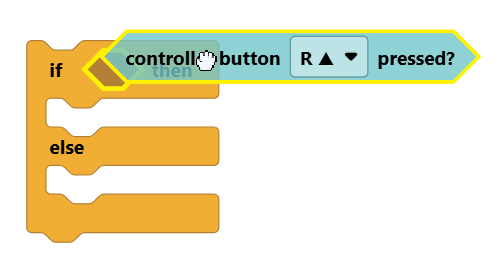
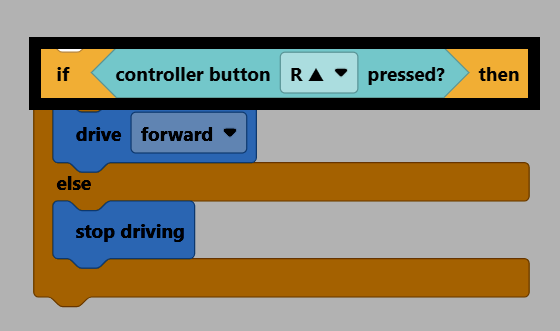
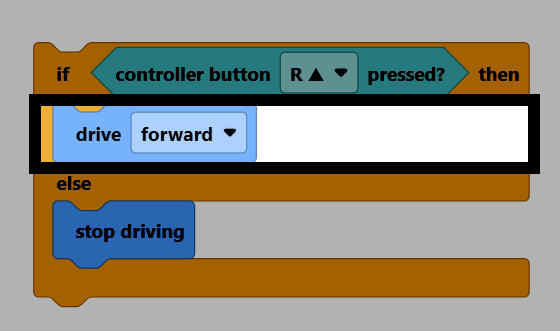
An if/else block has two parts. In the if then branch, you insert a Boolean block into the condition slot for the robot to check, and add the blocks you want to run when the condition is true.
The else branch#
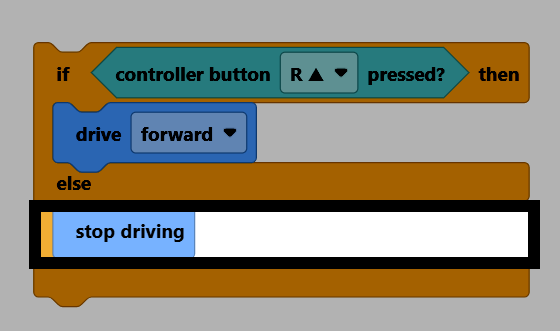
In the else branch, you add the blocks you want to run when the condition is false.
Insert a Boolean block#
Drag a Boolean block into the empty condition slot in the if then branch.
All Boolean blocks have sharp edges and a question mark in its name, such as the controller button pressed? block.
If the condition is true#
If the condition is true, the blocks inside the if then branch will run.
If the condition is false#
If the condition is false, the blocks inside the else branch will run.
Repeating if / else blocks#
An if/else block only checks its condition once. If you want the condition to be checked repeatedly, put the if/else block inside a looping block, like forever.
永久循环
如果 <Controller [R ▲ v] 按下了?> 那么
驱动 [向前 v]
否则
驱动停止
结束
结束
The if Block#
The if block is only the if then branch. If the condition isn’t true, nothing will happen.
如果 <Controller [R ▲ v] 按下了?> 那么
驱动 [向前 v]
结束
The if / else if / else Block#
The if / else if / else block can be used to test multiple conditions one after another. It can be expanded to test as many conditions as needed.
如果 <Brain [◀ v] 键按下了?> 那么
[左 v] 转 (90) 度 ▶
否则如果 <Brain [▶ v] 键按下了?> 那么
[右 v] 转 (90) 度 ▶
否则如果 <Brain [确认 v] 键按下了?> 那么
驱动停止
否则
驱动 [向前 v]
结束