
Si entonces Bloques#
Este tutorial explica cómo usar bloques if/else para que tu robot compruebe una condición y decida qué bloques ejecutar. Al finalizar, sabrás cómo configurar una condición y controlar qué sucede cuando se cumple o se cumple.
Arrastra un bloque booleano al espacio de condición vacío en la rama si entonces.
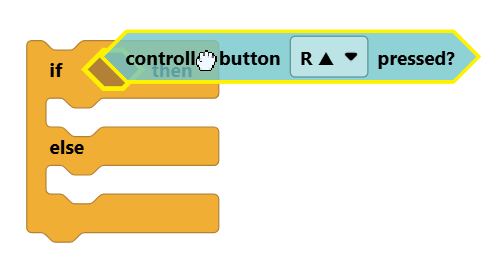
Todos los bloques booleanos tienen forma hexagonal y llevan un signo de interrogación en su nombre, como por ejemplo el bloque ¿Botón del mando pulsado?.
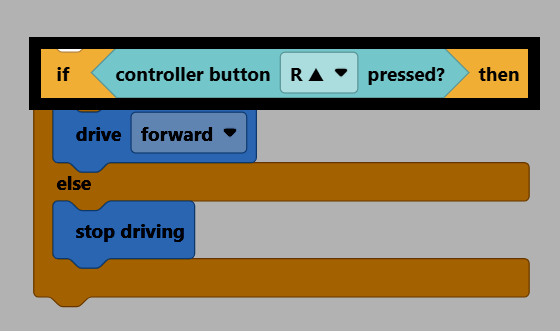
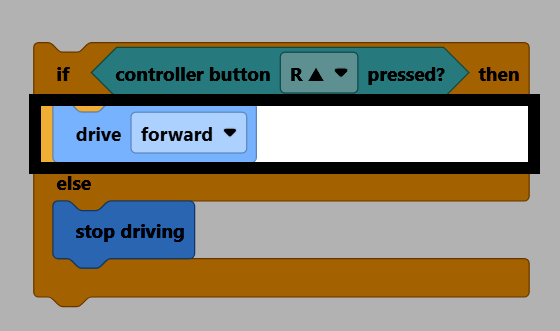
Si la condición es verdadera, se ejecutarán los bloques dentro de la rama if then.
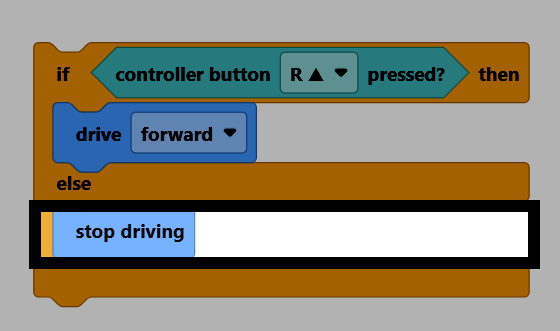
Si la condición es falsa, se ejecutarán los bloques dentro de la rama else.
Un bloque if/else solo comprueba su condición una vez. Si quieres que la condición se compruebe repetidamente, coloca el bloque if/else dentro de un bucle, como forever.
por siempre
si <¿botón [R ▲ v] del Control presionado?> entonces
conducir [adelante v]
si no
detener conducción
fin
fin
El bloque if es solo la rama if then. Si la condición no es verdadera, no sucederá nada.
si <¿botón [R ▲ v] del Control presionado?> entonces
conducir [adelante v]
fin
El bloque if / else if / else se puede usar para probar varias condiciones una tras otra. Se puede ampliar para probar tantas condiciones como sea necesario.
si <¿botón [◀ v] del Brain presionado?> entonces
girar [izquierda v] por (90) grados ▶
si no, si <¿botón [▶ v] del Brain presionado?> entonces
girar [derecha v] por (90) grados ▶
si no, si <¿botón [Verificar v] del Brain presionado?> entonces
detener conducción
si no
conducir [adelante v]
fin