
Proje Oluşturma, Açma ve Kaydetme#
VEXcode AIM’de, VEX AIM Kodlama Robotunuzla yeni projeler oluşturabilir veya kaydedilmiş projeleri açabilirsiniz. Projelerinizi oluşturmak, kaydetmek ve açmak için şu basit adımları izleyin.
Yeni Bir Proje Oluşturma#
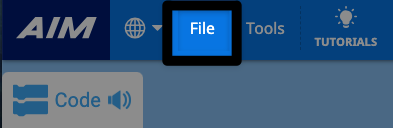
Dosya menüsünü açmak için Dosya’yı seçin.#
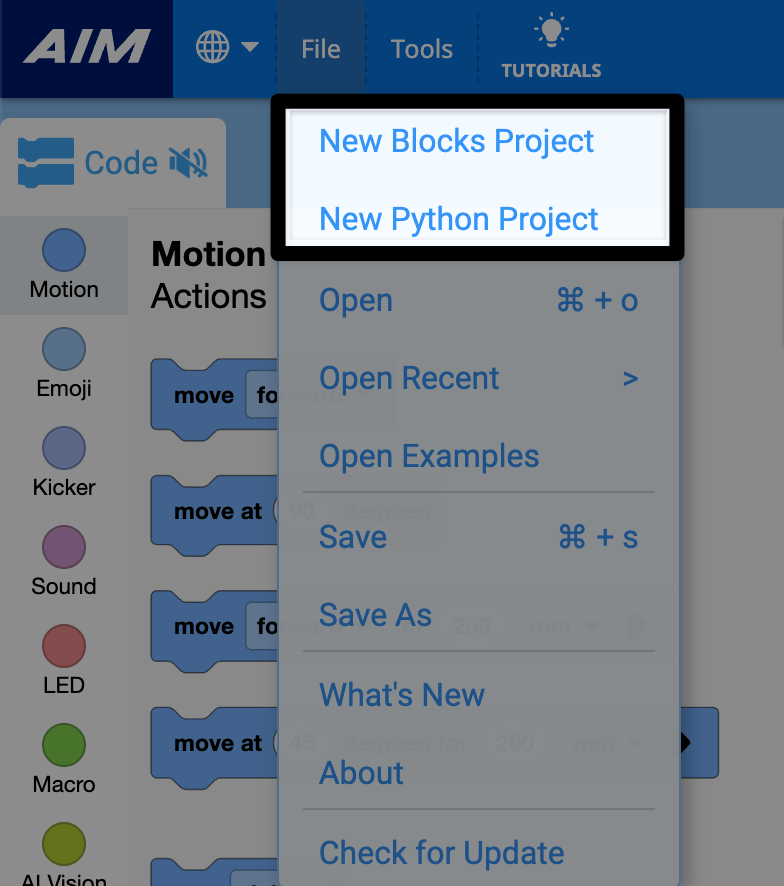
Yeni Blok Projesi veya Yeni Python Projesi’ni seçin.#
Bir Projeyi Kaydetme#
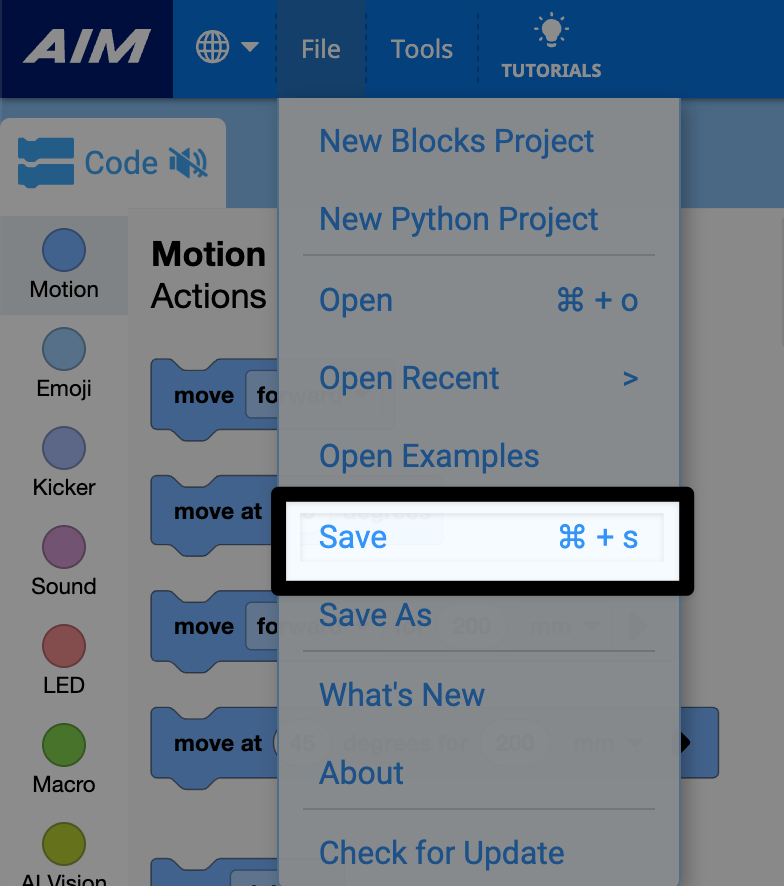
Dosya menüsünden Kaydet’i seçin.#
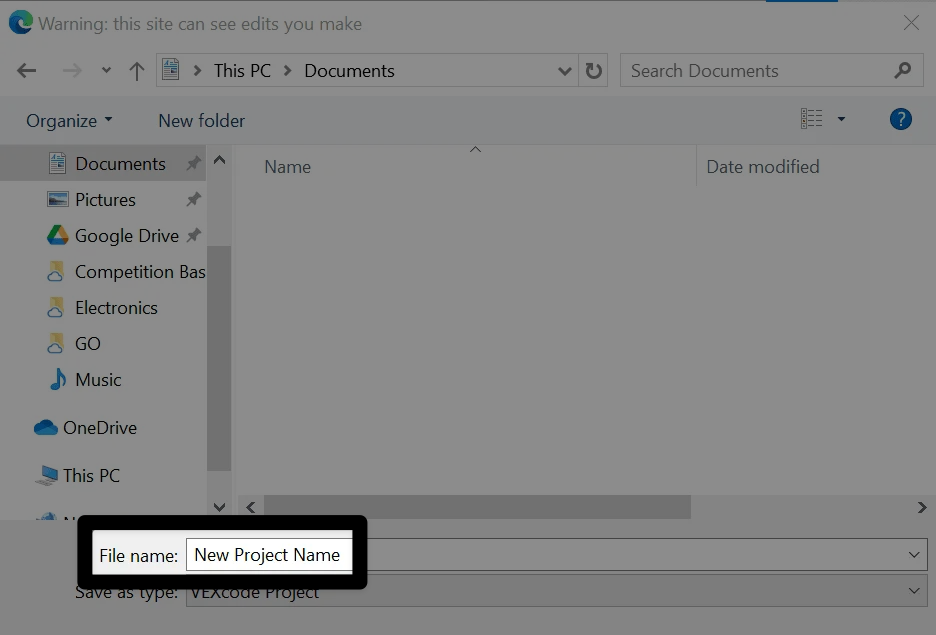
Projenize bir isim verin.#
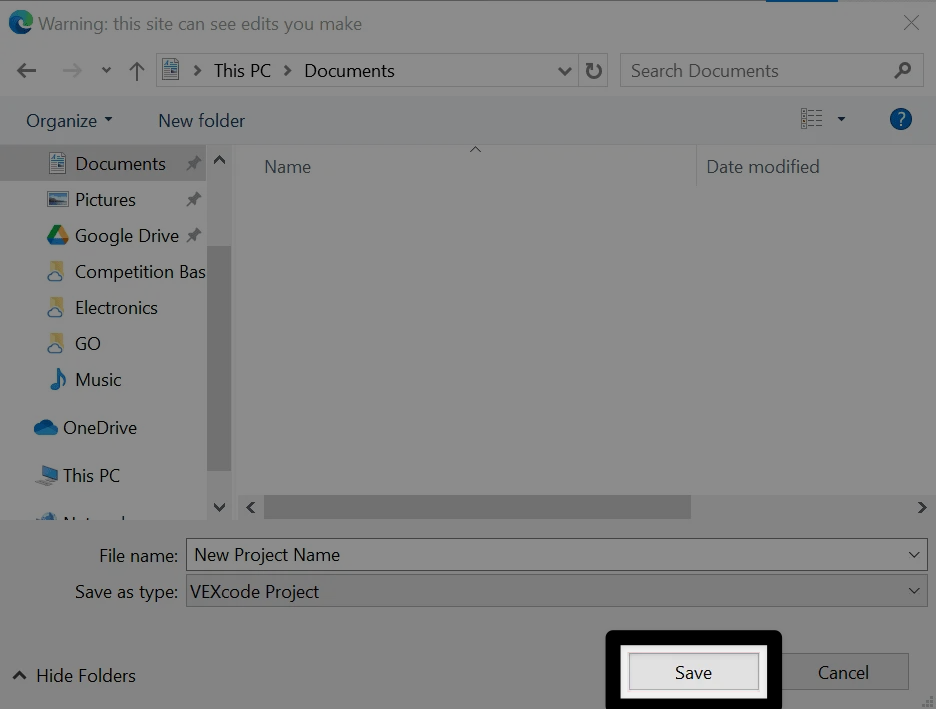
Cihazınızın kaydetme iletişim kutusunu kullanarak yeni projenizin adını girin.
Kaydet’i seçin#
A Windows interface is shown here for reference. VEXcode AIM projects will be saved with a .aimblocks or .aimpython extension, depending on whether it is a blocks or Python project.
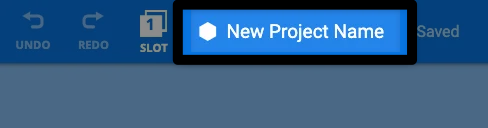
Proje adını onaylayın.#
Yeni proje adınız artık VEXcode AIM Araç Çubuğundaki proje adı iletişim kutusunda görünecektir.
Mevcut Bir Projeyi Açmak#
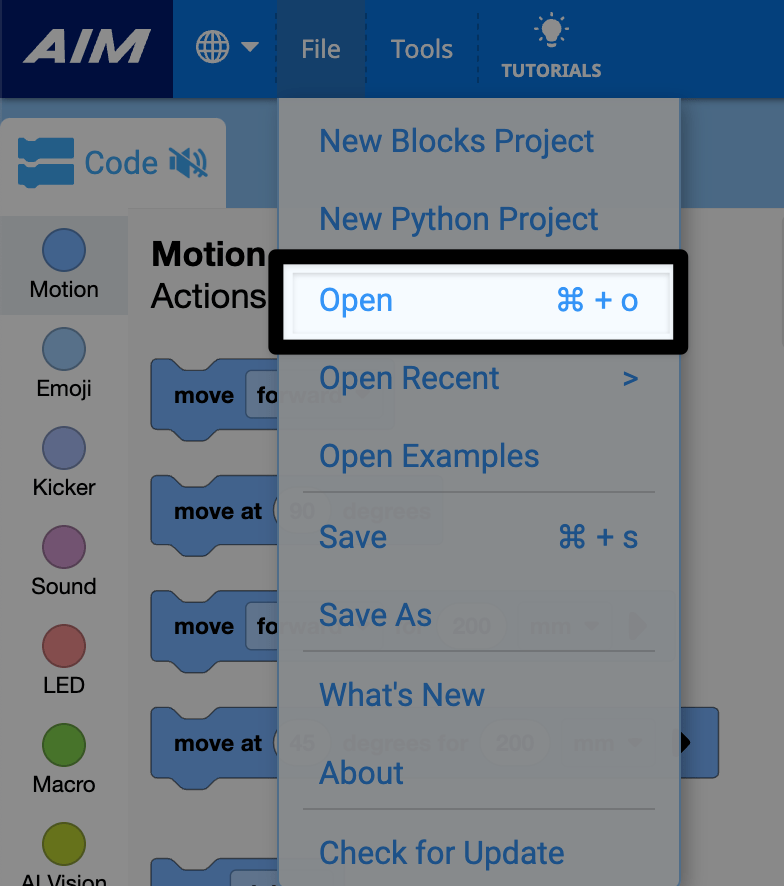
Dosya menüsünden Aç’ı seçin.#
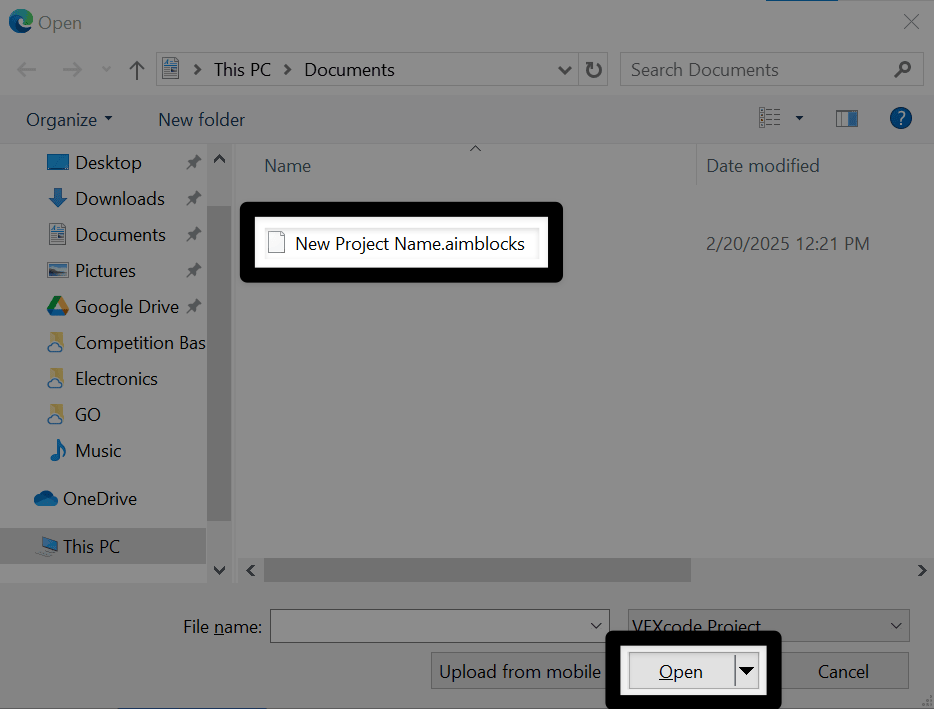
Projenizi seçin#
Navigate to your saved project on your device. Select the project you wish to open, then select Open . A Windows interface is shown here for reference. VEXcode AIM projects will have a .aimblocks or .aimpython extension, depending on whether it is a blocks or text project.
Projenizi görüntüleyin#
Projeniz artık VEXcode AIM’de açılacak ve proje adı araç çubuğunda görünecektir.