
Projektin luominen, avaaminen ja tallentaminen#
VEXcode AIM:ssä voit rakentaa uusia projekteja tai avata tallennettuja projekteja VEX AIM -koodausrobotillasi. Noudata näitä yksinkertaisia ohjeita luodaksesi, tallentaaksesi ja avataksesi projektisi.
Uuden projektin luominen#
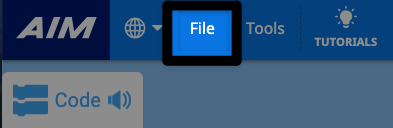
Avaa Tiedosto-valikko valitsemalla Tiedosto#
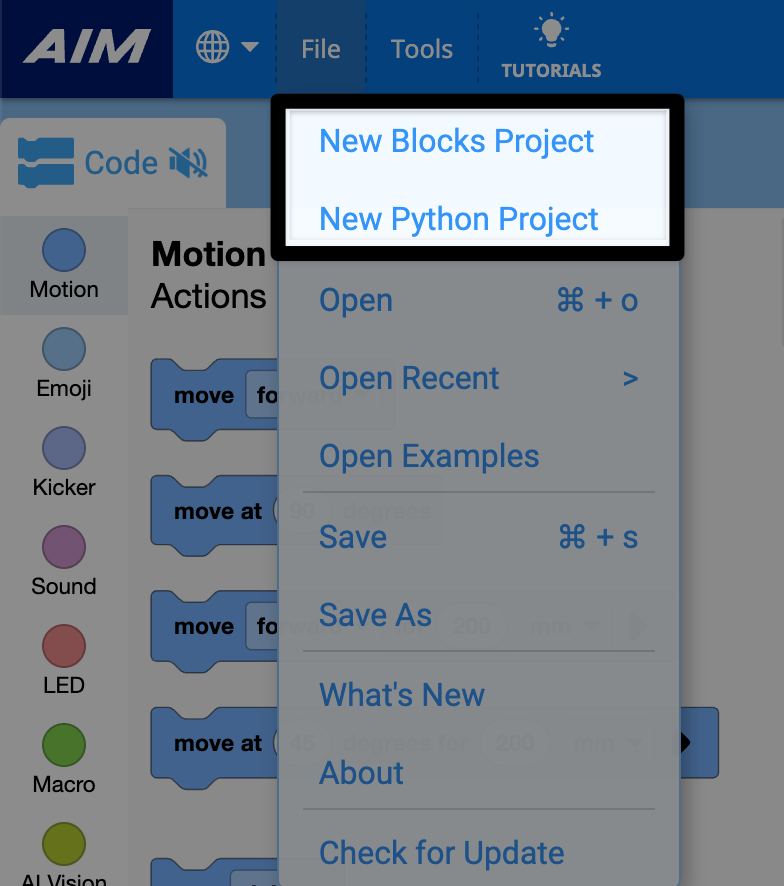
Valitse Uusi lohkoprojekti tai Uusi Python-projekti#
Projektin tallentaminen#
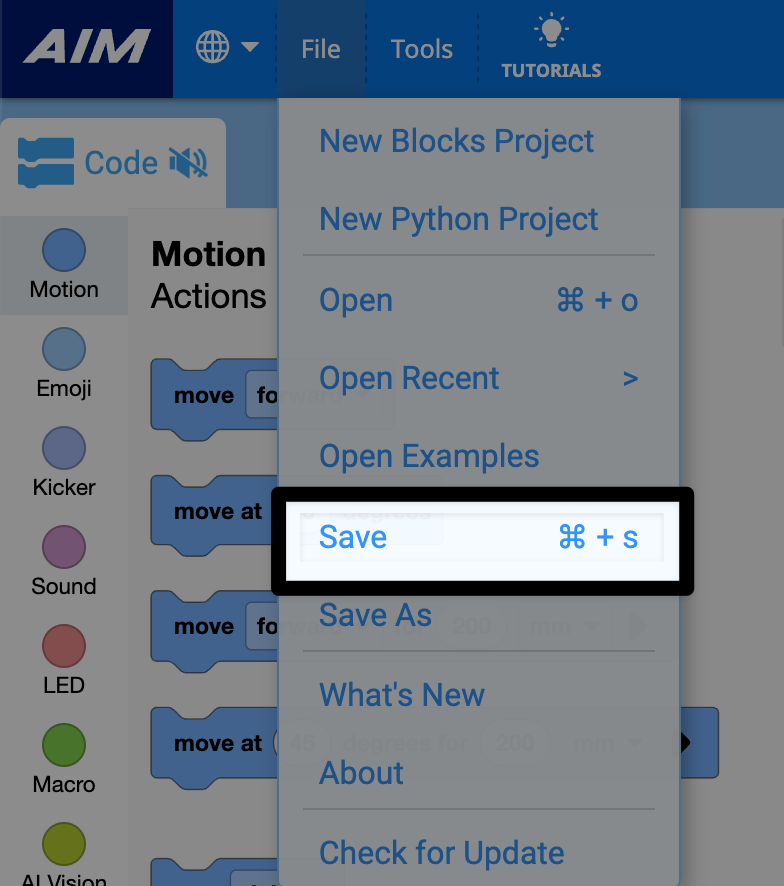
Valitse Tiedosto-valikosta Tallenna#
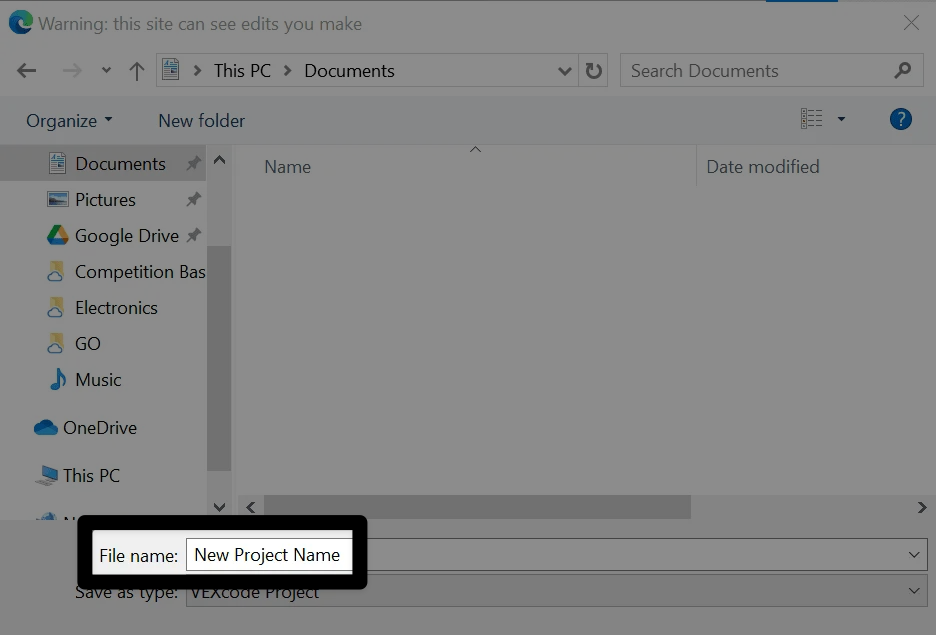
Nimeä projektisi#
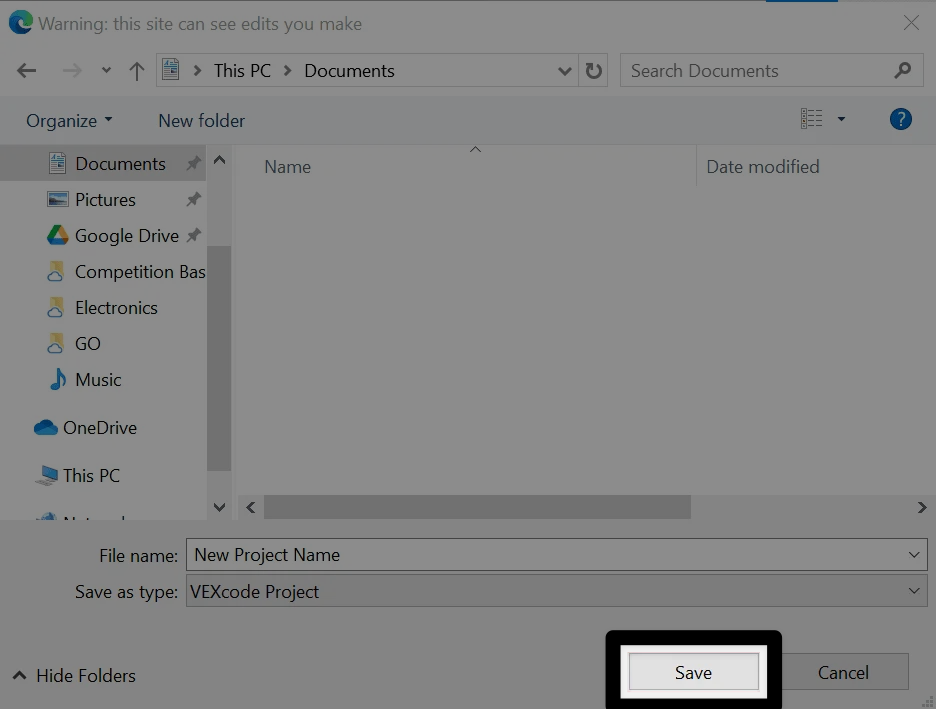
Kirjoita uuden projektin nimi laitteesi tallennusvalintaikkunassa.
Valitse Tallenna#
A Windows interface is shown here for reference. VEXcode AIM projects will be saved with a .aimblocks or .aimpython extension, depending on whether it is a blocks or Python project.
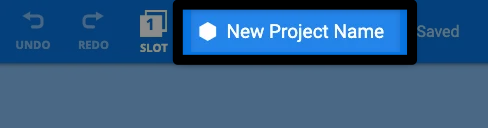
Vahvista projektin nimi#
Uusi projektisi nimi näkyy nyt VEXcode AIM -työkalupalkin projektin nimen valintaikkunassa.
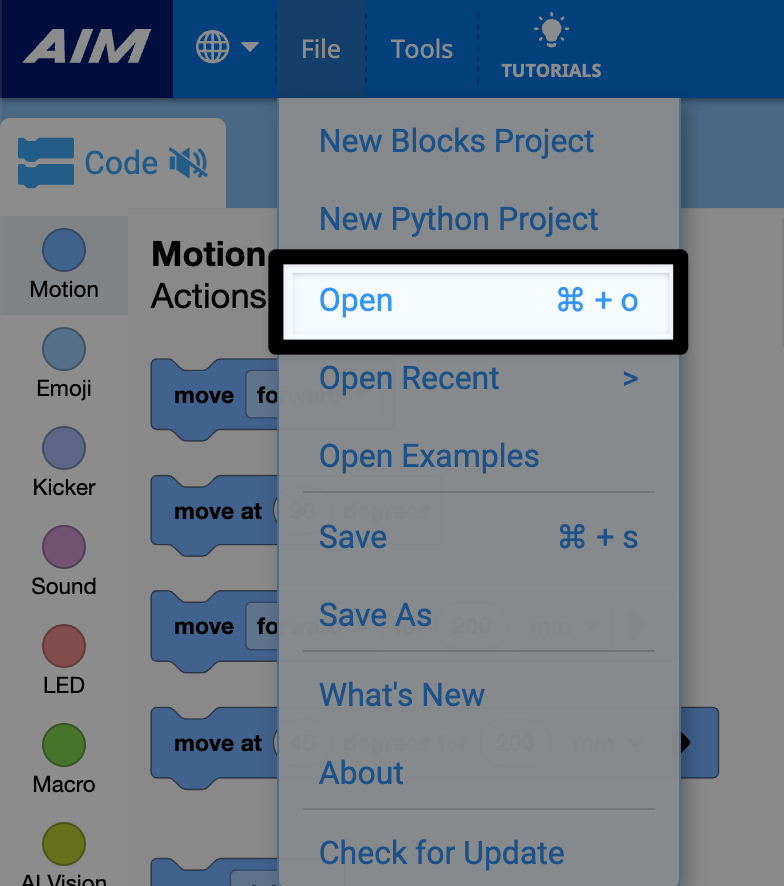
Olemassa olevan projektin avaaminen#
Valitse Tiedosto-valikosta Avaa#
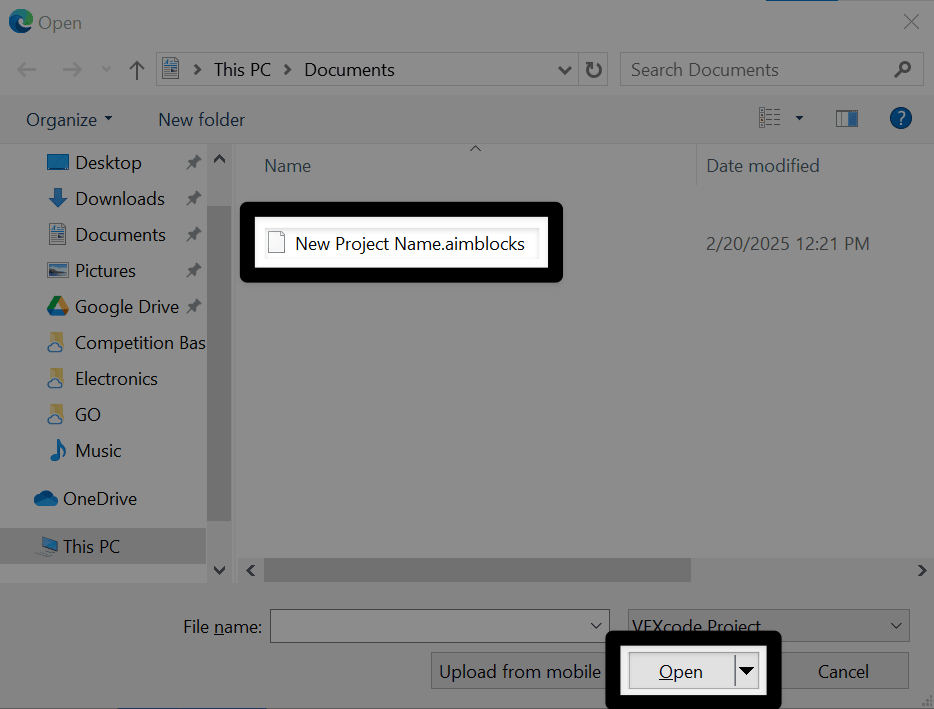
Valitse projektisi#
Navigate to your saved project on your device. Select the project you wish to open, then select Open . A Windows interface is shown here for reference. VEXcode AIM projects will have a .aimblocks or .aimpython extension, depending on whether it is a blocks or text project.
Katsele projektiasi#
Projektisi avautuu nyt VEXcode AIM:ssä ja projektin nimi näkyy työkalupalkissa.