Torneado#
Once you have a Drivetrain added to your robot in the Devices menu, you can start to code with it.
Add a turn for Block#
To turn your robot’s Drivetrain, use the turn for block.
The turn for block.#
girar [derecha v] por (90) grados ▶
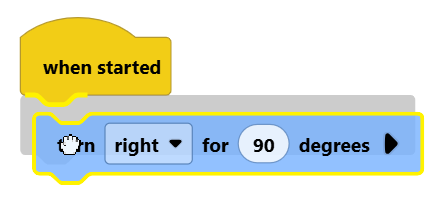
Connect the turn for block to the when started block.
Configure the Parameters#
Set the Angle#
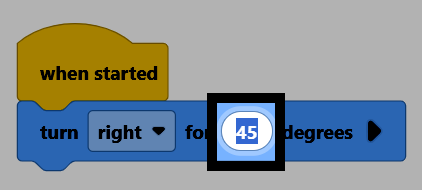
Select the number in the block to type in how many degrees you want the Drivetrain to turn, including decimals.
Set the Direction#
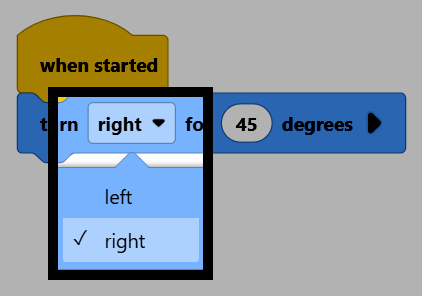
Select right to open the drop-down menu, and choose whether to turn the Drivetrain left or right.
Set Whether to Wait#
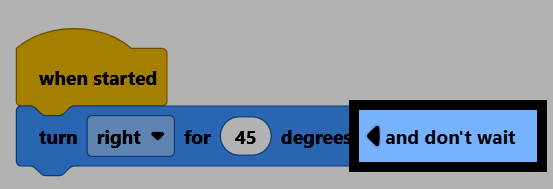
Select the arrow to expand the block to say and don’t wait. This makes the project continue to the next block right away, instead of waiting for the Drivetrain to finish turning first.