
Uso de eventos#
Este tutorial explica cómo usar eventos en VEXcode IQ (2.ª generación). Al finalizar, sabrás cómo transmitir un evento y hacer que otro conjunto de bloques responda a él.
Los eventos permiten que pilas de bloques separadas en un proyecto se comuniquen entre sí, utilizando bloques de la categoría Lógica - Eventos. Los bloques cuyos nombres comienzan con broadcast indican que ha ocurrido un evento, y los bloques cuyos nombres comienzan con when ejecutan su pila de bloques asociada en respuesta.
Agregue un bloque de difusión o un bloque de difusión y espera a su proyecto.
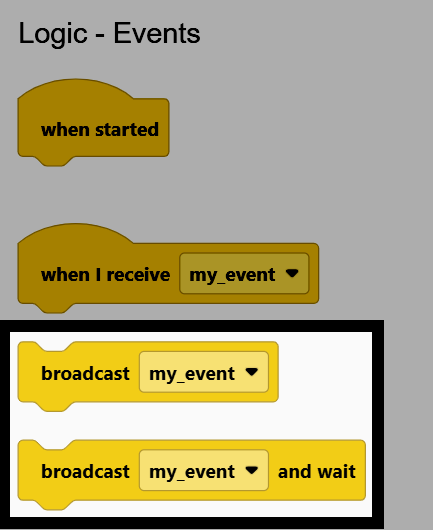
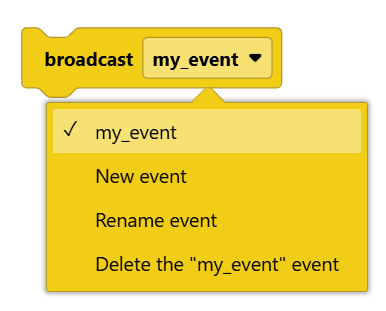
Seleccione la opción desplegable en el bloque difusión para elegir un evento existente, o para crear, renombrar o eliminar un evento.
Agrega un bloque cuando reciba al espacio de trabajo y configura su menú desplegable para que coincida con el nombre del evento utilizado en tu bloque difusión. Luego, adjunta bloques debajo, ya que estos se ejecutarán cada vez que se difunda dicho evento.
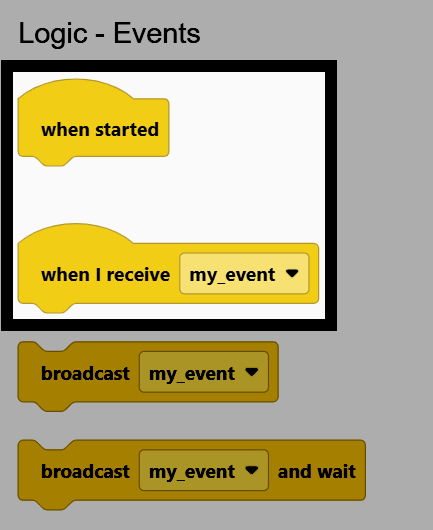
Una vez que un bloque cuando recibo coincide con el nombre del evento utilizado por un bloque difusión, al ejecutar el proyecto ambos bloques se ejecutan simultáneamente. Por ejemplo, el robot girará hasta que se presione el botón de Verificación del Cerebro, momento en el que se emitirá un evento que detendrá su movimiento.
cuando inicie
girar [derecha v]
esperar hasta <¿botón [Verificar v] del Brain presionado?>
transmitir [my_event v]
cuando reciba [my_event v]
detener conducción
También se pueden encontrar bloques que comienzan con when en otras categorías de dispositivos, y sus bloques asociados se ejecutan cuando se cumple la condición de dicho dispositivo. Por ejemplo, los bloques when Brain button y when Bumper.
cuando Brain [◀ v] botón [presionado v]
cuando [Bumper1 v] [presionado v]